LogoAI Jet

Introduction

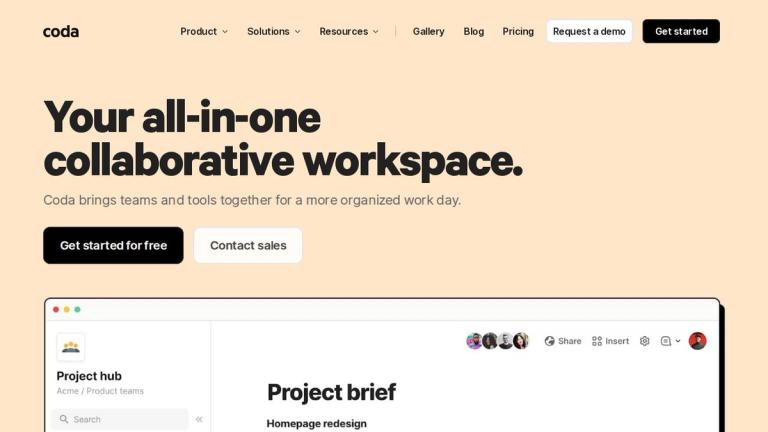
Coda is a versatile platform designed to unify teams and tools into a single, collaborative workspace. It combines the flexibility of documents, the structure of spreadsheets, the power of applications, and the intelligence of AI.

Key Features:

  • All-in-One Platform: Integrates documents, spreadsheets, and applications into a single workspace.
  • AI Integration: Coda AI assists with brainstorming, content creation, summarization, and automation.
  • Customizable Templates: Offers a wide range of templates for various teams and use cases, including product, sales, engineering, design, and HR.
  • Integration with Tools: Connects with 600+ tools like Google Calendar, Slack, Figma, and Jira.
  • Collaboration Features: Enables real-time collaboration, personalized views, and synced edits.

Use Cases:

  • Product Teams: Organize product roadmaps, decision docs, and meeting forums.
  • Sales Teams: Manage account hubs, sales team hubs, and mutual action plans.
  • Engineering Teams: Create engineering team hubs, Jira dashboards, and headcount budgeting.
  • Marketing Teams: Develop launch briefs, content calendars, and marketing leads forecasts.
  • HR Teams: Streamline hiring hubs, 1:1 meeting notes, and talent reviews.

Alternatives

  • Notion

    Notion offers a highly flexible all-in-one workspace for notes, tasks, wikis, and databases, similar to Coda's modular approach.

  • Airtable

    Airtable provides a powerful spreadsheet-database hybrid for organizing information and building custom workflows, appealing to users needing structured data management.

  • ClickUp

    ClickUp is an extensive all-in-one productivity platform that combines project management, documents, spreadsheets, and more, aiming to replace multiple tools.

  • Google Workspace

    Google Workspace offers a suite of collaborative tools including Docs, Sheets, and Sites, providing robust real-time co-editing and cloud storage for teams.

  • Microsoft Loop

    Microsoft Loop is a new collaborative app designed for flexible content creation and sharing across Microsoft 365 apps, focusing on fluid teamwork.

  • Smartsheet

    Smartsheet combines the familiarity of a spreadsheet with robust project management, automation, and reporting capabilities for dynamic work.

  • Confluence

    Confluence is a team workspace for knowledge management, documentation, and project collaboration, especially popular among software development teams.

  • Monday.com

    Monday.com is a customizable work operating system that helps teams manage projects, workflows, and data with visual boards and automation.

  • Quip

    Quip integrates documents, spreadsheets, and chat into a single collaborative platform, emphasizing real-time co-editing and communication.

  • Jira Work Management

    Jira Work Management provides business teams with tools for project tracking, task management, and collaborative planning, extending Jira's capabilities beyond software development.

FAQ

User Reviews

4.7/5.0
(49reviews)
Click stars to rate

Pricing

Pricing Model: Freemium, Subscription

Free

Suitable for individuals and small teams managing simple projects. Includes unlimited document size for unshared docs, connected tables, charts, kanban, forms, basic automation, and formulas. Allows users to try all Coda AI features for free with limited trial credits.

Free
null

Pro

Includes all features of the Free plan. Editors are free. Billed per Doc Maker.

$12/month
monthly

Pro (Annual)

Includes all features of the Free plan. Editors are free. Billed per Doc Maker, billed annually.

$10/month
yearly

Team

Suitable for teams of any size that need to collaborate in Coda docs. Editors and viewers are free. Billed per Doc Maker.

$36/month
monthly

Enterprise

Includes all features of the Team plan, plus advanced user management, audit events, Single Sign-On (SSO), SOC 2 reports, advanced locking, a dedicated Customer Success Manager, and Doc Maker AI with additional enterprise features.

Custom
null

More Products

TinyPNG is Tinify’s browser-based image compressor and converter. This review explains how its web tool differs from its Developer API, what each free allowance covers, and when its compression, conversion, resizing, and cropping features may fit an image workflow.

Zamzar is an online file conversion and compression service for documents, images, video, sound, and other formats. Its free web service has daily file and upload-size limits.

iLoveIMG is a browser-based image service for compression, resizing, cropping, conversion, and editing, with a free Basic plan and paid options.

Smallpdf is an online PDF toolkit for conversion, compression, editing, merging, signing, and more. Its Free plan includes 30+ tools but limits downloads.

Convertio is a browser-based service for converting files between supported formats, with optional settings for many conversion types.

FreeConvert is an online file converter with more than 1,500 listed conversion types and a free allowance of 20 conversion minutes per day.

HiPDF is an online PDF service with conversion, editing, compression, merging, cropping, image tools, and AI features.

123apps is a browser-based suite of video, audio, PDF, and file-conversion tools. Its apps are free to use with limits on file size and daily operations.

ChatPDF summarizes PDFs and answers questions about them. Its free plan allows two document analyses per day, with no account needed to get started.

CloudConvert is a browser-based converter for more than 200 file formats, including documents, images, audio, video, archives, and specialist formats.

OCR.space provides free browser-based OCR for images and PDFs, searchable PDF creation, and a separate API for adding text recognition to software.

Free online itinerary maker with 900+ trip plans across 96 countries. Edit day-by-day in the browser; export to PDF, Excel, CSV, Google Sheets or .ics. Free account required to download/print. Optional Pro adds premium themes; AI chat helps draft plans.

TasteDir is a curated directory of finished, well-crafted software from indie makers and small teams. Every listed tool is reviewed by hand.

An AI meeting copilot that combines live transcripts, screenshots, and project documents to deliver contextual answers, response drafts, and meeting recaps.

Create professional invoices free in your browser: live preview, any currency, tax and discounts, custom templates, and no-watermark PDF. No signup needed.

Vidsembly is an AI video creation platform that turns PowerPoint presentations, PDFs, and documents into narrated videos. Create AI presentations, clone voices, translate slides, transcribe recordings, generate soundtracks, and host videos in one place.