LogoAI Jet
icon of LibreOffice

LibreOffice

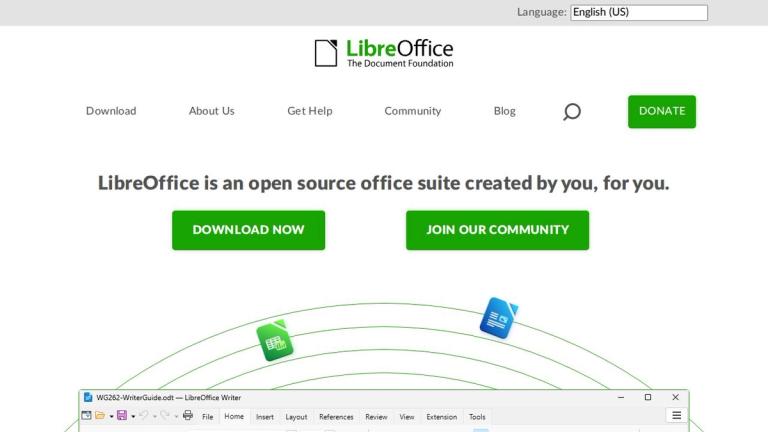
A free and open-source office suite compatible with Microsoft Office formats, offering a range of productivity applications.

Introduction

A free and open-source office suite compatible with Microsoft Office formats, offering a range of productivity applications.

Features
  • Writer - Word Processor — A powerful word processing application for everything from quick notes to full-length books. Offers comprehensive document creation and editing capabilities with full compatibility with Microsoft Word formats and OpenDocument standards.
  • Calc - Spreadsheet — A feature-rich spreadsheet application to analyze data, crunch numbers, and create clear visuals. Supports complex formulas, data analysis tools, and chart creation for professional data management.
  • Impress - Presentations — Create engaging, multimedia presentations with ease and speed. Supports various animation effects, slide transitions, and multimedia integration for professional-quality presentations.
  • Draw - Graphics Editor — Design everything from simple diagrams to complex 3D illustrations. A versatile vector graphics tool suitable for flowcharts, technical drawings, and creative visual content.
  • Base - Database Management — Manage databases directly by building tables, forms, queries, and reports all in one place. Provides a complete front-end for various database engines including MySQL, PostgreSQL, and MS Access.
  • Math - Formula Editor — Easily write mathematical formulas using a visual editor or plain text. Perfect for academic papers, scientific documents, and technical documentation requiring complex mathematical notation.
Use Cases
Personal Productivity & Home Office

Individuals can use LibreOffice for everyday tasks like writing letters, creating budgets, making family presentations, and managing personal data without paying for expensive software licenses. Target Audience: Home users, students, freelancers, and individuals seeking free productivity tools

Small Business & Startup Operations

Small businesses and startups can leverage LibreOffice's complete suite for document creation, financial tracking with spreadsheets, client presentations, and database management while eliminating software licensing costs. Target Audience: Small business owners, startups, entrepreneurs, and budget-conscious organizations

Educational Institutions & Academic Use

Schools, colleges, and universities can deploy LibreOffice across computer labs and classrooms, providing students and faculty with professional tools for research papers, data analysis, and academic presentations. Target Audience: Educational institutions, teachers, students, and academic researchers

Multilingual & International Organizations

Organizations operating across multiple countries benefit from LibreOffice's extensive language support and community-driven translations, enabling consistent document creation in numerous languages worldwide. Target Audience: International corporations, NGOs, government agencies, and multilingual teams

Pros
  • Completely free and open-source software with no licensing fees, making it accessible to everyone regardless of budget constraints
  • Full compatibility with Microsoft Office formats (.docx, .xlsx, .pptx) and native support for the ISO-standard OpenDocument Format (ODF)
  • Available in dozens of languages with active community-driven localization and translation efforts
  • Comprehensive suite of six integrated applications covering word processing, spreadsheets, presentations, graphics, databases, and mathematical formulas
  • Active global community of hundreds of contributors providing continuous development, documentation, and user support
Cons
  • May experience occasional formatting inconsistencies when opening complex Microsoft Office documents with advanced features
  • User interface may feel less polished or modern compared to commercial alternatives like Microsoft 365 or Google Workspace
  • Professional technical support options are more limited compared to paid commercial office suites with dedicated support teams
  • Some advanced enterprise features and cloud collaboration capabilities found in commercial competitors may be missing or less developed

Latest News

Release Notes

Release Notes

8/4/2026

Release Notes — LibreOffice Language: x ## Release Notes ### LibreOffice 26.2.5 (July 24, 2026) - Latest Branch The latest version of LibreOffice, recommended for technology enthusiasts, which contains new features and program enhancements. This version may contain a few annoying bugs which wil...

[libreoffice-accessibility] MASTER TECHNICAL ACCESSIBILITY REPORT markdown – The Document Foundation Mailing List Archives

[libreoffice-accessibility] MASTER TECHNICAL ACCESSIBILITY REPORT markdown – The Document Foundation Mailing List Archives

8/4/2026

[libreoffice-accessibility] MASTER TECHNICAL ACCESSIBILITY REPORT markdown – The Document Foundation Mailing List Archives # [libreoffice-accessibility] MASTER TECHNICAL ACCESSIBILITY REPORT markdown - Vaggelhs Va - Tue, 28 Jul 2026 21:15:40 +0300 ``` * MASTER TECHNICAL A...

CVE-2026-8357 | LibreOffice - Svobodný kancelářský balík - Smysluplný projekt - Skvělí lidé

CVE-2026-8357 | LibreOffice - Svobodný kancelářský balík - Smysluplný projekt - Skvělí lidé

8/4/2026

CVE-2026-8357 | LibreOffice - Svobodný kancelářský balík - Smysluplný projekt - Skvělí lidé ### CVE-2026-8357 Announced: Jun 15, 2026 Fixed in: LibreOffice 26.2.4 Description: A heap buffer overflow existed when compiling a very long formula made up of many opening tokens. The array that track...

Security advisories

Security advisories

8/4/2026

Security advisories — LibreOffice Language: x ## Security Advisories ### Addressed in LibreOffice 26.2.4 CVE-2026-8356 Stack buffer overflow in PPT presentation import Announced: Jun 15, 2026 Fixed in: LibreOffice 26.2.4 Description: A stack buffer overflow existed when importing a colour-r...

Download — LibreOffice

Download — LibreOffice

8/4/2026

Download — LibreOffice Language: x Download LibreOffice 26.2.5 Download by torrent or see all mirror links(x86-64). Download by torrent or see all mirror links(ARM64). 26.2.5 macOS (Apple Silicon) Download by torrent or see all mirror links(Apple Silicon). Download by torrent or see all mir...

Alternatives

  • Microsoft 365

    Offers a comprehensive suite of proprietary office applications with strong cloud integration and collaboration features.

  • Google Workspace

    A fully cloud-based suite providing powerful collaborative document, spreadsheet, and presentation tools accessible from any device.

  • Apple iWork

    Provides free, intuitive productivity applications for macOS and iOS users, seamlessly integrated within the Apple ecosystem.

  • WPS Office

    A free, cross-platform office suite known for its high compatibility with Microsoft Office formats and a familiar user interface.

  • OnlyOffice

    An open-source office suite that emphasizes collaborative document editing and excellent compatibility with Microsoft Office file formats.

  • SoftMaker Office

    A fast and powerful proprietary office suite offering high compatibility with Microsoft Office and a focus on performance.

  • Zoho Office Suite

    A cloud-based collection of productivity applications that integrates well with Zoho's broader ecosystem of business tools.

  • Calligra Suite

    An open-source office suite developed by KDE, offering a unique set of applications for various document and creative tasks.

  • Apache OpenOffice

    The original open-source office suite that LibreOffice forked from, providing a similar set of applications for document creation.

  • FreeOffice

    A free, lightweight office suite from SoftMaker that offers essential word processing, spreadsheet, and presentation features with good MS Office compatibility.

FAQ

More Products

TinyPNG is Tinify’s browser-based image compressor and converter. This review explains how its web tool differs from its Developer API, what each free allowance covers, and when its compression, conversion, resizing, and cropping features may fit an image workflow.

Zamzar is an online file conversion and compression service for documents, images, video, sound, and other formats. Its free web service has daily file and upload-size limits.

iLoveIMG is a browser-based image service for compression, resizing, cropping, conversion, and editing, with a free Basic plan and paid options.

Smallpdf is an online PDF toolkit for conversion, compression, editing, merging, signing, and more. Its Free plan includes 30+ tools but limits downloads.

Convertio is a browser-based service for converting files between supported formats, with optional settings for many conversion types.

FreeConvert is an online file converter with more than 1,500 listed conversion types and a free allowance of 20 conversion minutes per day.

HiPDF is an online PDF service with conversion, editing, compression, merging, cropping, image tools, and AI features.

123apps is a browser-based suite of video, audio, PDF, and file-conversion tools. Its apps are free to use with limits on file size and daily operations.

ChatPDF summarizes PDFs and answers questions about them. Its free plan allows two document analyses per day, with no account needed to get started.

CloudConvert is a browser-based converter for more than 200 file formats, including documents, images, audio, video, archives, and specialist formats.

OCR.space provides free browser-based OCR for images and PDFs, searchable PDF creation, and a separate API for adding text recognition to software.

Free online itinerary maker with 900+ trip plans across 96 countries. Edit day-by-day in the browser; export to PDF, Excel, CSV, Google Sheets or .ics. Free account required to download/print. Optional Pro adds premium themes; AI chat helps draft plans.

TasteDir is a curated directory of finished, well-crafted software from indie makers and small teams. Every listed tool is reviewed by hand.

An AI meeting copilot that combines live transcripts, screenshots, and project documents to deliver contextual answers, response drafts, and meeting recaps.

Create professional invoices free in your browser: live preview, any currency, tax and discounts, custom templates, and no-watermark PDF. No signup needed.

Vidsembly is an AI video creation platform that turns PowerPoint presentations, PDFs, and documents into narrated videos. Create AI presentations, clone voices, translate slides, transcribe recordings, generate soundtracks, and host videos in one place.