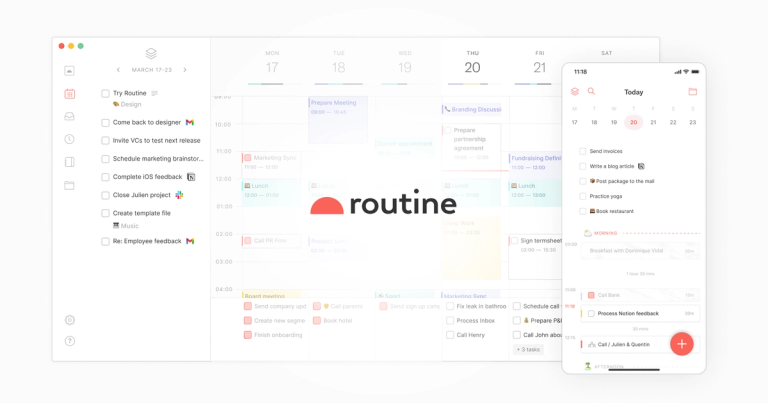
Routine is an offline-first, AI-native work operating system that connects with your entire stack, offering a unified workspace.
Features
- AI Meeting Notes & Voice Assistant — Automatically summarizes meetings and converts action items into tasks without requiring any meeting bot. Includes an AI voice assistant that lets you delegate remembering and organizing through voice commands, especially useful when on the go.
- Universal Inbox & Quick Capture — Centralizes all tasks, messages, and notifications from multiple apps and services into a single view. Features a desktop hotkey for lightning-fast task creation with contextual enrichment, eliminating constant app-switching.
- AI Agents & Automations — Deploy specialized AI agents to your workforce that automate complex processes and repetitive tasks. Allows teams to focus on key decisions while Routine handles mundane work through intelligent automation workflows.
- Unified Planner with Time Blocking — Combines tasks and events in a single planning interface with time blocking capabilities. Includes labels, priorities, projects, and recurrences to categorize work and ensure important tasks get dedicated focus time.
- Custom Data Model & Databases — Define custom entities like customers, projects, candidates, or bug reports to match your specific workflow. Integrates third-party services into Routine databases with bidirectional synchronization and customizable views for dashboards and reports.
- Offline-First Cross-Platform Experience — Works seamlessly across macOS, Windows, Linux, iOS, Android, and Web with offline-first architecture. Aggregates calendars and tasks from both personal and work accounts with a menu bar widget for constant visibility.
Use Cases
Startup Team Consolidation & PMF Focus
Startups replace multiple fragmented tools (task managers, calendars, note apps) with Routine's unified workspace. AI automations handle repetitive workflows while teams concentrate on customer discovery and achieving product-market fit, reducing both costs and context-switching overhead. Target Audience: Early-stage startup founders and small teams seeking to reduce tool sprawl and operational costs
Freelancer Project & Time Management
Freelancers manage their entire workflow—from client meetings and notes to project tasks—in one place. Built-in time tracking enables accurate billing, while the universal inbox ensures no client communication or deadline falls through the cracks across multiple projects. Target Audience: Independent contractors, consultants, and freelancers juggling multiple clients
Engineering Manager's Productivity Hub
Engineering managers capture tasks instantly via hotkey, get AI-generated meeting summaries with automatic action items, and use the custom data model to track bugs, sprints, and team projects. The menu bar widget provides constant visibility into upcoming meetings and focus time. Target Audience: Engineering managers and team leads managing complex technical workflows
SMB Operational Scaling
Small-to-medium businesses adapt Routine to their evolving processes through extensible databases, custom views, and workspace organization. Bidirectional integrations maintain a single source of truth as the company grows, keeping distributed teams aligned without expensive enterprise software. Target Audience: SMB operations managers and growing companies needing scalable work management
Pros
- Offline-first architecture ensures full functionality without internet connectivity, unlike cloud-dependent competitors
- Comprehensive AI-native features including meeting notes, voice assistant, and autonomous agents that genuinely automate work rather than just assist
- True cross-platform availability across all major operating systems (macOS, Windows, Linux, iOS, Android, Web) with consistent experience
- Replaces multiple specialized tools (task managers, calendars, note apps, project management) with a single unified workspace, reducing subscription costs
- Highly customizable data model allows teams to define their own entities and workflows rather than adapting to rigid software structures
Cons
- Feature richness may create a steeper learning curve for users seeking simple task management compared to minimalist alternatives like Todoist
- As a newer entrant competing against established players (Notion, Asana, ClickUp), the ecosystem of templates, tutorials, and community resources may be less mature
- Pricing details not prominently displayed, which may create uncertainty for budget-conscious teams evaluating the tool against free or cheaper alternatives
- Heavy reliance on AI features means the core value proposition may be less compelling for users who prefer manual control or have privacy concerns about AI processing their data