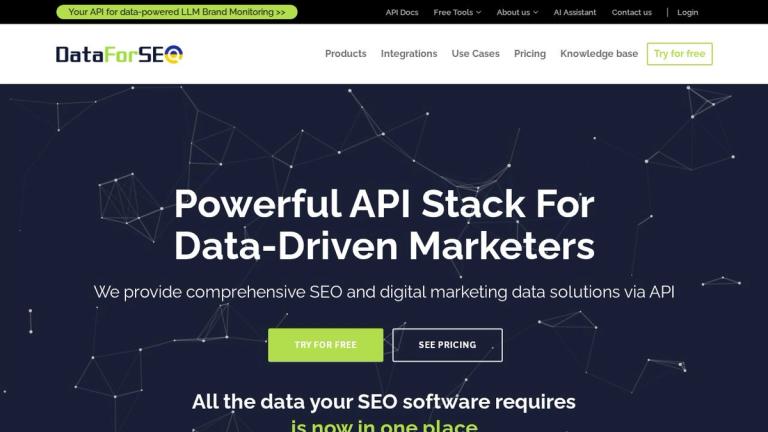
What it is
DataForSEO (dataforseo.com) sells SEO data through APIs instead of a dashboard. Developers and agencies use it to build rank trackers, keyword tools, audits and AI-visibility reports.
Key features
- SERP API: Google Organic, Maps, AI Mode, Bing, YouTube and more.
- Keywords Data: Google Ads volumes, Google Trends, clickstream volumes.
- DataForSEO Labs: ranked keywords, competitors, traffic estimates.
- Backlinks, On-Page, Content Analysis, Business Data APIs.
- AI Optimization API: LLM responses, LLM mentions, AI keyword data.
- Live vs. standard (queued) modes with different prices.
How to use it
- Register and receive trial credit.
- Generate your API login and API password (separate from your site password) at app.dataforseo.com/api-access.
- Call endpoints with HTTP basic auth; parse JSON.
- Top up when ready ($50 minimum).
Pricing
| Item | Price | Source (verified 2026-10-15) |
|---|---|---|
| Model | Pay as you go, no subscription, balance never expires | dataforseo.com/pricing |
| Minimum top-up | $50 | dataforseo.com/pricing |
| SERP API | from $0.0006 per SERP | dataforseo.com/pricing |
| Free trial | Trial credit on sign-up | dataforseo.com/pricing |
API price list (starting rates, dataforseo.com/pricing, 2026-10-15)
| API | What it returns | Starting price |
|---|---|---|
| SERP API | Google Organic, Maps, AI Mode, Bing, YouTube results | from $0.0006 / SERP |
| DataForSEO Labs API | Keyword, competitor, market, app and ecommerce intelligence | $0.012 / task + $0.00012 / item |
| Keywords Data API | Google Ads volumes, Google Trends, Bing Ads | from $0.0012 / task |
| On-Page API | Site crawl, page audits, content parsing, screenshots | from $0.00015 / page |
| Domain Analytics API | WHOIS records, technology detection | from $0.012 / task |
| AI Optimization API | LLM responses, LLM scraper, AI keyword data | multiple billing models |
| Merchant, App Data, Business Data, Reviews APIs | Shopping, app store, local business and review data | varies by endpoint |
New accounts get a $1 trial credit to test paid endpoints in the Playground, via MCP in an AI tool, or through n8n, Postman and Google Sheets templates. A free Sandbox returns sample responses for integration testing.
Standard vs Live mode
Standard requests are queued: cheaper, but results take longer. Live requests return in a single POST, faster but at a higher price. Modes and rates vary by endpoint.
Controlling spend
The dashboard lets you set daily spending limits for the whole account or for individual APIs and endpoints, and configure automatic top-ups. Payment by card, PayPal or Amazon Pay; bank wire and ACH for $5,000+. Every transaction gets an invoice.
Use cases
- Rank tracking tools: schedule SERP API tasks for thousands of keywords for far less than a SaaS seat.
- Keyword research pipelines: pull volumes and Labs keyword ideas into Google Sheets or a database.
- Agency reporting: combine ranked keywords and competitor data into automated client reports.
- AI visibility monitoring: track how brands appear in LLM answers with the AI Optimization API.
- Site audits at scale: crawl pages with the On-Page API and flag technical issues.
Example request
A minimal call to the Labs "ranked keywords" endpoint looks like this (replace the placeholders with your API login and API password):
curl -u LOGIN:API_PASSWORD -H "Content-Type: application/json" \
  -d '[{"target":"example.com","location_code":2840,"language_code":"en","limit":100}]' \
  https://api.dataforseo.com/v3/dataforseo_labs/google/ranked_keywords/live
The response is JSON with each keyword, its search volume, your ranking position and the estimated traffic share. A call like this costs one task plus a small charge per returned item, so asking for 100 rows instead of 1,000 keeps costs down.
Our experience
We used DataForSEO's Labs API in October 2026 to audit a directory site. Setup took minutes once we understood that the API password is generated separately in the dashboard and is not your login password. A full audit (domain overview, ranked keywords, competitors and top pages) cost well under $1. The weak spot was estimation: Labs predicted roughly 1,000 monthly organic visits, while Google Search Console showed about 410 real clicks over 28 days. Rankings and SERP snapshots were accurate; use the traffic numbers only for relative comparisons.
Pros & cons
Pros
- Very cheap per request; pay only for what you use.
- Huge API surface in one account, including AI/LLM data.
- Good for automation and building your own tools.
Cons
- Not a turnkey UI — requires development and JSON handling.
- Labs traffic and keyword volumes are estimates; treat as directional.
- Backlink coverage and difficulty metrics may not match Ahrefs/Semrush (user reports).
- Live mode costs more than queued tasks.
Who should skip it
If you need a dashboard to click through, don't have a developer or no-code automation skills, or only want to check a handful of keywords a month, a $50 top-up and JSON responses are overkill — a subscription tool or the free Google Search Console will serve you better. DataForSEO pays off when you run requests at volume, want the raw data in your own database or product, or need to combine several data types (SERPs, keywords, backlinks, LLM answers) under one bill.
Best for
SEO developers, SaaS builders and agencies automating reporting.
Alternatives
| Tool | Choose it instead if… |
|---|---|
| Ahrefs | You want a ready-made UI and its own backlink index. |
| Majestic SEO | You only need backlink data. |
| Semrush API (not on AI Jet) | You already pay for Semrush and want its data in your own scripts. |
| SerpApi (not on AI Jet) | You only need real-time SERP scraping with a monthly plan. |
| Moz API (not on AI Jet) | You want Domain Authority and link metrics specifically. |
| Google Search Console API (free, not on AI Jet) | You only need data for sites you own — the most accurate source for clicks and impressions. |
Verdict
DataForSEO is the cheapest serious way to get SEO data programmatically. If you can't code or need a polished UI, choose a dashboard tool instead.