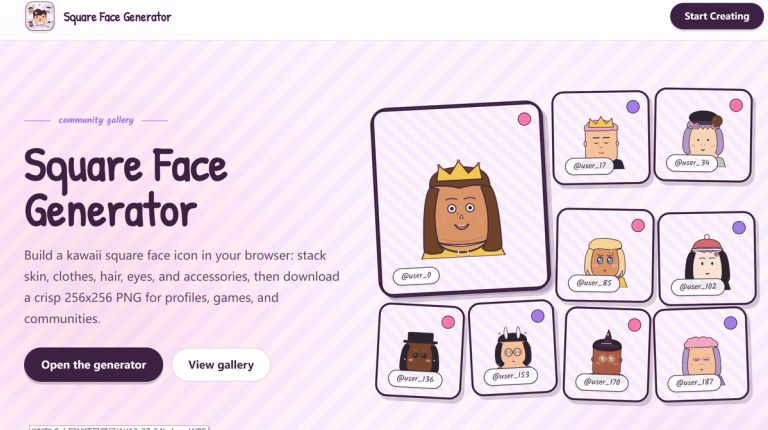
Square Face Generator is a manual, browser-based avatar editor for assembling a kawaii-style square face from illustrated parts. It is not a prompt-based AI image generator: you choose the available components and colors yourself, then save the finished composition as a PNG. The official site describes the editor as free to use and identifies the download as a 256×256-pixel image. See the official generator for the current editor and its available choices.
What it does
The editor is built around layering face and character elements rather than drawing from a blank canvas or asking a model to invent artwork. The official page lists categories including face shape and skin, clothes, side hair, bangs, eyebrows, eyes, nose, mouth, glasses, hats, and other items. The available selection depends on what the editor currently offers; do not assume that every category has the same number of choices or that every avatar part can be recolored.
The site describes a workflow of selecting parts, choosing colors, and saving a PNG. This makes the tool suitable for trying out a simple profile icon, character portrait, or community illustration. A square composition can be convenient for services that display square profile images, but platforms may crop or resize uploads, so check the result in its intended destination. The tool does not make the avatar a verified identity or confer rights to any names, logos, or third-party material you add elsewhere.
How to make an avatar
- Open the Square Face Generator in a browser and start the editor using the controls shown on the site.
- Choose a face shape and skin option, then add character parts from the categories that are available. Build the large shapes first so the face remains easy to read at icon size.
- Adjust colors where the editor provides color choices. For example, you might choose a dark hairstyle, a contrasting eye color, and one accessory to create a clearly readable fictional character. This is an illustrative example, not a claim about a tested result.
- Review the composition at its displayed size. If details look crowded, remove or change elements using the options available in the editor.
- Use the site's save control to download the image. The official page describes the saved image as a 256×256 PNG; confirm the downloaded file and preview it before uploading it elsewhere.
A second illustrative approach is to make two fictional team icons with different hair and clothing choices while keeping a similar color palette. Treat these as original designs, not as pictures of real people or evidence that real users endorse a product.
Price, file and practical limits
The official site labels the tool “Free to Use” and describes saving a 256×256 PNG. No paid tier or specific usage quota is established by the supplied official documentation, so this refresh does not promise unlimited use or claim that every feature is available indefinitely. The page also mentions local browser storage for optional saved slots; according to the site, clearing site data removes those slots. That statement should not be read as a guarantee that the service collects no data. Review the current privacy policy if data handling matters to you.
The editor works by combining its available parts, so it is less flexible than a full illustration program: you cannot assume it supports arbitrary drawing, custom uploads, animation, or a particular export beyond the documented PNG. The site presents the tool as browser-based and says no Flash installation is needed. A browser editor still depends on a compatible, functioning browser and site availability.
Rights, safety and commercial use
The terms of service say users own the combinations they author with parts they have rights to use. They also advise replacing bundled placeholder artwork before commercial distribution when bespoke branding is needed. The graphics notice says the current face parts are original procedural assets and warns users not to add third-party art without permission. These statements are not a blanket license for every use or for material you did not create. Check the terms and obtain necessary rights before distributing a commercial product, using someone else’s likeness, or incorporating protected branding. The terms also provide that the service is offered as-is and may change or discontinue features.
For responsible use, make fictional characters or use your own authorized references, avoid designs that could mislead people about identity or endorsement, and do not use outputs to harass others. Review the final image before publishing, especially if it will represent a person, organization, or paid product.