NaturalReader
NaturalReader is a text-to-speech product offered by NaturalSoft Limited. Its pages present distinct personal, education, and commercial offerings: listening to reading materials, classroom accessibility and study tools, and voiceover creation. Those categories matter when assessing free access, audio downloads, pricing, and rights. A feature listed for EDU or commercial use should not automatically be assumed to apply to the personal plan.
The homepage advertises a “Free forever plan” and says no credit card is required, but the official site does not confirm the personal plan’s quotas, free-feature boundary, or whether personal audio can be downloaded. EDU has a separate free group license with access to free voices, member and license management, and a shared library. Commercial users can explore voices and features before subscribing, but the commercial page says downloads require a paid plan. These are different free-access situations, not one universal promise of free exports.
What NaturalReader offers
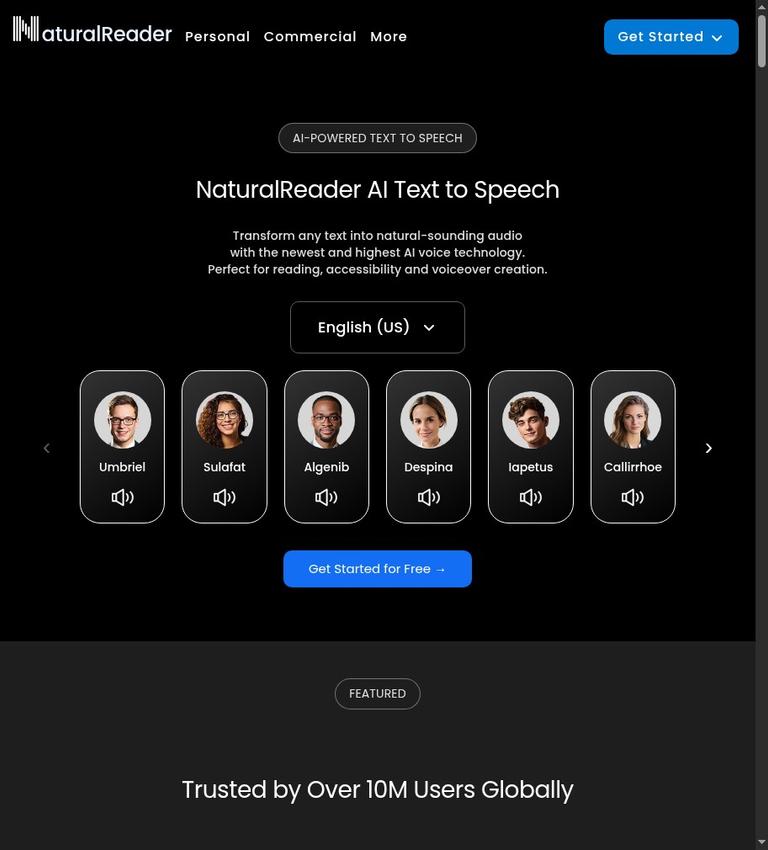
The homepage describes NaturalReader as turning text into natural-sounding audio for reading, accessibility, and voiceover creation. For personal use, it says users can convert text, PDFs, images, webpages, and physical books into audio. These are examples named on the page, not a complete compatibility list. The official site does not specify all supported personal input formats or explain the steps for importing each kind of material.
NaturalReader also advertises AI Podcast, AI Recap, AI Screenshot, AI Chat, and AI Quizzes. Its descriptions give examples of study-oriented uses. AI Podcast can turn readings and documents into podcast episodes, with controls for focus, length, number of speakers, and whether to use selected chapters or a whole document. AI Recap summarizes key takeaways and offers controls for length, depth, and topic focus. AI Chat is described as answering questions about a document and translating it into other languages. AI Quizzes can generate practice questions with controls for topic, chapter, difficulty, and question count.
These are advertised capabilities, not evidence that every feature is available to every user or plan. The official site does not set out the personal-plan limits for these tools or say which are included at no charge. If a particular study feature is essential, confirm its availability and limits for the account and plan you intend to use.
The commercial product is presented separately as an AI voice generator for professional voiceovers. Its listed features include prompt controls for tone, emotion, delivery, and accent; voice cloning; multilingual voices and translation; pronunciation editing; video voiceover; and multi-voice projects. The commercial page also names Gemini, OpenAI, Azure, and ElevenLabs voice models. These are commercial-page descriptions; they should not be read as proof that the same capabilities or terms apply to personal listening or EDU.
The homepage says its voices support more than 90 languages and describes content-aware delivery that adjusts to a text’s tone. It also advertises creating a multilingual AI voice by uploading or recording a voice. These statements describe advertised product capabilities; the official site does not confirm that each voice or feature is available on every plan.
Listening and study workflows
For personal listening, NaturalReader names text, PDFs, images, webpages, and physical books as material that can be converted to audio. It also advertises a web app, mobile apps, and a Chrome extension for reading webpages from a browser toolbar. The homepage describes the mobile apps as supporting offline mode. It does not confirm that offline mode, every voice, or audio export is included in free personal access.
For study, the advertised tools cover several different tasks: listening to a document as a podcast episode, getting a recap, asking questions about a document, and generating a quiz. The podcast description says users can focus on topics, adjust the length and number of speakers, and select chapters or the entire document. Recap and quiz descriptions likewise name controls for tailoring the result. The official pages do not explain how these tools’ availability or usage limits differ by plan, so their presence in the product description should not be treated as a personal free-plan entitlement.
EDU has its own classroom-oriented feature list. It includes OCR scanning of printed pages, text highlighting, annotations, optional AI study features, and MP3 downloads. The EDU page names PDFs, Word documents, Google Docs, EPUBs, webpages, and more among 20 or more supported file types. It also describes synchronized highlighting, dyslexia-friendly fonts, closed captions, and customizable reading settings. These are claims about EDU, not a complete statement of personal-plan compatibility or access.
Commercial voiceovers and output rights
The commercial offering is designed around making voiceovers rather than simply listening to reading material. Its page describes controls for voice delivery, pronunciation editing, multilingual scripts, multiple speakers, and syncing voice directly to video content. It says users can explore voices and features before subscribing, but explicitly states that downloads require a paid plan. Exploring a voice before subscribing is therefore not the same as receiving a free downloadable commercial audio file.
The commercial page lists Starter at $16.5 USD per month with 500,000 credits per month, Creator at $24.75 USD per month with 2 million credits per month, and Team at $16 USD per user per month with 4 million shared credits and two users. It also shows upfront amounts of $198 for Starter, $297 for Creator, and $384 for Team. These are the commercial prices published; personal-plan prices are not specified. The official site does not clarify all billing details beyond the listed monthly prices and upfront amounts, so check the current plan terms before purchase.
Commercial credits are counted by characters processed by the text-to-speech engine. The page says this includes letters, numbers, spaces, punctuation, symbols, and special characters, and that credit costs depend on the voice used. It also says users can purchase extra credits if they exhaust their monthly allowance. For long scripts, repeated revisions, or multiple language versions, character-based credit use is worth checking against the intended workflow.
The commercial page says all its plans include audio licensed for business, public, and commercial use. That statement is specific to the commercial plans. The official pages do not confirm that personal-plan audio may be used commercially, so do not assume personal access provides commercial rights. The commercial page also says subscriptions are non-refundable and recommends trying the product first. Its pre-subscription exploration option does not alter the stated non-refundable condition.
Free access and education plans
For personal users, the homepage advertises a free-forever plan and says no credit card is required. However, the official site does not specify personal pricing, usage quotas, the boundary between free and paid features, or whether free audio is only streamed or can be downloaded. It also does not say whether personal free access requires an account. Treat those details as unresolved rather than assuming unlimited listening, downloadable files, or a particular sign-up process.
EDU provides a clearer, but narrower, no-cost offer: a free group license that includes access to free voices, member and license management, and a shared library for students and staff. The page does not say this free license includes every paid voice or feature. EDU also offers a 30-day evaluation described as full access with no credit card required. That time-limited evaluation is distinct from the free group license and should not be confused with an ongoing free entitlement.
For paid education use, the EDU page quotes a Lite site license starting at USD $3300 with 2000 users. It says pricing is based on total student enrollment and that volume discounts are available for larger institutions. Group licenses start at five members, with Lite and Plus voice plans described separately. These are education-specific terms, not personal-plan prices.
Devices, formats, and accounts
NaturalReader advertises a web app accessible from any browser, iOS and Android mobile apps, and a Chrome extension. The homepage says the mobile app is free to download and has no ads, and describes offline mode. Free app download does not confirm that all app voices, features, or audio downloads are free. For EDU, the page describes access across web, desktop, mobile, and Chromebook, with progress syncing across devices. It also says each student receives an EDU account with access across web, mobile, and Chrome extension.
The personal information published does not confirm whether an individual must create an account to use free access. Nor does it provide a complete list of supported personal formats or a complete account of personal download options. If your decision depends on a specific file type, offline access, or retaining an exported file, verify that detail for the relevant plan rather than relying on features described for another audience.
Privacy and caveats
The available privacy statements are audience-specific. The EDU page says student data is never sold and student content is not used to train AI models; it also says schools remain in control of their data and documents. It describes secure accounts and encrypted connections, and says the service is designed to support FERPA, COPPA, GDPR, and New York Education Law 2-D. These are statements made on the EDU page and should be understood as vendor claims, not as evidence about personal or commercial account practices.
The homepage displays claims about data privacy, security certification, and encryption, but the official site does not provide further detail. It does not explain privacy or retention practices for non-EDU users, including how long uploaded content is retained. If you plan to submit sensitive material, do not assume the EDU statements cover other product areas; check the terms and privacy information that apply to your use.
One commercial-page feature description says video voiceover can sync voice directly to video content. The official site also records an unclear phrase, “not support video,” but does not confirm what it refers to. Because the meaning is unresolved, verify video compatibility directly if it is a deciding requirement rather than treating either phrase as a complete explanation of the feature.
Who might consider NaturalReader
NaturalReader may be relevant if you want text-to-speech for named reading materials and are interested in listening, study tools, or a separate commercial voiceover product. The EDU offering may be relevant to students, educators, and institutions looking at classroom accessibility features, group access, or site licensing. Its free group license is a specific no-cost EDU workflow, while its 30-day evaluation is temporary.
For creators and businesses, assess the commercial product on its own terms: paid downloads, character-based credits, stated commercial licensing, and non-refundable subscriptions. The listed voiceover controls may be pertinent to production workflows, but the published claims do not confirm that every capability is included at every price level. Confirm the plan’s limits, rights, and any video requirements before relying on it.
NaturalReader is harder to evaluate if your decision depends on exact personal free limits, personal download access, commercial rights for personal audio, non-EDU data retention, or a guaranteed export format. Those details are not stated in the official site. A free-forever headline, a free mobile app download, or pre-subscription commercial exploration should not be mistaken for proof of free downloadable audio.
Alternative
If you are comparing products, Murf AI is another existing option to investigate. The official site does not confirm a feature-by-feature comparison, so compare the specific workflow, rights, and terms you need rather than assuming the products are equivalent.
Verdict
NaturalReader brings personal text-to-speech, an education offering, and commercial voiceover creation under one brand, with advertised document, study, and production features. The practical boundaries differ by audience. EDU has a stated free group license with free voices and group tools; commercial voice exploration is available before subscribing, but downloads require a paid plan. The personal free headline is not accompanied by specific quotas or download terms in the official site.
Commercial prices and character-based credits are stated, as are commercial-plan audio rights and non-refundable subscriptions. Personal pricing, personal download access, and personal commercial rights are not stated. NaturalReader may be worth investigating when its relevant workflow fits, but confirm the plan-specific limits, output rights, privacy terms, and export requirements before depending on it or paying.
FAQs
Is NaturalReader free?
The homepage advertises a free-forever plan and says no credit card is required, but the official site does not specify personal quotas or the exact free-feature boundary. EDU separately offers a free group license with access to free voices, member and license management, and a shared library. Commercial users can explore voices and features before subscribing, but downloads require a paid plan.
Can I download NaturalReader audio for free?
The official site does not confirm whether personal free users can download audio. The commercial page says downloads require a paid plan. EDU lists MP3 downloads, but its free group license description does not say that every paid voice or feature is included.
What does NaturalReader cost?
The official pages do not provide personal-plan pricing. Commercial prices shown are $16.5 per month for Starter, $24.75 per month for Creator, and $16 per user per month for Team, with different monthly credit amounts. EDU has separate group and site-license options.
Can NaturalReader audio be used commercially?
The commercial page says all its plans include audio licensed for business, public, and commercial use. The official pages do not say that personal-plan audio may be used commercially. Check the rights for the specific plan you intend to use.
What can NaturalReader read?
The homepage names text, PDFs, images, webpages, and physical books for personal conversion. EDU names PDFs, Word documents, Google Docs, EPUBs, webpages, and more. The official site does not provide a complete supported-format list.
Does NaturalReader work on phones and in a browser?
The homepage advertises a web app, iOS and Android apps, and a Chrome extension. It says the mobile app is free to download and has no ads, and describes offline mode. Those statements do not confirm that all voices or audio downloads are free.
Does personal free access require an account?
The official site does not specify whether an individual personal user must create an account or log in to use free access. Confirm the sign-up requirement before relying on a particular personal workflow.