Speechly
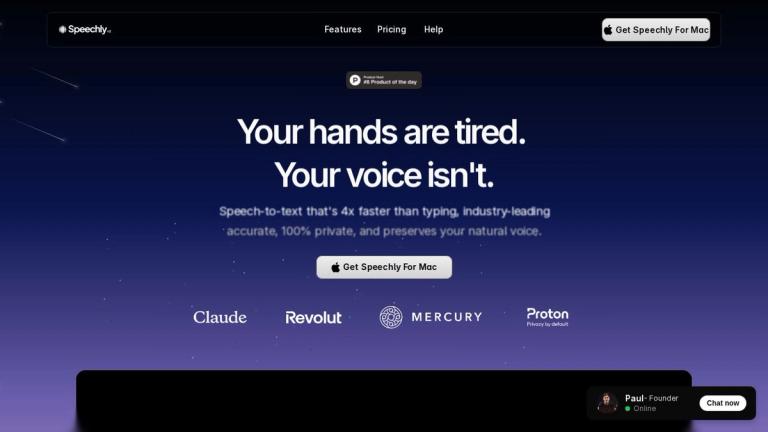
Speechly is a powerful speech-to-text application designed to transform your voice into action with remarkable speed and accuracy. Available for Mac, Speechly claims to be 4x faster than typing while maintaining industry-leading accuracy and 100% privacy.
What Makes Speechly Special
Speechly goes beyond simple transcription. It intelligently adapts to your workflow, whether you're writing emails, coding, or taking notes. The tool learns your voice patterns and vocabulary over time, becoming more personalized and accurate with use.
Key Highlights
- One-Key Activation: Simply press the Fn key and start speaking
- Real-Time Transcription: Your words appear instantly as you speak
- Smart Context Awareness: Automatically detects what you're working on and adapts accordingly
- Offline Capability: Works without internet connection for privacy and reliability
- Team Dashboard: Track time saved and productivity metrics
Speechly is built for anyone who wants to work faster and more efficiently—from developers and writers to business professionals looking to streamline their daily communication.
Target Audience
Developers, writers, business professionals, content creators, and anyone who wants to increase productivity through voice-to-text technology
Key Features
- 4x faster than typing
- Industry-leading accuracy
- 100% private transcription
- Preserves natural voice
- One-key activation (Fn key)
- Real-time transcription
- Intelligent modes (adapts to emails, code, notes)
- Multilanguage support
- Neural adaptation (learns your voice over time)
- Works offline
- Custom variables for personal details
- Personalized dictionary
- Team dashboard with productivity metrics
- Full transcription history
- Push to talk functionality
- Keyboard shortcuts
- 150+ app integrations
Use Cases
- Email composition and communication
- Code documentation and development
- Note-taking and idea generation
- Content creation and writing
- Meeting transcription
- Daily productivity tasks
- Multilingual communication
- Hands-free computing
Pros
- Significantly faster than typing (4x speed claim)
- High accuracy with neural adaptation
- Complete privacy with offline capability
- Learns and adapts to user's voice and vocabulary
- Seamless integration with 150+ applications
- Productivity tracking dashboard
- Multilanguage support
- Simple one-key activation
Cons
- Currently only available for Mac
- Requires learning curve for optimal use
- Premium features may require subscription
Pricing
Free trial available; specific pricing details not clearly displayed on the main page