Word Spinner review
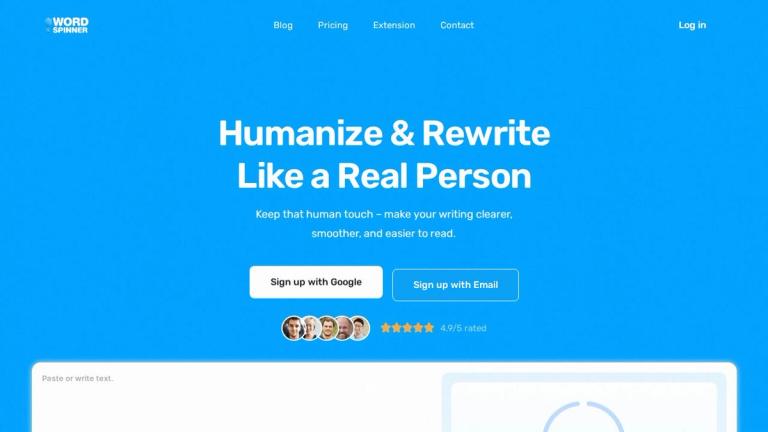
Word Spinner is an online writing tool for revising text, checking grammar, drafting emails, and working with AI. Its official website is word-spinner.com. The site says visitors can try its writing tools without signing up, and presents the product as a collection of tools rather than only a traditional word spinner. Its main writing features include an AI humanizer, advanced rewriter, grammar checker, AI detector, email generator, and AI chat.
What it does
The humanizer and rewriter are the main options for people who want to change existing text. Word Spinner describes its humanizer as a one-click way to revise pasted AI text. With the advanced rewriter, users paste text and choose a rewrite mode. The site also describes tools for fixing grammar, spelling, and clarity, and says they can help retain a writer’s natural voice. These are product descriptions, not guarantees that every rewrite will preserve the original meaning or suit its intended audience. Read through the result and correct any changes in meaning, tone, or factual detail.
Other writing tools cover different tasks. The email generator takes a short brief and drafts an email with subject lines and a call to action. AI chat supports brainstorming, drafting, and asking questions in a conversation. The AI detector gives a human-versus-AI signal; that result is an indicator, not proof of authorship. The site also describes options for summarizing, translating, and checking text. Their availability may depend on the plan.
Word Spinner offers more than writing and rewriting. Its free tools include converters for turning documents, webpages, and other content into Markdown. Examples include DOCX, PDF, HTML, CSV, JSON, XML, RTF, Google Docs, and Notion converters. The site says some converters work in the browser or do not require uploads; check the individual tool for its stated process before using sensitive material.
Getting started and free access
The homepage says you can start without an account. A Free plan is listed for short text and essentials, including basic grammar fixes, quick text summaries, AI brainstorming help, and limited AI Detector access. The pricing page does not state an exact word or character cap. It also does not establish that every writing feature is included in the Free plan, so check the current plan details before choosing a tool for a particular task.
The Student and Pro plans list access to every tool, Web and Scholar modes, human score, tone and insights, unlimited AI Detector checks, and accidental plagiarism checks. Pro also lists priority support. Unlimited includes those features and specifies unlimited words per month. These descriptions distinguish plan features, but the pricing page does not show prices in the information presented here. The homepage says plans renew automatically and can be canceled anytime; review the current terms before subscribing. Free registration or access to free tools does not mean that all generation features or usage amounts are free.
Who it may suit
Word Spinner may suit people who want a range of writing tasks in one online service, from polishing a paragraph to drafting an email or brainstorming in chat. Its converters may also be useful when moving content into Markdown. Whether it fits depends on the tools and limits included in the plan you choose, as well as how well the output works for your specific writing task.
Important limitations
A humanizer is not a promise that text will evade AI detectors, receive a particular human score, or comply with an institution’s authorship rules. Detector results can be uncertain, and Word Spinner does not promise a specific result. Use rewriting to improve expression and clarity, not to misrepresent authorship or bypass applicable policies.
For free access, the key practical limitation is that the plan is described as being for short text, with limited detector access, but no exact cap is published. Check the current plan and the individual tool before relying on a particular length or feature. Treat generated or revised text as a draft: verify facts, check the wording, and make sure it reflects what you intend to say.