

The best AI email writer in 2026 depends on where you work and what slows you down: Gemini in Gmail and Copilot in Outlook are sensible first choices for drafting inside an existing inbox; Shortwave, Superhuman Mail, and Fyxer suit different inbox-management needs; Grammarly and ChatGPT help with editing or flexible drafting; and HubSpot fits email work tied to CRM campaigns. There is no universal winner. The right choice is the one that handles your common tasks while preserving your facts, workflow, and control over what gets sent.
Quick picks
- Best first option for Gmail users: Gemini in Gmail, if it is available on your account and supports your language.
- Best first option for Outlook teams: Copilot in Outlook, after an administrator confirms licensing and mailbox eligibility.
- Best to investigate when finding email context is the main problem: Shortwave. Its plan limits for AI search history and threads matter.
- Best to investigate when you want a dedicated email client with team features: Superhuman Mail. Check which plan includes the specific AI function you want.
- Best to investigate when you want inbox assistance without changing email clients: Fyxer. It prepares drafts, but does not send email on your behalf.
- Best for revising an existing message: Grammarly, particularly when clarity, tone, and sentence-level editing are the priority.
- Best for a flexible brief-to-draft conversation: ChatGPT, when you are prepared to supply the relevant context.
- Best for email inside a CRM-led marketing process: HubSpot, if the campaign, contacts, and reporting workflow belong there.
These are workflow recommendations, not rankings from a controlled test. Research and plan details below reflect a November 9, 2026 snapshot. Product access, plan terms, and prices can change, so confirm the current offer and your account’s eligibility before buying.
Comparison at a glance
| Tool | Best fit | What it helps with | Price and plan conditions to check | Important limit |
|---|---|---|---|---|
| Gemini in Gmail | People who already write in Gmail | Generating new drafts and refining existing ones | No exact subscription price verified here; access depends on the account and plan | Supported language and account eligibility vary |
| Copilot in Outlook | Outlook users and Microsoft 365 organizations | Drafting, coaching, summaries, prioritization, and other inbox tasks | Ask an administrator to confirm the exact license and setup | Not all mailbox types or protected messages are supported |
| Shortwave | People who need to find context across email | AI search, summaries, attachment analysis, and writing assistance | Pricing page displayed Business at $30 per seat/month; billing selection was not clear in the reviewed material | AI-search history and thread limits vary by plan |
| Superhuman Mail | People considering a dedicated client and team email features | Mail features and AI; higher-tier additions include Auto Drafts and Ask AI | Starter is $30/month or $300/year; Business is $40/month or $396/year | Some desired AI and integration features require Business |
| Fyxer | People who want drafts and inbox help while keeping Gmail or Outlook | Suggested replies, organization, and meeting-related assistance | Pro is $37/person/month billed annually or $49 monthly; Team is $64 annual-equivalent or $99 monthly | Credit limits and paid features vary; it does not send on your behalf |
| Grammarly | People who have a draft and want to improve it | Grammar, tone, and sentence rewriting | Free plan available; the reviewed Pro price display did not make billing cadence clear | Editing still requires a human to check meaning and facts |
| ChatGPT | People who need to develop or reshape a draft from a brief | Flexible drafting and iterative revision | Free and paid plans are available; exact amounts are omitted here | Do not assume it has access to your inbox or the facts you have not supplied |
| HubSpot | Teams creating email as part of CRM and campaign work | Generating and editing sales or marketing email within a broader process | Free writing features are available; premium Marketing Hub editions are separate | Campaigns, sending, and automation are not all free |
The table is a shortlist, not a substitute for checking product fit. A draft button inside an inbox, an AI-powered email client, and a marketing platform ask you to make different commitments. In particular, do not compare a tool’s entry price with another tool’s higher-tier feature and conclude that they are equivalent.
How this guide was researched
This is desk research, not hands-on testing. The review draws on official product documentation and pricing pages, dated release notes, and a small number of individual user reviews. We did not run benchmark prompts, connect accounts, conduct trials, or measure speed, accuracy, or time saved. Recommendations describe likely workflow fit based on documented features, constraints, and the task each product is intended to support; they are not claims that one product produces better output in a controlled comparison.
The pricing and feature information is a November 9, 2026 research snapshot. Where the billing cadence or exact price was not clear in the verified material, the article avoids guessing. Plans, promotions, usage allowances, account eligibility, and feature availability can change. Treat a displayed price as a point to verify at checkout, not as a promise that it applies to every buyer.
For user experience, we considered specific published G2 reviews only where the reviewer and date were visible. These are individual reports, not representative surveys or controlled tests. We do not use review summaries as though they were first-hand findings, and we do not claim to have personally used any product.
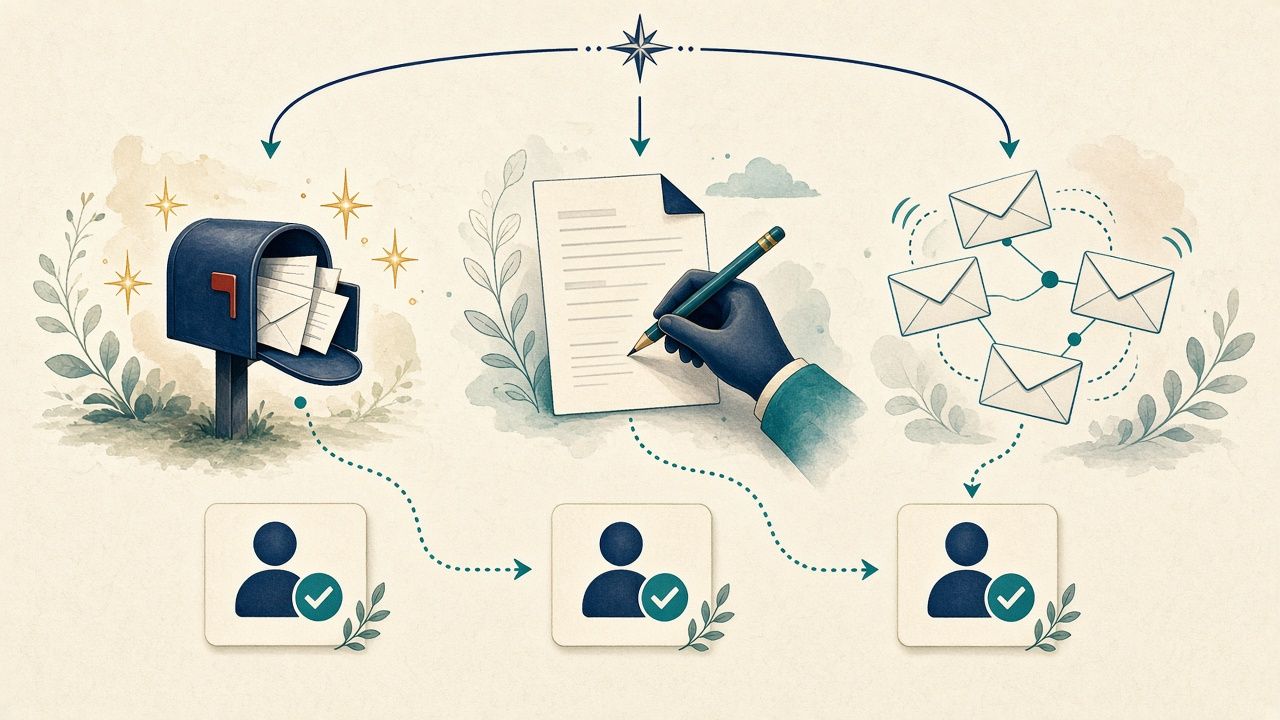
Choose the kind of help you need first
“AI email writer” can mean at least four different things:
- Writing a new message: You provide the audience, goal, and facts; the tool turns them into a draft.
- Editing a message: You already have the substance and want a clearer, shorter, or differently toned version.
- Finding context: You need to locate earlier messages, understand a thread, or recover an attachment before you can reply.
- Managing an email process: You want assistance organizing a queue, preparing follow-ups, collaborating, or handling campaigns.
A product that excels at one job may be a poor fit for another. If you only need to make an existing sentence clearer, adopting a new email client may be unnecessary. If the hard part is finding the relevant exchange, a writing tool that only sees the text you paste in will not solve the whole problem.
The practical buying sequence is therefore: identify the task, check whether your existing account already offers a suitable feature, test the product on representative messages, and then compare the plan that actually includes the capability you need.
Gemini in Gmail: start here if you want drafting help where you already write
Gemini is a natural first option for people whose routine email already happens in Gmail. It can generate new drafts and refine existing ones. Google documents controls such as Formalize, Friendly, and Shorten, along with guidance for prompting. Its Help me write personalization can draw on relevant emails and Drive files, and Google describes a Sources control for inspecting inputs. See Google’s Gmail drafting documentation.
That mix makes it relevant for a customer-service specialist turning a known answer into a clear reply, a freelancer preparing a project update, or a small-business owner responding to a supplier. The workflow starts from the message rather than a separate blank document. If the task is “make this response shorter without losing the request,” an in-place refinement may be more convenient than copying the draft elsewhere.
The boundaries matter just as much as the convenience. Personalization is not proof that every relevant email or file was found, and it does not make an inferred detail authoritative. A draft can accidentally turn a tentative estimate into a firm commitment. The sender still needs to check dates, names, amounts, scope, and the exact decision being communicated.
Availability is not universal. Google’s documentation describes eligible Workspace or Google AI plans in supported languages globally, while personal Google Accounts are supported in the US in supported languages. That is not a guarantee that every account, region, or language will have the same feature. No exact subscription price was verified for this guide, so check the plan attached to your account before treating Gemini as included or deciding to buy a plan for it.
Best for: Gmail users who want help composing or refining everyday messages without adopting a different email client.
Check before relying on it: Whether your account has the feature, whether your language is supported, and what sources a personalized draft used.
Look elsewhere if: Your main need is deep inbox management, campaign operations, or drafting in an unsupported account context. Shortwave addresses a different set of inbox tasks; Grammarly focuses more on editing; HubSpot is built around a broader CRM and marketing workflow.
Copilot in Outlook: promising for Outlook work, but verify the mailbox and license
Copilot is worth investigating when a team already works in Outlook and Microsoft 365. Microsoft documents drafting from a prompt, thread context, and organizational information, along with tone and length settings. The Outlook FAQ also covers coaching, summaries, prioritization, triage, rules, and chat. Consult Microsoft’s October 2026 Outlook Copilot FAQ.
This breadth can help someone move from understanding a long thread to preparing a reply. A project manager, for example, may need to identify the latest request, check who owns the next step, and phrase a response that asks for a decision. A summary can help orient the reader; a draft can help express the intended response; coaching can help refine wording. Those are separate stages, and a polished draft does not guarantee that the thread was understood correctly.
Outlook licensing and mailbox constraints
Do not buy on the assumption that every Microsoft account has every Copilot feature. Exact license requirements and prices need to be checked with an administrator for the organization and feature in question. A work or school account is relevant to Copilot chat, but access to a general chat experience does not establish access to each Outlook capability.
Mailbox eligibility is also more specific than “works with Outlook.” Microsoft documents support for primary, accessible shared, and delegate mailboxes. It excludes group mailboxes and mailboxes outside Exchange Online. Some protected messages have restrictions: encrypted, signed, or certain MIP messages may not be accessible, and Copilot cannot access S/MIME or Double Key Encryption messages. Feature language capabilities can differ, too. These details can change whether a workflow works for a particular person, team, or mailbox.
That means an Outlook buyer should take a concrete question to an administrator: Which Copilot license is required for the exact Outlook drafting or summarization task? Does it cover the mailbox type we use? Are our protected messages accessible? Which languages are supported for the specific feature? A generic claim that the organization “has Copilot” does not answer those questions.
Best for: Organizations that want to investigate AI assistance inside an existing Outlook and Exchange Online environment.
Check before relying on it: The exact license, mailbox type, message protection, and language needs for each feature.
Look elsewhere if: The required mailbox is unsupported or the licensing and setup do not make sense for an occasional editor. Grammarly may be a narrower fit for a standalone draft; Fyxer is a separate option to assess for connected inbox assistance, subject to its own access and plan terms.
Shortwave: consider it when email search and retrieval are the bottleneck
Shortwave is most relevant when writing the reply is not the slowest step. Imagine an account manager who remembers that a customer discussed a condition several months ago but cannot quickly locate the relevant messages. Or a recruiter who needs to recover an earlier availability detail before responding. Shortwave documents AI search, summaries, attachment analysis, personalized writing, saved prompts, and instant replies. See Shortwave’s pricing and plan comparison.
The key buying detail is that ordinary search and AI-search limits are not the same thing. The pricing page lists standard search history separately from the AI search history and thread allowances on paid plans. Business lists five years of AI-search history, up to 50 threads per search, and three AI filters. Premier lists unlimited AI-search history, up to 100 threads per search, and ten filters. Max lists up to 150 threads per search and 50 filters. The page also lists an AI assistant, writing features, summaries, and attachment analysis. “Unlimited” AI history does not mean an individual search necessarily considers every message in the account.
The pricing page displayed Business selected at $30 per seat/month, Premier at $45, and Max at $120 per seat/month. The billing selection was not clear in the reviewed material, so confirm the cadence and current terms before purchase. A 14-day trial is listed. Because the product changes the email-client experience, a trial should also establish whether your mailbox is eligible and whether you can work comfortably in that client. This guide does not establish Outlook compatibility for Shortwave; confirm your specific account before committing.
A useful evaluation is to ask a question whose answer you already know and that depends on more than one message. Check whether the supporting exchange is the right one, whether later corrections are reflected, and whether the answer keeps a condition attached to a commitment. This is a proposed evaluation checklist, not a claim that we ran the test.
Best for: People who regularly need to retrieve, summarize, or connect information in email before replying.
Check before relying on it: AI history and thread limits, mailbox eligibility, and the billing terms attached to the plan you select.
Look elsewhere if: Your main need is one-off sentence polishing and your current inbox already works well. Gemini or Copilot may be a smaller change if available in your existing environment.
For a related product overview, see AIjet’s Shortwave 2026 review.
Superhuman Mail: evaluate the plan that contains the feature you want
Superhuman Mail is an email client with plan-dependent AI and team features. It makes the most sense to investigate if you are open to a dedicated client and want more than an occasional rewrite. A buyer who processes a large volume of email or needs shared email workflows may have a stronger reason to look at it than someone who sends only a few messages each day.
The plan distinction is important. The official page lists Starter at $30/month or $300/year and Business at $40/month or $396/year. Starter includes Mail, Share Availability, Shared Conversations, Team Comments, and most AI features. Business adds Auto Drafts, Ask AI, custom auto labels, HubSpot and Salesforce integrations, and a Recent Opens Feed. Enterprise is available through a sales quote. Verify the current terms on Superhuman’s plan page. Do not compare the price of Starter with a requirement that is only met by Business.
The difference between asking for a draft and having drafts prepared for you may be decisive. If Auto Drafts is the reason you are considering Superhuman, Business is the relevant comparison. If you mainly want team comments or shared conversations, assess whether Starter already covers the workflow. The number of features in a plan matters less than the ones your team will actually use.
An individual review can provide a useful question for a trial, but not a universal verdict. Uma S. wrote on G2 on September 19, 2026 that shortcuts, snippets, and handling volume were positives, while reporting a calendar experience they disliked and an auto-response that lacked earlier thread context. That is one reviewer’s account, not proof of current behavior for all users. Ashley v. on November 6, 2026 praised shared drafts, comments, and prioritization, while reporting difficulty seeing inline replies and acknowledging possible user error. See the individual Superhuman G2 reviews.
Those reports suggest what to check: whether relevant earlier context appears in a draft, whether shared conversation features match your team’s actual habits, and whether the interface makes replies easy to review. They do not establish a measured speed benefit or a guaranteed product limitation.
Best for: People willing to consider a dedicated email client, especially when shared email workflows or plan-specific AI features matter.
Check before relying on it: Whether the required feature is included in Starter or Business, and whether your team can review conversations comfortably.
Look elsewhere if: You want to keep your current client and only need editing, or the relevant Business features do not justify the plan.
Fyxer: connected inbox help with a clear sending boundary
Fyxer is for people who want assistance around Gmail or Outlook without treating the product as an autonomous sender. Its pricing page describes inbox organization, reply drafts, and meeting-related features. Most importantly, Fyxer does not send emails on the user’s behalf: the user remains responsible for reviewing and sending. Plan information is on Fyxer’s pricing page.
The plan structure recorded for this November 9, 2026 snapshot is Free, Pro, Team, and Enterprise. Free includes 400 credits per month and does not include automatic draft replies or inbox sorting. Pro is $37 per person/month billed annually or $49 monthly, with 3,000 credits per month after the launch offer. Team is $64 per person/month as an annual equivalent or $99 monthly, with 6,000 credits per member pooled. The first three months of unlimited promotional credits are noted for paid plans; verify whether an offer still applies and what happens when it ends. A 14-day Team trial is listed and drops to Free unless paid. A paid seat is per member, regardless of the number of inboxes or calendars.
These limits matter for estimating actual use. A buyer should not assume the Free plan provides automatic draft replies, or that promotional credits represent the ongoing allowance. A team should consider whether pooled credits suit its usage and whether each paid member needs a seat. Multiple inboxes or calendars do not eliminate the per-member cost.
Vendor release notes record a September 6, 2026 update describing chat by replying to Fyxer emails or forwarding messages, an August 27 Slack and Teams update, and a June 18 Outlook signature-sync update. These are dated release notes, not independently tested behavior. See Fyxer’s changelog.
Best for: People who want connected inbox assistance and prepared drafts while retaining control of sending.
Check before relying on it: Your credit needs, per-member seat cost, connected mailbox requirements, and what happens after a trial or promotional period.
Look elsewhere if: You need emails sent automatically, or your organization does not permit the required mailbox connection.
Grammarly: a strong option when the message is written but not quite right
Grammarly suits people who know what they want to say but want help making it clearer, more concise, or better matched to the situation. That includes customer-facing staff refining a response, managers reducing a long update, and professionals drafting in English who want another editing pass. The product’s plan page lists grammar and tone assistance and full-sentence rewrites, with some capabilities depending on plan. Check Grammarly’s current plan comparison rather than assuming every feature is included at every tier.
A practical editing task might be a support agent explaining that a request falls outside an agreed scope while offering an available alternative. The tool can help improve the wording, but it cannot decide whether that alternative is authorized. A sentence that sounds more polished can still be wrong if it changes “we expect” to “we guarantee,” removes a deadline, or makes a refusal unclear.
That distinction also explains when Grammarly is a better fit than a generator. If the draft has the right facts and structure, an editor helps refine it without asking you to reconstruct the context. If you are unsure what to say or need to compare different approaches, ChatGPT or an inbox assistant may better match the job. Grammarly is not a substitute for locating missing information in a thread.
The official plan page lists a free plan at $0 and 100 AI prompts per month, and Pro at 2,000 prompts per member per month. The retrieved Pro price display did not make its billing cadence clear, so this article does not give a dollar amount. Confirm the current price, commitment, and feature gates before upgrading.
Published user feedback is mixed in ways that map to real editing decisions. A G2 reviewer on October 11, 2026 described in-browser and email grammar and tone help as useful, while reporting that some rewrites did not sound like their own voice, contextual phrases were flagged, and premium features were gated. A business-email reviewer on October 26, 2026 praised clarity and tone assistance but reported unnecessary changes and paid-feature drawbacks. These are self-reported experiences, not controlled benchmarks. See the individual Grammarly G2 reviews.
Best for: Editing an existing draft, especially when clarity and tone are recurring concerns.
Check before relying on it: Whether the proposed rewrite keeps your meaning, whether the features you need are gated, and whether the result still sounds like you.
Look elsewhere if: You need mailbox retrieval, thread-based context, or a campaign workflow rather than sentence-level assistance.
For another AIjet guide, see 10 best AI writing tools in 2026.
ChatGPT: useful when you need to work out the message as well as write it
ChatGPT can be useful when the challenge is deciding how to frame a difficult message, not merely correcting a sentence. You can provide a brief, ask for different approaches, and revise the result through follow-up instructions. For example, you might ask for one version that leads with the decision and another that leads with the available options, then choose which approach fits the relationship.
That flexibility depends on the quality and completeness of the brief. A writing conversation should not be treated as an inbox connection: this guide does not assume that ChatGPT can see your mail. Supply the relevant facts and identify what must not be invented. If your workplace has rules for handling customer, employee, or confidential information, follow them before pasting material into any separate service. This is a workflow caution, not a claim about a particular privacy setting.
Consider a project lead who needs to explain that a requested change will affect the agreed scope. A useful brief might state the current agreement, the requested change, the available options, the intended decision, and the tone to preserve. The tool can help compare possible explanations. The sender must verify the agreement, choose what the team can offer, and approve the final wording.
The trade-off is that working outside the inbox creates extra steps: select context, prepare a brief, generate a draft, review it, and move it to the email client. That may be worthwhile for an occasional sensitive message. It can be cumbersome if every reply requires thread-specific context and you are processing many messages. Gemini and Copilot are relevant comparisons when drafting inside an existing email workflow matters; Grammarly is a closer comparison for editing a mostly complete draft.
Free and paid plans are available; exact dollar amounts are omitted because the reviewed page did not expose them consistently. See ChatGPT’s pricing page. For occasional email work, first see whether your current access is enough. If buying a plan, base the decision on your broader use and organization’s requirements, not on an assumption that email drafting alone needs a paid tier.
Best for: Turning a thoughtful brief into one or more possible drafts and revising them through conversation.
Check before relying on it: Whether you supplied all necessary context, whether the draft respects your boundaries, and whether your organization permits the information you provide.
Look elsewhere if: You want an assistant embedded in a mailbox or a tool that retrieves the relevant thread for you.
HubSpot: email writing as one part of a CRM and campaign process
HubSpot is a strong candidate when the email belongs to a broader sales or marketing workflow already managed in HubSpot. The official product page describes AI generation and editing for sales and marketing email, templates, commands for changing length, spelling, or tone, and connections to CRM records and campaign reporting. Review HubSpot’s AI email writer overview.
That scope makes it different from a personal reply-writing assistant. A campaign team may need to prepare messages for a defined audience, use approved templates, and understand how a campaign fits into the wider contact and reporting process. Keeping the writing step near that work can be more useful than adding a standalone writer if the team already operates there.
But free writing features do not mean that every campaign, send, or automation is free. Premium Marketing Hub editions are separate, and limits around plans, contacts, sending, and automation need to be checked for the intended workflow. Vendor statements about potential volume or open-rate improvements are marketing claims, not independent findings in this guide. Do not choose a plan on the assumption that generated copy will produce a particular outcome.
A team should start with its operating requirements: which contacts are eligible, how the audience is selected, which templates and approvals are required, what reporting is needed, and which sending or automation features must be included. Then verify the relevant plan. An individual who only wants help replying to customers may be taking on unnecessary platform complexity.
Best for: Teams creating email within CRM-led sales or marketing activity.
Check before relying on it: Whether the needed campaign, contact, sending, automation, and reporting capabilities are included in the plan you intend to use.
Look elsewhere if: You need occasional editing or personal replies rather than a campaign process.
For another AIjet buying guide, see 10 best AI sales tools in 2026.
Email editor or email generator: which kind do you need?
The labels are not absolute—several products can do more than one job—but the distinction helps avoid paying for the wrong capability.
An editor starts with your draft
An editor is useful when you have the facts and a reasonable structure but want a second pass on readability, tone, grammar, or length. Grammarly is the clearest option in this list for that use. Gemini, Copilot, and other products also document ways to refine drafts.
When evaluating an editor, check whether it preserves:
- The decision you are communicating.
- Dates, amounts, names, and conditions.
- The level of certainty in the original.
- The deadline or next step.
- Your voice and the amount of detail the recipient needs.
A rewrite is not better just because it is shorter or smoother. Removing a caveat can change an obligation; softening a request can make the action unclear.
A generator starts with instructions and context
A generator is useful when you have a goal and facts but need help assembling them into an email. The best input identifies the recipient, what has happened, what should happen next, and any statements the writer must avoid. ChatGPT is relevant for a standalone brief-to-draft conversation; Gemini and Copilot are relevant when generating within a mail workflow.
A generator still needs a responsible source for the content. It should not invent a customer’s past statement, imply agreement that has not been given, or choose a commercial concession on your behalf. The task is to express the decision, not make it.
A retrieval tool starts with a question
If the missing piece is “what did we agree last time?”, a retrieval-oriented workflow matters. Shortwave documents AI search, and Copilot documents thread summaries. Connected tools can make context easier to work with, but the buyer must verify that the right messages are available and that the summary retains important qualifications.
A campaign platform starts with an audience and process
HubSpot is different again: the message is part of a CRM and marketing operation. Here, the relevant questions include the audience, campaign setup, sending, automation, and reporting—not only the wording. Fyxer’s inbox assistance is another broader workflow proposition, but it is not a campaign platform and does not send mail on the user’s behalf.
A hypothetical before-and-after email
The example below is hypothetical. It is not captured output from any product and does not claim that a particular tool would produce these exact words.
Starting draft
Hi Jordan, just checking in on this. We should probably be able to get the updated proposal to you soon. Let me know if that works.
Brief for an AI writer
- Recipient: Jordan, a customer.
- Context: The customer asked when the updated proposal will be ready.
- Known fact: The team expects to send it on Thursday, but that timing is not confirmed.
- Goal: Give a useful update and ask whether the customer needs it earlier.
- Boundary: Do not promise delivery on Thursday.
- Tone: Direct, helpful, and calm.
Possible edited draft
Hi Jordan, we’re working on the updated proposal and currently expect to send it Thursday. That timing isn’t confirmed yet. If you need it sooner, please let me know and I’ll check what may be possible.
The main improvement is not a fancier phrase. It is that the uncertain timing remains uncertain, and the recipient gets a clear next step. Before sending, the writer should still verify that Thursday is the current estimate and that checking for an earlier delivery is something the sender can offer.
A shared checklist for comparing tools
A short, representative trial can reveal more than a long list of feature labels. Choose two candidates that fit your workflow and compare them on the same approved or anonymized tasks. Do not use confidential material in a service unless your organization permits it.
| Task | What to check |
|---|---|
| Reply to a thread with a revised deadline | Does the draft use the latest date and preserve any uncertainty? |
| Decline a request politely | Is the refusal clear, without inventing a concession? |
| Shorten a long project update | Are the owner, decision, and next action still present? |
| Follow up with a prospect | Does the message use a verified interaction rather than invented praise? |
| Revise an existing draft | Does the edit preserve the sender’s meaning and voice? |
| Ask a question that depends on multiple emails | Does the tool find the right supporting messages and reflect later corrections? |
| Prepare a campaign message | Can the team verify the audience, offer, and approval process separately from the prose? |
For each task, note the corrections you had to make, whether the message preserved its facts, and whether you would send the reviewed draft. If you want to compare effort, record the time you spend preparing and editing each result. This is a suggested method for your own trial, not a measured result from this article.
For connected inbox products, also check what account access is required, which mailboxes are eligible, what the tool can do with a draft, and how to remove access if you stop using it. For team features, test the actual review process with the people who will use it. For a campaign platform, examine audience selection, approval, sending, and reporting independently of writing quality.
The most useful trial is not the one that produces the prettiest first draft. It is the one that tells you whether the tool handles your real workload without creating more review or setup work than it removes.

Multilingual email workflows: verify the feature, language, and situation
“Supports multiple languages” is not precise enough to guide a purchase. A product may support a language for one feature but not another. Drafting, rewriting, grammar checking, tone guidance, and mailbox search can have different capabilities. Language availability can also depend on the account or plan.
Google’s documentation describes eligible Workspace or Google AI plans in supported languages globally, while personal Google Accounts are supported in the US in supported languages. Microsoft notes that language capabilities differ by Outlook feature. Do not infer broad multilingual editing support for Grammarly or any other product from a general product description; check the official feature and language information for the task you plan to use. For ChatGPT, do not assume a particular language capability or language count beyond what you verify for your own workflow.
A practical evaluation should use the language, audience, and type of message you actually need. Check:
- Availability: Can your specific account use the relevant feature in the language you need?
- Task fit: Does the language apply to generation, editing, grammar, tone, or only another feature?
- Meaning: Does the result preserve the facts, request, and degree of certainty?
- Dates and numbers: Are dates, decimal separators, currencies, quantities, and time zones unchanged?
- Names and terms: Are product names, organization names, and specialist terms preserved?
- Tone and formality: Does the draft fit the recipient and the conventions of this particular relationship?
- Review: Can a fluent person check the final version before it is sent?
Do not assume that a grammatically fluent message is suitable for a particular culture, customer, or business setting. Keep a human review step, especially for a commitment, an apology, a negotiation, or a message where an inaccurate nuance would matter.
Marketing newsletters and campaigns are not the same as personal replies
A personal reply usually starts with a specific conversation and a particular recipient. It needs the right context, a clear answer, and an appropriate next step. That makes thread access, accuracy, and review central.
A newsletter or campaign starts with an audience, an offer or update, and a distribution process. Its quality depends not only on the draft but also on the audience definition, approved claims, template, review, sending, and reporting. A capable writing assistant cannot determine on its own that the selected contacts should receive a campaign.
For one-off campaign wording, a general drafting tool may be sufficient if you provide the approved brief and then handle the rest of the process separately. HubSpot is worth considering when email creation belongs inside its CRM and marketing workflow. A repeatable content workflow may be useful where a team repeatedly transforms consistent inputs into campaign material, but this article does not review other platforms or assume a particular automation is appropriate.
Before choosing, establish which tasks the tool actually needs to support:
- Writing or editing campaign copy.
- Applying an approved template or brand guidance.
- Selecting or using a defined audience.
- Reviewing and approving a message.
- Sending or automating delivery.
- Reporting on campaign activity.
Then check which tasks are included in the relevant plan. HubSpot’s free AI email-writing features do not mean that all campaigns, sends, or automation are free. Verify contact, sending, and automation limits before treating a writing feature as a complete campaign solution.
Ten frequently asked questions
1. What is the best AI email writer in 2026?
There is no universal best. Gemini in Gmail and Copilot in Outlook are natural first options when you want writing help inside an existing inbox and have eligible access. Grammarly fits editing, ChatGPT fits flexible drafting from a brief, and other tools suit retrieval, inbox management, or campaign needs. Choose by workflow and verify current access.
2. Which AI email writer works best with Outlook?
Copilot is the direct option to investigate for Outlook. It has documented drafting and other Outlook features, but licensing, mailbox type, message protection, and language support matter. Microsoft documents support for primary, accessible shared, and delegate mailboxes, but not group mailboxes or mailboxes outside Exchange Online. Ask your administrator to confirm the exact requirements for your setup.
3. Can I use Copilot with a shared mailbox?
Microsoft documents support for primary, accessible shared, and delegate mailboxes. That is not the same as blanket support for every shared or group mailbox. Group mailboxes are listed as unsupported, and access to protected messages can be restricted. Check the mailbox type and relevant protection settings against Microsoft’s Outlook Copilot FAQ.
4. Is Gemini in Gmail available to everyone?
No. Availability depends on account eligibility and supported languages. Google documents eligibility for certain Workspace or Google AI plans and personal Google Accounts in the US in supported languages. Check the official Gmail drafting documentation for current access details.
5. Which tool is best for rewriting an email I have already drafted?
Grammarly is a reasonable first choice when the main task is improving clarity, grammar, tone, or sentence structure. Gemini and Copilot can also refine drafts in their respective workflows. In every case, verify that the revision keeps your meaning, dates, conditions, and level of certainty.
6. Is ChatGPT connected to my inbox?
This guide does not assume that ChatGPT can access your inbox. Treat it as a brief-based writing workflow unless you have independently confirmed an integration and its access requirements. Provide the necessary context only when permitted by your organization, and check the final draft against the original information.
7. Which tool can draft replies without sending them automatically?
Fyxer prepares drafts but does not send email on your behalf, according to its pricing information. That makes review and sending the user’s responsibility. Confirm its current plan terms and access requirements before connecting a mailbox.
8. Which option should a marketing team consider?
HubSpot is worth evaluating when campaign email belongs in a CRM and marketing process already managed there. Check the plan for the campaign, sending, contact, automation, and reporting features you need. A free writing feature should not be mistaken for an all-inclusive campaign plan.
9. How should I choose an AI email writer for multilingual work?
Check support for the specific account, language, and feature—not only a general claim about multilingual capability. Test a representative message, verify dates and numbers, and have a fluent person review meaning and tone. Feature support can differ between drafting, editing, tone guidance, and mailbox functions.
10. Should I pay for an AI email writer if my current tool already has one?
Not necessarily. First test the assistant already available in your email or writing environment on representative messages. Consider a separate subscription when it solves a remaining, recurring problem such as retrieval, inbox management, editing, or campaign operations. Compare the plan that contains the feature you actually need, not just the lowest advertised tier.
Verdict: buy for the task, not the label
Start with the tools already available in your email environment. For Gmail users, check Gemini’s access, language, and source controls. For Outlook users, have an administrator verify the exact Copilot license, mailbox type, and message constraints. Neither is a universal winner, but an eligible feature in an existing workflow may be a sensible first step.
If finding context is the real work, assess Shortwave’s AI-search limits and mailbox eligibility. If you want a dedicated client and team features, compare Superhuman’s Starter and Business tiers against the capabilities you will use. If you want connected inbox assistance without automatic sending, investigate Fyxer’s credits, per-member pricing, and access requirements. Use Grammarly when you mainly want to edit a draft, ChatGPT when a brief-based conversation helps you work out the message, and HubSpot when email is one part of a CRM-led campaign process.
Run a small trial with realistic tasks, verify current plan terms, and review every message for facts, commitments, and tone before sending. The best purchase is not the tool with the longest feature list. It is the one that reliably addresses the part of email work you actually want to improve.





