
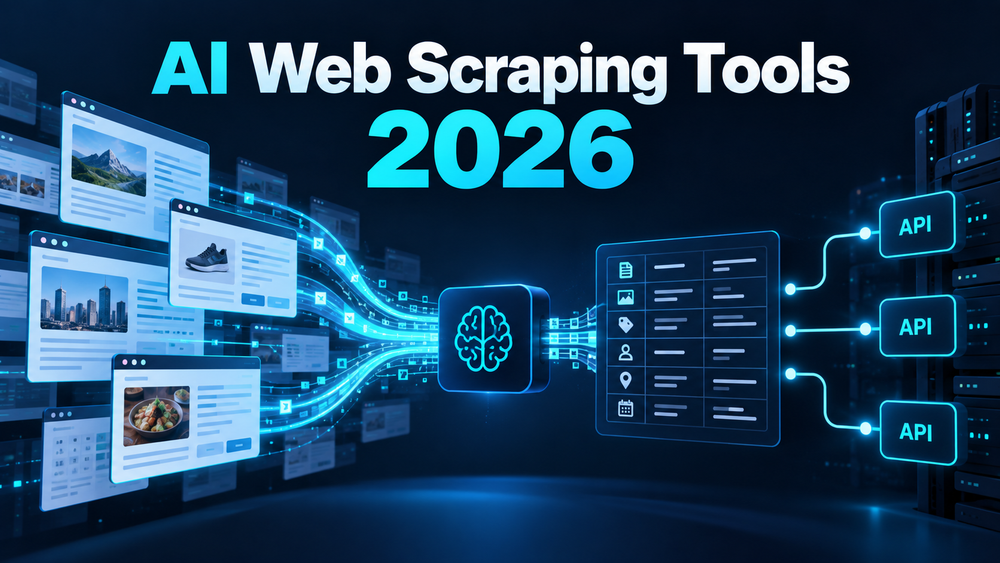
“AI web scraper” covers several different products: no-code robots, APIs that return pages for an AI pipeline, and managed infrastructure for collecting structured public data. The key choice is where you want the tool to handle the work: defining a task, rendering a page, managing retries and proxies, or shaping the output.
For a no-code workflow, start with Browse AI. For crawling pages into LLM-friendly content, evaluate Firecrawl. For a conventional scraping API with browser rendering and proxy handling, compare ScrapingBee. Apify is a broader platform for reusable cloud Actors and data workflows. Bright Data is aimed at managed, high-volume extraction where proxy infrastructure, concurrency and delivery controls matter.
| Tool | Best fit | How it works | Cost model to inspect |
|---|---|---|---|
| Browse AI | No-code recurring extraction from selected sites | Record a robot workflow and schedule or monitor it | Monthly credits; complex sites may consume more |
| Firecrawl | Crawling pages into markdown/structured content for AI apps | API endpoints for scrape, crawl, map, search and related tasks | Credits per page or operation; advanced formats cost extra |
| ScrapingBee | Developers who want a single scraping API | Handles browser rendering and proxy rotation behind an API | Monthly API credits; request complexity affects use |
| Apify | Teams that need reusable extraction jobs and integrations | Run cloud Actors with structured input/output and schedules | Platform usage or Actor-specific pricing |
| Bright Data | Higher-volume collection with managed infrastructure | Scraper APIs, browser rendering, proxy management and data delivery | Per-record usage, scale plans or custom enterprise terms |
| Zyte API | Structured extraction and browser-backed requests | Automatic extraction can use browser requests and LLM prompts for custom attributes | Request and extraction options change usage costs; check current rate card |
| Browserless | Developer-controlled browser scraping and crawl jobs | Scrape and crawl APIs return structured, LLM-ready page data | Crawl API is beta and Cloud-only; browser concurrency is usage-sensitive |
| Web Scraper.io | Visual workflows for repeatable site extraction | A conventional no-code scraper useful when an AI model is not required | Cloud runs, export/API access and task limits vary by plan |
The products do not make a blocked site fair game. Confirm site terms, applicable privacy rules and permission for your intended use. Avoid collecting personal or sensitive data without a lawful basis. Test against a permitted sample and inspect output quality, duplicates, failure behavior and total cost before scheduling a large crawl. The Reddit material in this topic’s existing research bundle was unrelated to scraping, so this comparison does not attribute community feedback to scraper users.
Browse AI: build a no-code robot around a page
Browse AI is designed for people who want to capture information from websites without writing a scraper. You record steps against a page, define the fields or rows to monitor, then run the robot manually or on a schedule. This makes it approachable for repeat tasks such as tracking public listings or collecting structured page content, provided the site remains compatible with the workflow.
The trade-off is that a visual robot can need maintenance when a site changes its layout or access behavior. Browse AI uses a credit model: its pricing page lists a free allowance, while credit consumption varies by task and site. Check the current plan, robot limits and credits required for your target page rather than assuming each run costs the same. Start with a small sample and confirm that the robot captures the fields you actually need. See Browse AI plans and how its website-to-API workflow works.
Firecrawl: turn crawl results into AI-ready content
Firecrawl offers API workflows for scraping individual pages, crawling a site, mapping URLs and searching. It is a natural choice when the output will feed an LLM, retrieval system or data pipeline and you want page content in a normalized format. Basic scrape and crawl usage is credit-based; the official pricing page currently describes one credit per page for basic operations, with additional credits for formats such as JSON, questions or highlights. Its free tier lists 1,000 monthly credits, and the Hobby plan lists $19 month-to-month or $16 per month billed annually for 5,000 credits.
That pricing is easier to estimate than infrastructure assembled from separate browser and proxy components, but deeper extraction formats consume more. A 403 response can still count as a returned page, so “failed” does not always mean “free.” Test representative URLs and set a spend limit before increasing crawl scope. See Firecrawl pricing and credit rules and crawl API documentation.
ScrapingBee: use a managed scraping API
ScrapingBee provides a single API for page extraction and handles headless-browser rendering and proxy rotation. It suits developers who want to send URLs and receive page responses without operating browser infrastructure themselves. The official pricing page lists 1,000 free API credits and paid plans beginning at $19 per month for 75,000 credits; monthly plan credits and concurrent-request limits increase across tiers.
Do not compare credits as if every target URL had identical cost. JavaScript rendering, premium proxies, geotargeting and other options can change credit consumption or availability by plan. Check those details against your target sites, and verify that the returned HTML contains the content your parser expects. ScrapingBee is a scraping API rather than a visual point-and-click tool, so nontechnical users may need a developer to wire up requests and downstream processing. See ScrapingBee pricing and API documentation.
Apify: run reusable extraction jobs as cloud Actors
Apify is a platform for cloud programs called Actors. An Actor can scrape pages, automate a browser or process data, with structured input and output exposed through the platform’s API, CLI and scheduling features. This flexibility is useful when a team wants to reuse a workflow, connect it to other services or choose from a broad Actor catalog.
The cost depends on both the platform plan and the Actor’s own charging model. Apify documents platform resource usage, including compute units, and Actors may charge per use, per event or on another documented basis. That means a marketplace listing’s headline price is not necessarily the full cost of a run. Review the Actor’s source, input requirements, data fields, maintenance notes and pricing, then measure a small run before committing to a recurring workflow. See Apify Actors, subscription and usage billing, and running Actors from the store.
Bright Data: manage infrastructure for larger collection jobs
Bright Data’s Web Scraper APIs combine extraction jobs with browser rendering, proxy management, concurrency controls and structured delivery. This is a better match for teams that have higher volume or need to operate across multiple target sites than for someone who just needs to capture a few rows from one page.
Its current pricing page lists a free tier of 5,000 records per month, pay-as-you-go at $1.50 per 1,000 records, and a Scale plan at $499 per month with 384,000 records included; enterprise terms are custom. The page says it charges for successfully delivered records and lists additional capabilities such as unlimited concurrency and API or webhook delivery. Confirm the exact scraper product and billing basis before comparing it with page-based credit plans: a record is not the same unit as a page or request. See Bright Data Web Scraper API pricing.
Zyte API: extract structured fields from pages
Zyte API combines browser-backed page access with automatic extraction for content types such as articles, products, listings and search results. Its documentation also describes custom LLM prompts for extracting attributes from relevant page content. That can help when the output needs named fields instead of a raw HTML response. Configure the extraction type and request mode deliberately: browser and AI-assisted extraction have different processing and cost implications. Check Zyte’s current pricing before estimating a large run. See Zyte API documentation and the request reference.
Browserless: control a hosted browser through APIs
Browserless offers APIs for browser sessions, scraping selected page content and multi-page crawls. Its Crawl API can return structured, LLM-ready results and accepts crawl depth, URL filters, output formats and webhook configuration. The crawl endpoint is currently marked beta and Cloud-only; teams that need stable production behavior should test version and response-shape changes before depending on it. This is a developer infrastructure choice, not a point-and-click robot builder. See Browserless scrape API and Crawl API documentation.
Web Scraper.io: use a visual workflow when AI is unnecessary
Web Scraper.io is a conventional visual scraping option included as a neighboring workflow for readers who need structured extraction but do not need an LLM to interpret the page. Its browser extension and cloud tools let users define selectors and repeatable extraction steps. That can be simpler to inspect than an AI-generated schema, though layout changes can require selectors to be updated. Compare its current product and pricing against the actual task before choosing it; this is an adjacent no-code scraper, not an AI-native product.
A practical way to choose
Take a handful of URLs you are allowed to collect and define the output schema before evaluating tools. Compare how much setup is needed, whether JavaScript-rendered content is present, how often the result needs correction, how errors are reported and what one complete run costs. For repeated jobs, include monitoring and maintenance time in the decision.
Pick Browse AI when you want to record a small repeatable task without code. Choose Firecrawl when the destination is an AI or search pipeline and clean page content matters. Choose ScrapingBee when you want a managed API for fetching pages. Choose Apify when reusable cloud jobs and integrations are central. Choose Bright Data when infrastructure scale and delivered-record billing justify a managed service. None guarantees access to every site or removes your responsibility to collect and use data appropriately.





