

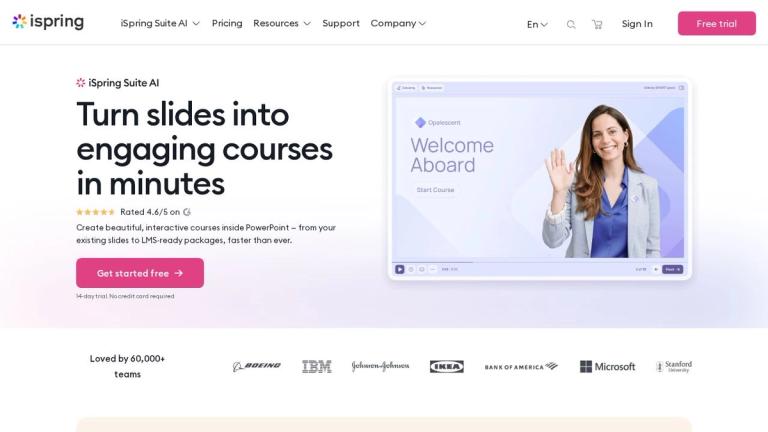
iSpring Suite AI is a high-performing eLearning authoring tool that integrates seamlessly with PowerPoint for rapid course creation.
Features
- PowerPoint-Native Course Authoring — iSpring Suite AI integrates directly into PowerPoint as an add-in, allowing users to transform existing slides into interactive, professional eLearning courses without leaving the familiar PowerPoint environment. This eliminates the learning curve associated with standalone authoring tools and enables rapid course development from existing slide decks and Word/PDF documents.
- AI-Powered Content Generation — The built-in AI Assistant instantly generates course text, images, and quiz questions, dramatically accelerating content creation. Users can leverage AI to jump-start development, create course materials from scratch, or enhance existing content without needing instructional design expertise.
- AI Voiceover & Multi-Language Translation — Generate natural-sounding voiceovers using AI text-to-speech technology and translate entire courses into 50+ languages in minutes. Narration syncs automatically with slides and animations, enabling rapid localization of training content for global audiences without hiring voice talent or translators.
- Professional Content Library & Templates — Access a comprehensive library of professionally designed templates, photorealistic and illustrated characters, scenes, and interactions. Enables small L&D teams without dedicated designers to create visually stunning, branded courses with clean modern layouts.
- SCORM-Compliant Publishing — Publishes clean, standards-compliant SCORM packages (SCORM 1.2, SCORM 2004, xAPI, cmi5) that work flawlessly in any LMS without tweaking. Ensures accurate progress and score tracking across learning management systems, whether commercial or homegrown.
- Collaborative Review Workflow — A dedicated web-based review app streamlines stakeholder feedback by collecting, discussing, and resolving comments in a single workspace. Features side-by-side content and comment viewing, translation validation in context, and eliminates messy email threads for faster course approval cycles.
Use Cases
Corporate Onboarding & Compliance Training
HR and L&D teams rapidly convert existing policy documents, PowerPoint presentations, and compliance materials into interactive SCORM-ready courses. AI voiceovers and translations enable consistent onboarding experiences across global offices, while quizzes ensure knowledge retention and regulatory compliance tracking. Target Audience: HR departments, L&D teams, compliance officers in mid-to-large enterprises
Technical & Product Training Development
Product managers and technical trainers transform complex product documentation, feature walkthroughs, and technical specifications into engaging slide-based training with role-play simulations and interactive scenarios. The PowerPoint-native workflow allows subject matter experts to contribute directly without learning new software. Target Audience: Product teams, technical trainers, sales enablement professionals, and SMEs
Academic Course Creation for Higher Education
Professors and instructional designers repurpose lecture slides and academic materials into self-paced online courses with assessments, multimedia interactions, and progress tracking. AI translation supports international student populations, while SCORM packaging ensures compatibility with institutional LMS platforms. Target Audience: University faculty, instructional designers, academic technology teams, and online program administrators
Healthcare & Government Training Programs
Healthcare organizations and government agencies create standardized training modules for staff certification, safety protocols, and procedural updates. The rapid authoring workflow enables frequent content updates, while multi-language support ensures accessibility for diverse workforces and compliance with regulatory training requirements. Target Audience: Healthcare training coordinators, government L&D departments, and regulated industry compliance teams
Pros
- Zero learning curve — leverages the familiar PowerPoint interface, allowing users to start building courses immediately without training on new software or complex timelines and layers.
- Exceptionally fast course creation — transforms existing PowerPoint slides into interactive, LMS-ready courses in minutes rather than days or weeks, significantly reducing development time.
- Comprehensive AI capabilities — built-in AI assistant generates text, images, quiz questions, voiceovers, and translations across 50+ languages, eliminating the need for multiple third-party tools.
- Industry-leading 24/7 customer support with 85% of requests resolved in under 2 hours by real human experts via phone, email, or chat — ranked #1 in Customer Support on G2.
- Universal LMS compatibility — publishes clean, standards-compliant SCORM 1.2, SCORM 2004, xAPI, and cmi5 packages that work flawlessly in any LMS without technical adjustments.
Cons
- Requires Microsoft PowerPoint as the foundation — not a standalone authoring tool, which means organizations must maintain PowerPoint licenses and users without PowerPoint access cannot use the software.
- Primarily slide-based paradigm may limit highly complex interactive scenarios — advanced branching, custom animations, and software simulations may be more constrained compared to dedicated tools like Articulate Storyline or Adobe Captivate.
- AI features (voiceover generation, translation, content creation) may have usage limitations or require additional subscription tiers, and AI-generated content still requires human review for accuracy and brand alignment.
- Design flexibility is template-dependent — while the Content Library offers professional templates, highly customized or unique visual designs may require external graphic design tools, limiting creative freedom for teams with specific branding requirements.


