
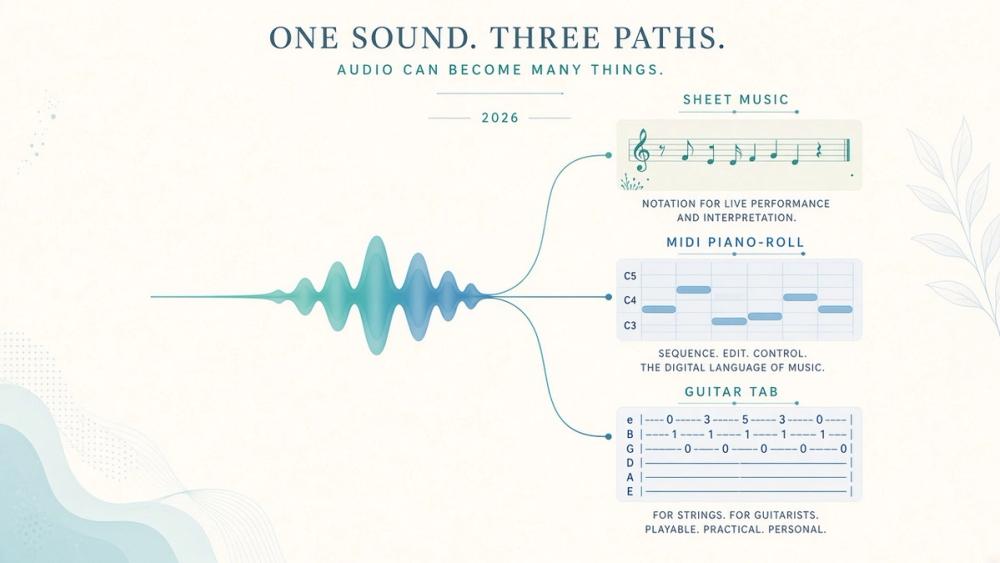
The best AI music transcription tool depends on what you want to do with the recording. A musician looking for editable MIDI has different needs from someone who wants printable notation, guitar TAB, or a lead sheet. Some tools turn audio into notes; others help you edit pitches in a DAW or listen closely enough to transcribe a passage yourself. Those are related workflows, but they are not interchangeable.
This guide compares six primary tools—Songscription, Klangio, AnthemScore, Spotify Basic Pitch, ScoreCloud, and Melodyne—by their inputs, outputs, workflow, and practical limitations. It also separates transcription software from stem-separation and listening aids, and from speech-to-text tools that produce words rather than musical notes.
Pricing and product details below were checked against official pages on October 26, 2026. This is a source-based comparison and qualitative guide, not a lab ranking. We did not run a controlled audio test or assign accuracy scores.
Quick picks by transcription job
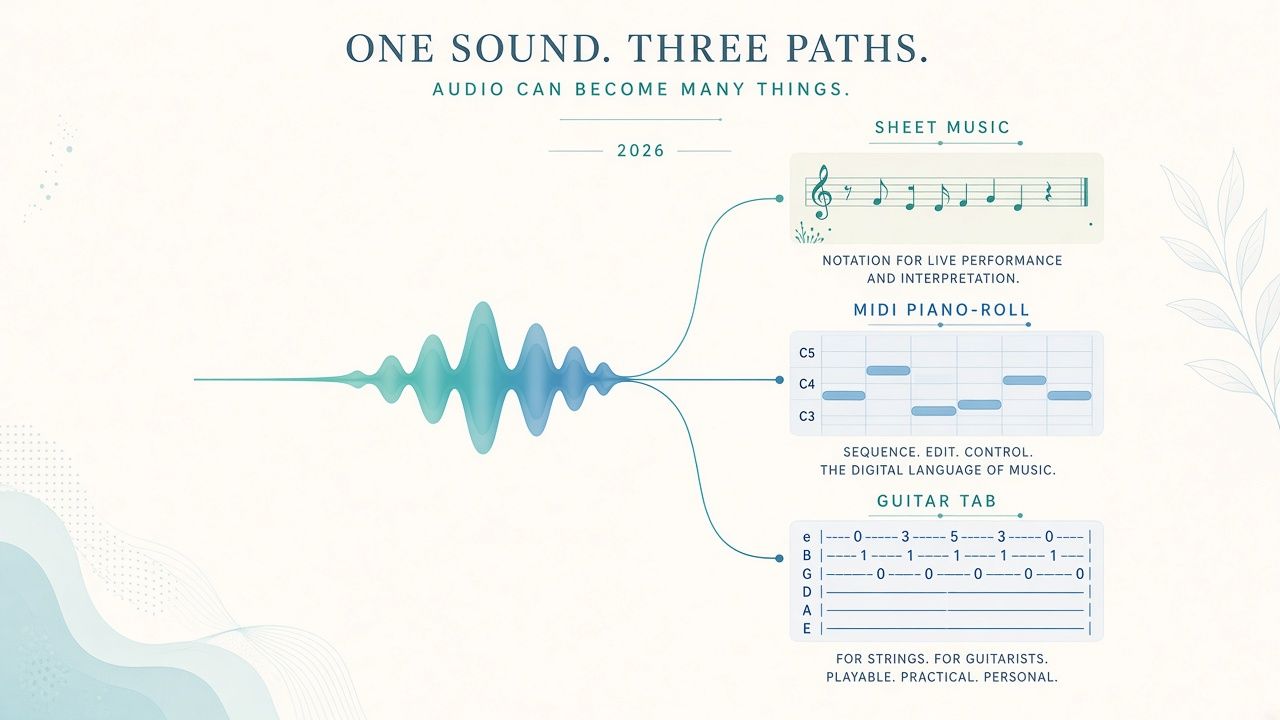
Best for turning audio into readable sheet music
AnthemScore is a strong place to start if you want to generate notation from an audio file and then inspect and correct the result. Its desktop and web versions support score-oriented workflows; paid options include PDF, MIDI, and MusicXML exports. Treat the generated score as a draft, especially for dense or overlapping music.
Songscription is another browser-based option for an editable score and exports including PDF and MusicXML. Its free tier is limited to 30-second transcriptions.
Official pages: AnthemScore and Songscription.
Best for a free, quick MIDI draft
Spotify Basic Pitch is free and focused on audio-to-MIDI. It does not provide sheet music, MusicXML, or guitar TAB, so it suits a workflow where you want to bring a MIDI draft into a DAW and edit it there.
Try Spotify Basic Pitch.
Best for instrument-specific workflows
Klangio offers instrument-focused transcription apps alongside its Transcription Studio, including routes for guitar, violin, and wind instruments. Its tool family also includes guitar TAB workflows. Choose the relevant app for the instrument and output you need, and check the current demo and checkout terms before committing.
See Klangio.
Best for editing notes inside a DAW
Melodyne is a note-based audio editor, not a general-purpose score generator. It can help you inspect and edit note material within a production workflow, then export MIDI after editing. Its higher editions include DNA polyphonic editing, but it does not replace notation software when your goal is MusicXML or a finished printed score.
See Celemony’s Melodyne overview.
Best for learning by ear (assistive—not automatic)
Transcribe! and Soundslice can support careful listening, playback, and learning workflows. Consider them assistive tools, not automatic audio-to-sheet-music transcribers. You are still responsible for identifying the notes and writing or entering them where needed.
What do you mean by “music transcription”?
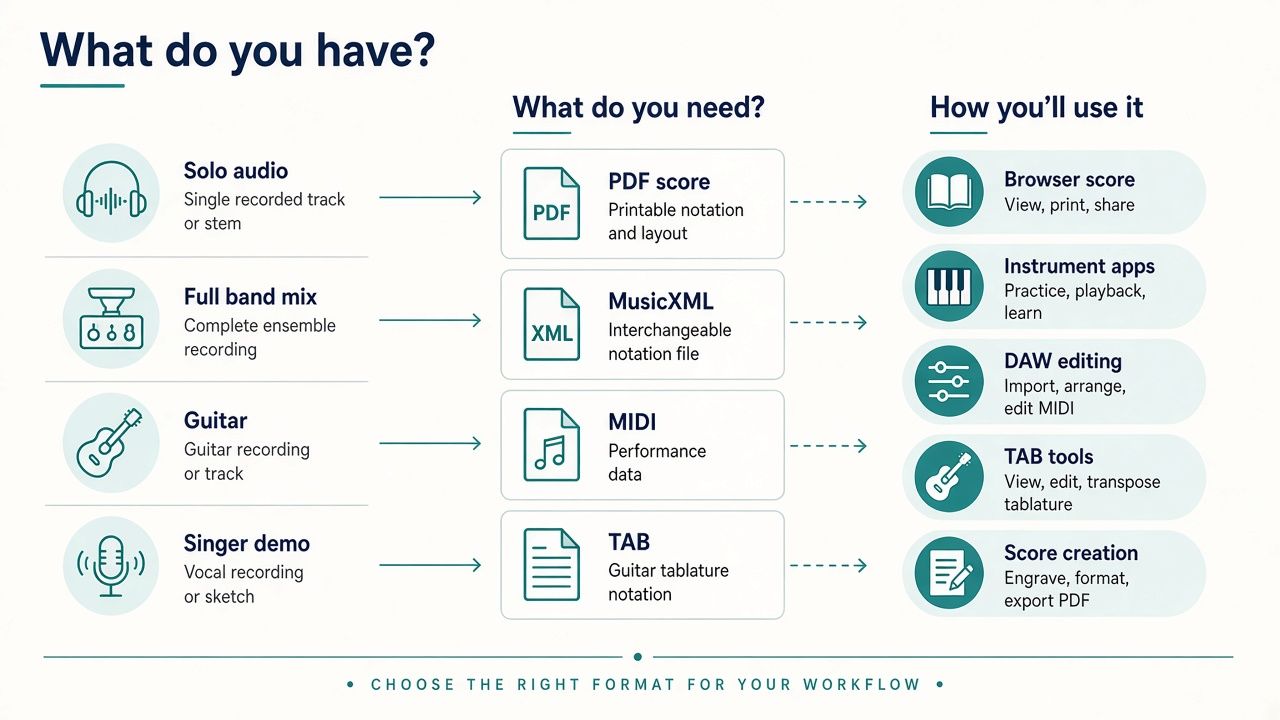
“Music transcription” can refer to several different tasks. Before choosing a product, decide what the source is and what file or notation you need next.
Audio to MIDI
MIDI represents musical events—such as pitches, note starts, note endings, and velocity—in a form that compatible software can edit. It is useful for a piano roll, virtual instruments, and many DAW workflows. It is not an audio recording and usually does not look like a finished score.
Basic Pitch is specifically an audio-to-MIDI option. Songscription, Klangio, and AnthemScore also offer MIDI exports in relevant plans or workflows.
Audio to sheet music or MusicXML
Audio-to-notation tools attempt to identify musical events and arrange them in a readable score. MusicXML is an exchange format for notation software; a PDF is typically for reading or printing. A generated score may still need fixes to rhythms, rests, voices, ties, key signatures, or layout.
A product offering “sheet music” is not automatically producing an engraving-ready score. Check which formats it exports and whether the score can be edited before export.
Audio to guitar tab or another instrument-specific format
Some workflows target a particular instrument or playing convention rather than general staff notation. Klangio has instrument-specific apps, including guitar-related transcription and TAB workflows. Songscription lists Guitar Pro among its supported exports on paid plans. Verify the exact output and whether it represents the technique or tuning you need.
Lyrics and speech-to-text are different jobs
A speech recognizer turns spoken or sung words into text. It does not, by that fact alone, identify pitches, rhythms, chords, or staff notation. Some services marketed as “music transcription” focus on lyrics, captions, or spoken content. That is a category mismatch if you need musical notes.
This distinction matters when evaluating “music transcriber” lists that mix speech or lyric tools—for example BlipCut, ElevenLabs, Sonix, or Restream in some vendor roundups—with products that output notes, MIDI, or staff notation. A transcript of the words in a song is not a MIDI file or a score.
For speech-to-text options, see our guide to the best AI transcription tools—that is a different task from music-note transcription. Meeting recordings are also a separate category; see the best AI meeting transcription tools.
Automatic transcription vs. assistive listening
An automatic transcription system attempts to produce notes or a score from audio. An assistive listening tool helps you slow down, loop, or inspect a recording while you transcribe it yourself. Stem separation and practice tools can make listening easier, too, but they are not automatically audio-to-score engines.
Best AI music transcription tools compared
The table describes intended workflows and documented formats, not comparative accuracy. Free access and paid terms can change; check the linked official product pages before purchase.
| Tool | Best-fit job | Starting input | Output formats | Instrument / arrangement fit | Workflow type | Editing / cleanup path | Free access / trial limits | Main tradeoff |
|---|---|---|---|---|---|---|---|---|
| Songscription | Browser-based score and multi-instrument workflow | Audio file | MIDI, MusicXML, PDF, Guitar Pro | Single-instrument and Multi-Instrument modes | Browser | Edit the score or export for further editing | Free 30 seconds | Paid use is credit-based; generated notation needs review |
| Klangio | Instrument-led transcription and DAW/plugin workflow | Audio, depending on app | MIDI, PDF sheet, MusicXML, Guitar Pro/TAB in relevant workflows | Instrument apps plus multi-instrument Studio | Browser, apps, VST3/AU plugin, API | Review in the app or continue in a DAW/notation tool | About 20-second demos are listed; confirm at use | Promotions vary, and the right output depends on the app |
| AnthemScore | Audio-to-score draft with correction workflow | Audio file | PDF, MIDI, MusicXML on paid qualifying plans | Includes score editing; not a stem splitter | Desktop and web | Correct the score, then export | Web free 30 seconds; desktop trial availability | Dense audio can require substantial notation cleanup |
| Spotify Basic Pitch | Free audio-to-MIDI experiment | Audio | MIDI | Multipitch/polyphonic approach; no instrument-specific score output | Web demo or open-source library | Edit MIDI in a DAW | Free | MIDI only; no sheet music or MusicXML |
| ScoreCloud | Capturing an idea as notation or a lead sheet | Audio or live/mic capture, depending on product | Notation and MIDI workflows vary by plan | Studio supports multi-staff; Songwriter focuses on melody and accompaniment | Desktop software | Edit the score and use plan-supported import/export | Free plan | Choose the product and plan that match the desired workflow |
| Melodyne | Note and pitch editing in music production | Audio | MIDI export after editing | DNA polyphonic editing in Editor and Studio editions | DAW plugin/ARA and standalone workflows, depending on setup | Edit notes in Melodyne, then export or continue in DAW | Trial availability; verify current terms | Audio editor, not a MusicXML or score-generation app |
The best tools, reviewed
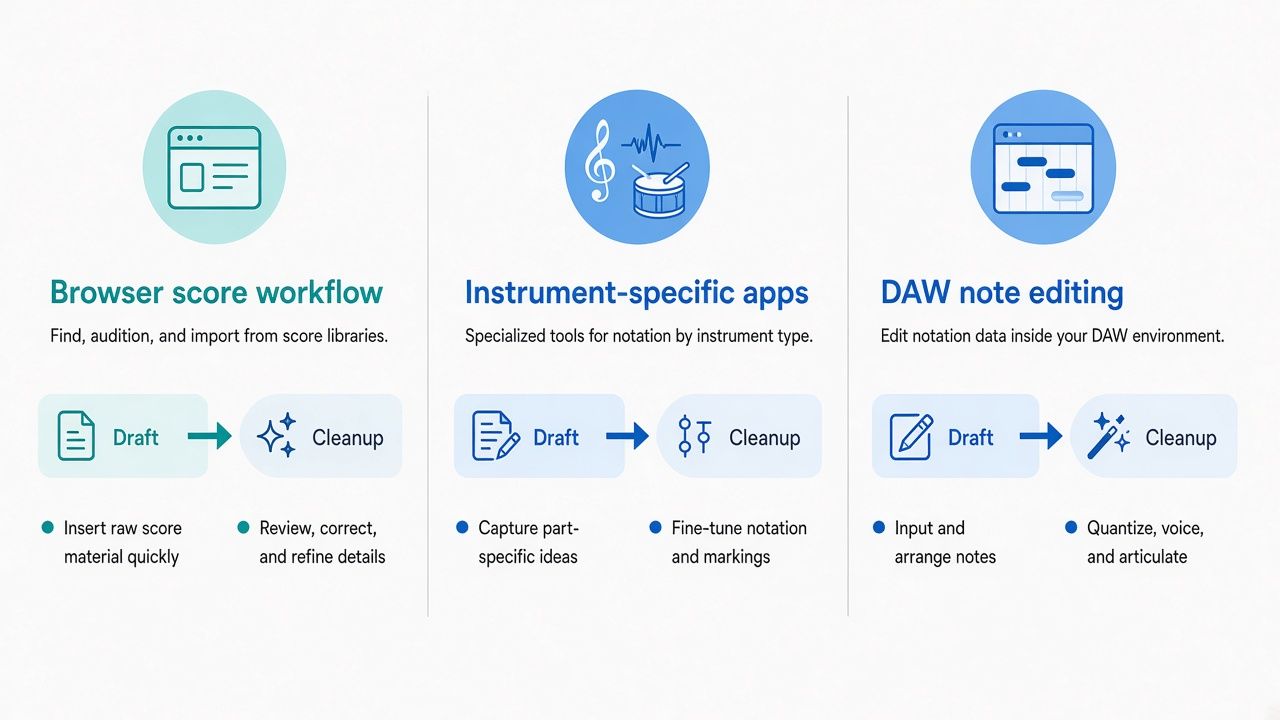
These product notes use the same checklist: best fit, inputs and outputs, workflow, limitations, and what to verify. Prices are the figures listed in the research sources on October 26, 2026.
Songscription
Best fit: A browser workflow when you want a transcription draft, an editable score, or several export options from one service.
Inputs & outputs: Songscription offers single-instrument and Multi-Instrument modes. Its paid plans list MIDI, MusicXML, PDF, and Guitar Pro exports. The free plan covers 30-second transcriptions.
Workflow: Upload audio, choose the relevant transcription workflow, review the result, and export in a format suited to your next step. For notation, MusicXML can be useful if you plan to continue in notation software; MIDI is more suitable for DAW editing.
Limitations: Automatic output is a starting point, not a guarantee of a finished arrangement. More simultaneous parts can mean more notes and relationships to review. Free access is short, and paid plans use credits.
What to verify: The current file limits, credit usage, export access, and whether the mode you need supports your instrument and arrangement.
Verified pricing: Free for 30 seconds; Plus is $9.99/month or $99.90/year, with 600 credits (about 60 minutes at 10 credits per minute); Pro is $29.99/month or $299.90/year, with 3,000 credits (about 300 minutes). The listed plans include MIDI, MusicXML, PDF, and Guitar Pro exports.
Official site: songscription.ai.
Klangio
Best fit: Musicians who want an instrument-led workflow, a relevant specialized app, or a route into a DAW through a plugin.
Inputs & outputs: Klangio’s product family includes instrument-focused transcription apps and Transcription Studio. Supported workflows include MIDI and sheet exports; the relevant guitar app offers guitar-oriented output. The product’s DAW plugin is available in VST3/AU formats.
Workflow: Select the Klangio app or Studio workflow for the task, submit or work with the audio, then review the result and export. The plugin may suit a production setup where you want a DAW handoff; Klangio also lists an API.
Limitations: The product family is not one uniform tool: capabilities depend on which app you use. A transcription for an instrument does not necessarily separate every part of a full mix. Promotional prices change, so a historic sale figure is not a dependable standard price.
What to verify: Which app supports your source and target format, whether the free demo is sufficient to assess your recording, and the current checkout price. Klangio’s subscription structure describes Pro as one app and Ultimate as all transcription apps, with Melody Scanner and Scan2Notes excluded. Free demos are around 20 seconds in the published material; confirm availability and export conditions in the product.
Verified pricing note: first-year promotional prices have varied. Figures seen include about $50–$59.99 for Studio and Plugin and about $75–$89.99 for all apps. These are sale-dependent, not a stable standard price: verify live at checkout.
Official site: klang.io.
AnthemScore
Best fit: Turning an audio recording into a notation draft that you can inspect and correct, especially when score editing and export options matter.
Inputs & outputs: AnthemScore works from audio. Paid desktop Professional and Studio editions and qualifying web plans support PDF, MIDI, and MusicXML exports. Desktop Lite has more limited features; consult the official plan comparison for the exact current distinctions.
Workflow: Generate a score, review the notes and notation, make corrections, and export the version appropriate for printing, notation software, or a DAW. If you want to continue arranging in a DAW such as Ableton, MIDI may be a useful handoff. For audio preparation, Audacity can be part of a separate editing workflow, but it does not itself make an automatic score.
Limitations: It is a transcription and score-editing workflow, not a stem separator. A mixed recording may contain overlapping parts that require extra review; notation can need correction even when the source is clear.
What to verify: Whether the desktop or web plan gives you the export formats, song limits, and editing features you need. The web free option is limited to 30 seconds; the web page also lists an optional 14-day full-song trial.
Verified pricing: Desktop Lite $29 one-time, Professional $39 one-time, and Studio $99 one-time. AnthemScore Web is Free for 30 seconds; Plus is $8.33/month billed annually ($99.90/year); Pro is $24.99/month billed annually ($299.90/year). Paid web plans list PDF, MIDI, and MusicXML.
Official site: lunaverus.com. See also the AnthemScore listing on aijet.cc.
Spotify Basic Pitch
Best fit: A free first pass from audio into MIDI when you are comfortable making corrections in a DAW.
Inputs & outputs: Basic Pitch’s core job is audio-to-MIDI. It does not export sheet music, MusicXML, PDF notation, or guitar TAB.
Workflow: Use the web demo or the open-source library to generate MIDI, then inspect the notes in a DAW or other MIDI-compatible software. Spotify describes the system as multipitch; that should not be mistaken for a promise that every full mix will separate cleanly into finished parts.
Limitations: MIDI is not a score, and Basic Pitch’s focused output means you need another tool if your goal is readable notation. It does not supply a complete multi-track arrangement simply because several instruments are present in the recording.
What to verify: The current web demo’s input and export behavior, or the requirements for using the open-source library. The project is free, and the library is open source.
Official site: basicpitch.spotify.com.
ScoreCloud
Best fit: Capturing musical ideas as notation, including lead-sheet-oriented work where melody and accompaniment are central.
Inputs & outputs: ScoreCloud Studio works with multi-staff scores; Songwriter focuses on melody and accompaniment. MIDI import and export options vary by product and plan, so confirm them before choosing a subscription.
Workflow: Use the relevant ScoreCloud product to capture or enter musical material, edit the resulting score, and use the plan-supported exports. It is worth considering for a songwriter’s idea-to-score workflow, but it is not a direct substitute for every audio-to-MIDI or full-mix transcription tool.
Limitations: Product features and import/export access depend on the plan. A lead-sheet workflow is different from producing a fully separated orchestral score.
What to verify: Whether your recording method is supported, which product—Studio or Songwriter—fits the task, and which exports come with the plan. The plans chart lists 10 free days of Pro for a new paid signup; check current terms.
Verified pricing: Free; Plus $5.99/month or $59/year; Songwriter $11.99/month or $119/year; Pro $20.99/month or $149/year.
Official site: scorecloud.com.
Melodyne
Best fit: Editing note and pitch material in a music-production workflow, particularly when you want hands-on control after importing audio.
Inputs & outputs: Melodyne analyzes audio and presents note-based editing options. You can export MIDI after editing. It is not a notation app and does not offer MusicXML as its main output.
Workflow: Open the audio in a compatible setup, inspect and edit the notes, and export or continue working in the DAW. Some editions integrate through ARA; available options depend on the edition and host.
Limitations: Melodyne should not be described as a general audio-to-sheet-music generator. Polyphonic editing is associated with DNA in the Editor edition and above; it still requires a musician to review the material.
What to verify: Which edition includes the editing functions you need, how it integrates with your DAW, and whether MIDI export fits your next step.
Verified shop prices: Essential $99; Assistant $249; Editor $399; Studio $699.
Official overview: celemony.com/en/melodyne/what-is-melodyne.
Adjacent tools (not full ranking)
Moises — stem/practice helper: Moises is useful for working with stems and practice-oriented listening tasks. Separating or isolating audio can help you hear a part, but it is not the same as automatically producing a finished score or note-by-note MIDI transcription.
Melody Scanner and Scan2Notes — Klangio-adjacent OMR/arrangement tools: These are adjacent to Klangio’s ecosystem and may suit score-scanning or arrangement workflows. Optical music recognition (OMR) reads notation in an image or score; it is not the same task as transcribing audio. They are not ranked here as separate audio transcribers.
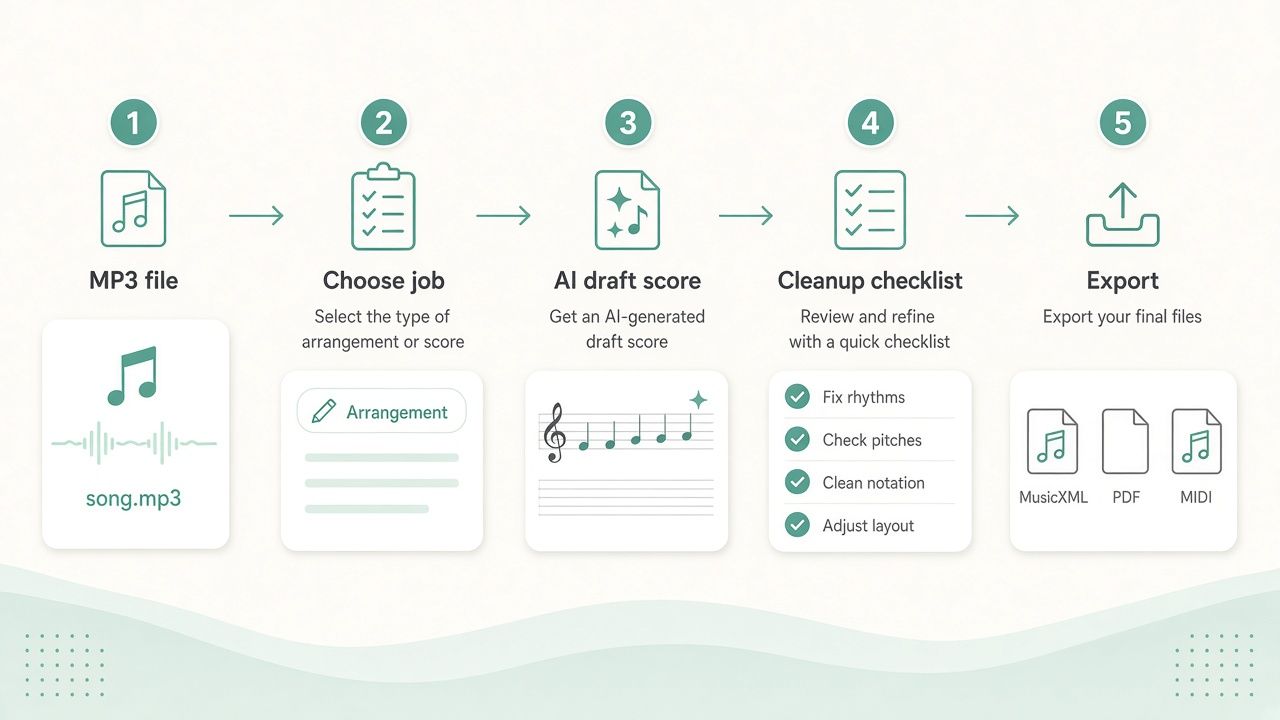
Which tool fits your source and your next step?
Clean solo recording to MIDI
For a clear solo line, start with Basic Pitch if a free MIDI draft is enough. Songscription, Klangio, or AnthemScore may be better fits if you need a broader set of outputs or a notation workflow. In each case, inspect the MIDI: note boundaries, accidental pitches, repeated notes, and timing can require correction.
Piano recording to readable notation
If the goal is a score rather than a piano-roll file, compare AnthemScore, Songscription, and relevant Klangio workflows. A solo piano recording is a different source from a full mix, but it still may contain dense chords, pedal resonance, and overlapping notes. Review the voices, rhythms, and notation before printing or sharing.
Full-band recording with overlapping parts
First decide whether you need the whole arrangement, one instrument, or simply an aid for hearing a part. Songscription offers a Multi-Instrument mode; Klangio offers Transcription Studio alongside instrument apps. These options do not remove the need to review overlapping parts. If the immediate problem is hearing one element, a stem/practice helper such as Moises is adjacent support—not a guarantee of a clean score.
Guitar recording when you need TAB
Choose a workflow that explicitly lists guitar-oriented output, such as the relevant Klangio guitar app. Songscription lists Guitar Pro exports on its paid plans. Check whether the export reflects your tuning and the kind of TAB or Guitar Pro file you can use. General MIDI may preserve note events without showing the most practical guitar fingering.
A singer-songwriter demo or lead sheet
For a melody-and-accompaniment idea, ScoreCloud Songwriter is designed around a lead-sheet-oriented workflow. Songscription and other score-generating tools may also be worth considering if you want an editable score from a recording. Expect to make decisions about chords, lyrics, voicing, and arrangement; automatic note detection does not decide what a polished lead sheet should communicate.
For creating new material rather than transcribing an existing recording, see our guides to the best AI music generators in 2026 and best AI song generators in 2026. Creation is different from transcription.
A scanned score or PDF
If your source is an image of printed notation or a PDF score, you want OMR, not audio transcription. OMR attempts to recognize notes and symbols already visible on the page. Audio transcription starts with sound and attempts to infer musical events. Melody Scanner or Scan2Notes are adjacent options to investigate for score-related workflows; verify the specific format and scan features you need.
Songscription alternatives: choose by tradeoff
“Best alternative” depends on what you want instead of Songscription, not on a universal ranking.
If you want a free MIDI experiment
Try Spotify Basic Pitch. It is free and focused on MIDI, not notation. If you need a score or MusicXML, you will need another step or a different product.
If you prefer desktop software
AnthemScore offers one-time desktop licenses, including Professional and Studio editions. That may suit someone who prefers a desktop purchase to a browser subscription. Compare the included features and export needs before choosing between desktop and web.
If you need DAW-oriented note editing
Melodyne is the more relevant option when the job is editing note material in a production workflow. Basic Pitch can provide a free MIDI starting point for DAW editing, while Klangio lists a VST3/AU plugin. These are different approaches: MIDI generation, audio note editing, and a transcription plugin should not be treated as identical.
If you need instrument-specific output
Look at Klangio’s instrument apps and verify the exact app and export for your instrument. If guitar notation is the priority, compare the relevant TAB/Guitar Pro workflows with Songscription’s listed Guitar Pro export. Confirm that the output fits your instrument and arrangement rather than relying on a broad “music transcription” label.
If you want to transcribe manually by ear
Use an assistive listening tool to slow down, loop, and inspect a passage. Transcribe! and Soundslice can support that kind of work, but they are not replacements for automatic note recognition. A DAW can also help with playback and editing; see our Ableton listing.
MIDI vs MusicXML vs PDF (and TAB)
MIDI for DAWs and piano-roll editing
MIDI is usually the practical choice when you want to edit notes, assign sounds, or arrange in a DAW. It represents musical events rather than a fixed visual score. A MIDI file may need timing, note-length, and track cleanup before it is useful.
MusicXML for notation software
MusicXML is designed to move notation between compatible programs. It is a better fit than MIDI when you want to keep score information and continue editing in notation software. The file still needs checking: note recognition and musical engraving are separate issues.
PDF for reading or printing
PDF is useful when the score is ready to view or print. It is generally less flexible for editing musical events than MIDI or MusicXML. If you expect to revise the notes, retain an editable format when available.
TAB or Guitar Pro when the player needs fretboard notation
TAB describes where notes can be played on the instrument, rather than only representing pitch on a staff. Guitar Pro is a file format and application ecosystem used for guitar-oriented notation and tab. Check whether a tool exports the particular form you need; a standard MIDI file is not automatically a usable guitar TAB.
How accurate is AI music transcription—and how much cleanup?
There is no single meaningful accuracy figure that applies to every recording, instrument, genre, and output format. We did not run a controlled benchmark, so this guide does not assign percentages or claim a measured winner. A transcription that is useful as a MIDI sketch may still be poor as a finished score.
What makes transcription easier or harder
A clear recording with one prominent source generally gives you a more manageable starting point than a dense mix. Noise, reverberation, distortion, overlapping notes, drums, strong effects, and expressive timing can all complicate interpretation. The instrument and requested output matter too: a system that identifies a pitch may not infer a playable fingering, a clean score layout, or which part belongs on which staff.
Why jazz piano and dense arrangements need careful review
Jazz piano can combine fast runs, extended chords, syncopation, rubato, and inner voices. Those features make a transcription difficult to judge from the headline claim that a tool supports polyphonic audio. Check whether the result captures the notes and rhythm you need, then review voicing and notation. A draft can still be useful even if you have to correct it.
Why orchestral and multi-instrument audio is a harder case
An orchestra or full band may contain simultaneous instruments with similar pitch ranges, overlapping attacks, and different articulations. A multi-instrument mode is a workflow feature, not proof that every part will be cleanly identified. If the goal is one instrument, consider whether isolating or selecting that part first helps; if the goal is an arrangement, plan to review each staff or track.
What to check in the first draft
- Pitches: Compare notes against the recording, especially in fast passages and chords.
- Rhythm: Check note lengths, rests, syncopation, and tempo interpretation.
- Voices and tracks: Look for notes assigned to the wrong part or merged into a crowded staff.
- Notation: Review key signature, accidentals, ties, beams, and readability.
- Output: Confirm that the exported MIDI, MusicXML, PDF, or TAB opens correctly in the software you plan to use.
- The whole phrase: Listen while following the draft, rather than judging isolated notes only.
For audio preparation or editing around the transcription workflow, see Audacity. For broader music-production software and sound tools, visit our guide to the best AI audio tools in 2026.
How we evaluated these tools
We checked official product, help, pricing, and shop pages on October 26, 2026, and reviewed search-result patterns and competitor coverage to identify common reader needs. The resulting comparison is qualitative and based on source verification, not hands-on testing or a lab ranking.
The evaluation focuses on the job each tool documents, the input and output formats stated in the research sources, workflow type, free access or trial limits, and the likely next step for editing. We do not report accuracy percentages, WER, test-song counts, or comparative score results. Where a product’s output or pricing depends on a plan or app, the article says so and recommends checking the current official page. Klangio pricing is particularly promotion-variable, so verify the live checkout rather than treating a sale figure as a standard rate.
FAQ
What is the best AI music transcription tool in 2026?
There is no universal best choice. For free audio-to-MIDI, try Spotify Basic Pitch; for a score-oriented workflow, compare AnthemScore and Songscription; for instrument-led options, investigate the relevant Klangio app. Choose by source, desired output, and willingness to edit.
How can I turn an MP3 into sheet music?
Use an audio-to-notation tool such as AnthemScore, Songscription, or a suitable Klangio workflow. Upload the file, generate a draft, and review the notes and notation. A printed score may need correction before it is ready to use.
What is the difference between audio-to-MIDI and audio-to-sheet-music conversion?
Audio-to-MIDI produces editable musical events for a DAW or compatible software. Audio-to-sheet-music attempts to present musical events as notation. MIDI is not a finished score, and a score export is not the same as a DAW-ready multitrack arrangement.
Can AI transcribe a full song into MIDI?
Some tools offer multi-instrument workflows, and some can generate MIDI from audio. A full song with overlapping parts is a harder task than a clear solo line. Review the exported tracks and do not assume every instrument will be separated or correctly identified.
Which tools can transcribe polyphonic piano?
AnthemScore, Songscription, Klangio, and Spotify Basic Pitch offer relevant audio transcription or multipitch workflows, but their outputs and editing paths differ. A piano recording can include dense chords and overlapping notes, so inspect the result rather than relying on a broad polyphonic label.
Can AI transcribe jazz piano or dense chords?
It can provide a draft, but dense voicings, quick runs, rubato, and inner voices make review especially important. Compare the result with the audio and correct pitches, timing, and notation as needed. We do not claim a measured accuracy level for jazz piano.
Can AI transcribe a full band or orchestral recording?
Some products offer multi-instrument modes or workflows, but a dense mix presents overlapping parts and timbres. Look for a tool that supports your intended arrangement, and budget time to review parts. A stem/practice helper may assist with listening, but it is not automatically a score transcriber.
Can I convert a violin recording into sheet music?
A violin-focused workflow, such as the relevant Klangio app, may be a useful starting point. Vibrato, sustained notes, and expressive pitch movement can complicate interpretation. Check the generated pitches and rhythm against the recording.
Which music transcription tools export MusicXML?
The checked sources list MusicXML among exports for Songscription and AnthemScore paid qualifying plans, as well as relevant Klangio workflows. Verify the chosen product, app, and plan before purchase.
Which tool converts guitar audio into TAB?
Klangio’s relevant guitar workflow is designed for guitar-oriented transcription; Songscription lists Guitar Pro exports on paid plans. Confirm the tuning and exact file type you need. General MIDI is not the same as guitar TAB.
Is there a free AI music-to-MIDI converter?
Spotify Basic Pitch is free and focuses on MIDI. Songscription and AnthemScore also list free access, but their free transcription limits are short: 30 seconds in the checked pricing sources. Klangio lists short demos; confirm current terms in the product.
Can I use AI music transcription inside a DAW?
Yes, depending on the tool and workflow. Basic Pitch can supply MIDI for editing in a DAW; Klangio lists a VST3/AU plugin; Melodyne supports DAW-oriented note editing. Check host compatibility and whether you need audio editing, MIDI, or score notation.
How accurate is AI music transcription?
It varies with the recording and the task. A clean solo part is not comparable to a reverberant, overlapping full mix, and MIDI usefulness is not the same as score readability. No controlled accuracy benchmark was conducted for this guide.
How much editing does an AI-generated score need?
It depends on the source and your quality bar. Check pitches, rhythm, voices, rests, accidentals, and engraving. A draft for practice may need less work than a score intended for performance or publication.
What are the best Songscription alternatives?
For free MIDI, try Basic Pitch. For desktop audio-to-score work, compare AnthemScore. For a DAW editing workflow, consider Melodyne or a MIDI handoff. For instrument-specific output, investigate Klangio. For manual listening, use an assistive tool such as Transcribe! or Soundslice.
Can a speech-to-text tool transcribe notes or sheet music?
No—not simply by transcribing speech. Speech-to-text produces words, while music transcription aims to identify musical notes, timing, or notation. Lyric transcription is not audio-to-MIDI or audio-to-sheet-music conversion.
Closing
Start with the recording you have and the file you need next: MIDI for DAW editing, MusicXML for notation software, PDF for reading, or TAB/Guitar Pro for guitar-focused notation. Pick a tool that explicitly supports that route, then treat its output as a draft to check against the audio.
If you are looking to generate new music rather than transcribe an existing recording, our guides to AI music generators and AI song generators cover creation workflows instead.





