LogoAI Jet
Icon for Bytecap

Bytecap

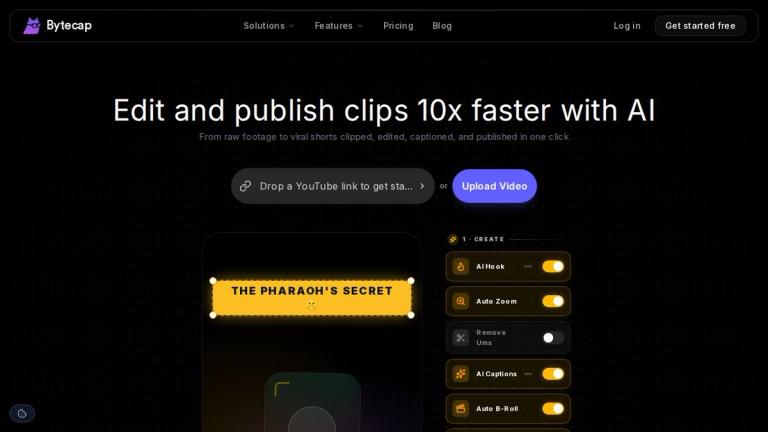
AI-powered video editor that helps creators clip, edit, caption, and publish short-form videos for TikTok, Reels, and YouTube Shorts up to 10x faster.

Introduction

Bytecap — AI Video Editor for Short-Form Content

Bytecap is an AI-powered video editing platform designed to streamline the creation of viral short-form content for platforms like TikTok, Instagram Reels, and YouTube Shorts. The tool transforms raw footage into polished, publish-ready clips in a fraction of the time traditional editing requires.

How It Works

The workflow is designed to be simple and efficient:

  1. Upload a video or paste a YouTube link — Bytecap accepts any format including podcasts, YouTube videos, and phone footage.

  2. Let AI edit for you — The platform automatically adds captions, removes silences, inserts B-roll footage, and identifies key moments in your content.

  3. Schedule and publish everywhere — Publish optimized content across multiple platforms (TikTok, Reels, Shorts, and more) in up to 4K resolution at 60fps.

Trusted by Industry Leaders

Bytecap is trusted by creators and companies worldwide, including major brands like Canva, DoorDash, Shopify, Stripe, Telus, Volvo, and Zapier.

Performance Metrics
  • 10× faster editing speed
  • +40% average increase in views
  • 80% reduction in editing costs

Built in Canada 🇨🇦, Bytecap is designed for creators who post daily and want to focus on going viral rather than spending hours on timelines.

Target Audience

Content creators, social media managers, digital marketers, podcast creators, and businesses producing daily short-form video content for platforms like TikTok, Instagram Reels, and YouTube Shorts.

Key Features
  • AI-powered auto captioning
  • Automatic silence removal
  • AI B-roll insertion
  • Key moment detection
  • YouTube link import support
  • Multi-platform publishing (TikTok, Reels, Shorts, etc.)
  • Content scheduling
  • Up to 4K, 60fps output
  • One-click workflow from raw footage to published clip
Use Cases
  • Creating viral TikTok videos from longer content
  • Repurposing YouTube videos into short-form clips
  • Editing podcast clips for social media
  • Batch producing Instagram Reels content
  • Automating video captioning for accessibility
  • Scheduling cross-platform social media video posts
Pros
  • 10x faster editing workflow compared to manual editing
  • All-in-one solution: clip, edit, caption, and publish
  • Supports multiple input formats including YouTube links
  • AI handles tedious tasks like silence removal and captioning
  • Publish directly to multiple social platforms
  • High-quality output up to 4K at 60fps
  • Trusted by major brands like Canva, Shopify, and Stripe
Cons
  • AI editing may not match the nuance of professional manual editing
  • Primarily focused on short-form content; may not suit long-form video needs
  • Relies on internet connection for cloud-based processing
Pricing

Free trial available; paid plans for full features (specific pricing not listed on homepage)

Latest News

How to Put Video Clipping on Autopilot | Bytecap

How to Put Video Clipping on Autopilot | Bytecap

8/4/2026

How to Put Video Clipping on Autopilot | Bytecap By Ali Mansour --- Most creators think the goal is to clip videos faster. I do not. The real goal is to stop clipping videos yourself. AI clipping tools have made one part of the process easier. They can find decent moments, cut them into vertic...

Bytecap Blog | AI Video Editing Guides and Comparisons | Bytecap

Bytecap Blog | AI Video Editing Guides and Comparisons | Bytecap

8/4/2026

Bytecap Blog | AI Video Editing Guides and Comparisons | Bytecap # Bytecap Blog Tips, trends, and best practices for creating viral short form video with AI. All24AI Clipping23Captions23Publishing23Comparisons21YouTube Automation1Other1 ## How to Put Video Clipping on Autopilot FeaturedMost AI ...

Cross-Platform Video Publishing & Scheduling: Publish to TikTok, YouTube, LinkedIn & X in One Click | Bytecap

Cross-Platform Video Publishing & Scheduling: Publish to TikTok, YouTube, LinkedIn & X in One Click | Bytecap

8/4/2026

Cross-Platform Video Publishing & Scheduling: Publish to TikTok, YouTube, LinkedIn & X in One Click | Bytecap By Ali Mansour --- You finish a video. It is captioned, color graded, cropped to 9:16, and ready. Then you open TikTok, upload, write a caption, pick hashtags, hit publish. Then you do th...

Best AI Video Editing Tools for Streamers in 2026

Best AI Video Editing Tools for Streamers in 2026

8/4/2026

Best AI Video Editing Tools for Streamers in 2026 | Bytecap Test a stream recording ## Find short-form moments in footage you already created. Use a stream, VOD, interview, or gameplay recording. Bytecap carries the source into a workflow for finding moments, adding captions, reframing speakers, ...

Bytecap: AI Video Clipping Tool for Viral Shorts

Bytecap: AI Video Clipping Tool for Viral Shorts

8/4/2026

Bytecap: AI Video Clipping Tool for Viral Shorts # Turn long videos into viral shorts with AI AI finds the best moments, edits scenes, then publishes everywhere in one workflow Bytecap Built for creators who post daily. Bytecap edits, captions, clips, and publishes your videos in minutes so you ...

FAQ

More Products

Ezgif is a free online toolset for making and editing animated GIFs, converting videos to animations, and working with other image formats.

123apps is a browser-based suite of video, audio, PDF, and file-conversion tools. Its apps are free to use with limits on file size and daily operations.

Vidsembly is an AI video creation platform that turns PowerPoint presentations, PDFs, and documents into narrated videos. Create AI presentations, clone voices, translate slides, transcribe recordings, generate soundtracks, and host videos in one place.

Tiny Desk AI turns one photo, or five people, into a 15-second vertical desk-concert parody video with sound. Choose Solo or Band mode, upload clear photos, and download a watermark-free MP4 from a one-time credit pack.

Create polished AI videos from text, images, and audio with advanced motion control.

TransClipper is an AI tool that transcribes TikToks, Reels, and Shorts, scores virality, and helps creators reverse-engineer hooks and scripts.

AI-powered YouTube growth platform offering tools and services including thumbnail design, video editing, script generation, SEO optimization, and channel manag

AI-powered platform that transforms long-form videos into short clips, blogs, and social media posts with auto-scheduling across multiple platforms.

A free video recording, editing, and hosting platform with AI-powered features, designed as a Loom alternative for creating and managing video content.

AI tool that transforms a single baby photo into various video content including talking baby clips, age progression, dance videos, and other adorable baby mome

A creator-first mobile app that empowers anyone to produce high-quality video and photo content in minutes with AI editing, templates, and cross-platform publis

AI animation generator that creates audioreactive music videos with precise frame-by-frame control, beat sync, and lip sync capabilities for artists and musicia

AI-based teleprompter app for smooth video recording with script display, AI-powered scriptwriting, and seamless video sharing capabilities.

AI-powered content creation platform that helps creators produce viral content, generating over 60M+ views and building audiences of 250K+ followers.

AI-powered platform that helps YouTube creators generate viral-worthy scripts, fresh video ideas, and engaging content in minutes.

An AI-powered scriptwriting tool that generates original scripts for videos, movies, TV shows, and social media content based on user inputs like plot elements,