dadan
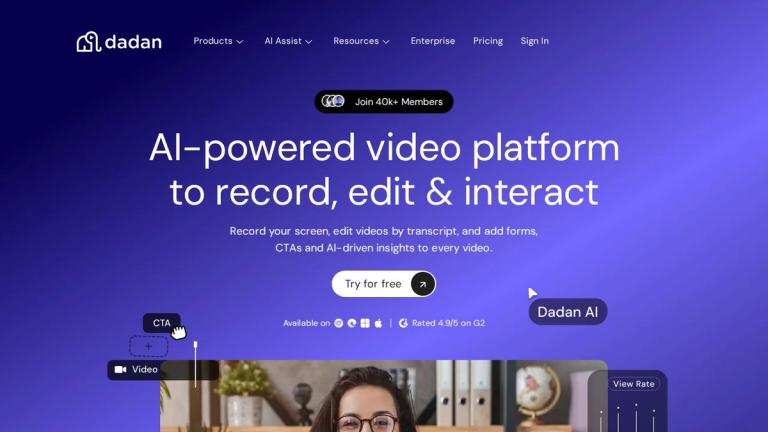
dadan is a comprehensive video platform that enables users to record, edit, and host videos for free. Positioned as a cost-effective alternative to tools like Loom, dadan offers a robust suite of features designed for content creators, businesses, and teams.
Core Capabilities
dadan provides multiple recording options including:
- Screen Recorder – Capture your screen for tutorials, demos, and presentations
- Webcam Recorder – Record personal video messages and presentations
- Meeting Recorder – Capture online meetings for future reference
- Game Recorder – Record gameplay footage
- Streaming Recorder – Capture live streams
Video Editing & Enhancement
The platform includes powerful editing tools:
- Video Editor – Full-featured editing capabilities
- Transcript-Based Editing – Edit videos by editing text (like editing a document)
- Video Trimmer – Quick cuts and trimming
AI-Powered Features
dadan's AI Assist feature set includes:
- AI Video Transcription – Automatic speech-to-text conversion
- AI Video Metadata Generator – Auto-generate titles, descriptions, and tags
- AI Video Chapter Generator – Automatically create chapter markers
- AI Meeting Notes & Summarizer – Extract key points from recorded meetings
- AI Interactive Video Creator – Create engaging interactive video content
Additional Features
- Video Hosting – Cloud storage and sharing for your videos
- Video Collaboration – Team collaboration tools
- Video Quiz – Create quiz-based interactive videos
- Teleprompter – Built-in teleprompter for presentations
- Video Lead Form – Add lead capture forms to videos
- AI Intro Maker – Generate professional video introductions
Why Choose dadan?
As noted by Tibo Geets, Co-Founder: "Quit paying for Loom and try this. If you're still using Loom, then save yourself the money and transfer to Dadan!"
dadan is ideal for teams and individuals who need an affordable, feature-rich video solution without compromising on quality or functionality.
Target Audience
Content creators, marketing teams, educators, businesses needing video communication tools, remote teams
Key Features
- Screen Recording
- Webcam Recording
- Meeting Recording
- Game Recording
- Streaming Recording
- Video Editing
- Transcript-Based Editing
- Video Trimming
- Video Hosting
- Video Collaboration
- Video Quiz Creation
- AI Intro Maker
- Teleprompter
- Video Lead Forms
- AI Video Transcription
- AI Video Metadata Generation
- AI Video Chapter Generation
- AI Meeting Notes & Summarizer
- AI Interactive Video Creator
Use Cases
- Creating video tutorials and demos
- Recording online meetings
- Making personal video messages
- Game streaming and recording
- Team video collaboration
- Video-based lead generation
- Educational content creation
- Video content hosting and sharing
Pros
- Free to use with core features
- Comprehensive AI-powered features
- Cost-effective Loom alternative
- All-in-one recording, editing, and hosting solution
- Transcript-based editing simplifies video editing
- Built-in teleprompter and lead generation tools
Cons
- Limited information available about free tier limitations
- May have feature restrictions compared to enterprise alternatives
Pricing
Free plan available with core features. Premium/enterprise pricing available.