

Notta
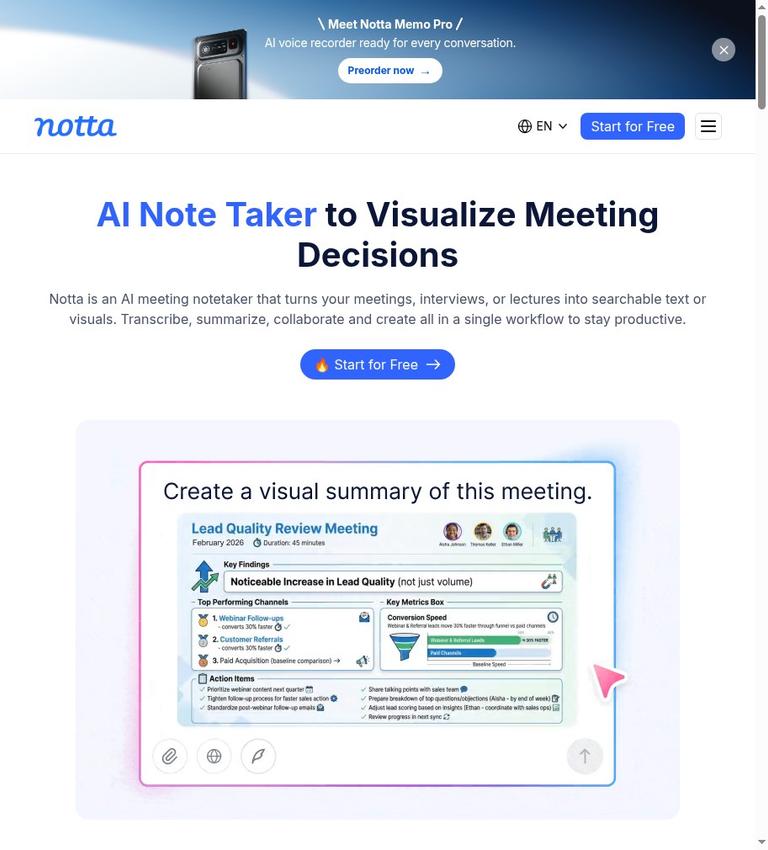
Notta describes itself as an AI meeting notetaker that turns meetings, interviews, or lectures into searchable text or visuals. Its listed tools cover meeting capture, audio and video uploads, YouTube links, transcription, translation, summaries, and follow-up content. That breadth makes it worth considering if you want more than a transcript. The main qualification is the free plan’s three-minute maximum per conversation: it includes 120 transcription minutes each month, but that quota does not mean you can process a full-length meeting for free.
This review is based on the published official product, pricing, terms, and privacy information, not hands-on testing. Notta’s product pages list many capabilities, but the available evidence does not show that every advertised feature is included in every plan. Treat plan access as a question to verify before relying on a particular tool. The free plan is usable for transcription within its stated limits; it is not merely a preview or trial. Still, those limits may make it a poor fit if you need complete recordings processed without paying.
What Notta does
Notta’s terms describe services for transcribing, summarizing, translating, and sharing voice conversations. In practical terms, the product is positioned as a capture-and-processing workspace: you provide or record audio, then use available transcription and AI features to turn it into notes or other outputs.
The homepage lists several ways to get audio into the service. A meeting bot can join an online meeting to record it; a bot-free recorder can capture on your device; you can upload audio or video files or submit YouTube links; and screen recording can capture screen, audio, and camera. Notta also lists a phone recording device called Notta Memo. These are distinct capture routes, not evidence that every route is available on every platform or plan. If avoiding a bot joining a call is important, the product does list bot-free options, but the official details do not confirm their plan availability or operational requirements.
Once you have material, Notta lists real-time transcription, bilingual transcription, on-device transcription, real-time translation, and bilingual translation. Its stated language support is 58 languages for transcription and translation. The homepage also says it currently generates content in English, Japanese, Chinese, Spanish, German, and more. These are vendor descriptions; the official site does not give language-by-language accuracy comparisons or establish that every AI output works in each supported language.
The AI features listed include summaries and action items, questions across meetings, meeting infographics, document creation, follow-up email drafts, and Slack messages. The Document Builder is described as creating PDF, Word, Excel, and slide documents, and the homepage says the product can generate ready-to-share PPT files. These capabilities suggest a workflow that can move from conversation to follow-up material. They do not confirm that all those outputs are included with Free, nor do they establish a general commercial-use or ownership policy for generated material.
A practical workflow
A reasonable way to evaluate Notta is to start with one representative recording and decide how you want it captured. If it is an online meeting, the listed options include a joining bot and a bot-free device recorder. For an existing recording, the product lists audio and video uploads; YouTube links are another stated input. If you need live capture rather than later processing, the homepage lists real-time transcription and screen recording. The official material does not explain the exact setup steps or all compatibility conditions, so check those details for your meeting service and device before building a routine around them.
Next, use the transcript as the central record and decide whether you need a summary, action items, translation, or a shareable document. Notta lists those kinds of outputs, along with follow-up email drafts and Slack messages. That can be useful when the goal is not simply to archive a conversation but to turn it into something a team can act on. However, the product listing is not a guarantee that each output is available in your account tier. Confirm the plan comparison for the particular feature you expect to use.
If you intend to export or hand off a transcript, pay attention to a specific limitation in the official site: the pricing page lists transcript export as part of Pro, in addition to Free. It does not specify the file formats for transcript downloads. The separate Document Builder listing names PDF, Word, Excel, and slides, but that is not the same as evidence about transcript export formats. If a particular transcript file type or export process is essential, verify it directly rather than assuming the document formats answer that question.
Free plan: real use, short conversations
Notta’s free value is not preview-only. The homepage says the free plan includes 120 transcription minutes per month and describes “120 free minutes with full transcription.” The pricing page lists Free at $0, says no credit card is required, and specifies 120 transcription minutes per month. It also lists 50 file uploads per month and 10 AI summaries per month. Web-meeting transcription and speaker identification appear among the Free plan’s key features.
The catch is the maximum length: Free allows up to three minutes per conversation. That makes the 120-minute monthly allowance less useful for ordinary full-length meetings than the headline quota might imply. You could use the stated free plan for short clips or to evaluate the service within the cap, but you should not assume you can submit a longer meeting and receive a complete free transcript. The pricing comparison also says unused transcription quota does not carry over. The official site does not clarify whether the quota is assigned per account, user, or workspace beyond listing one seat.
The upload and summary allowances are separate constraints. Free lists 50 file uploads a month and 10 AI summaries a month; those quantities do not remove the three-minute maximum for transcription. Nor does the available evidence say that every advertised AI feature, translation option, or output is available on Free. In particular, some translation add-ons are stated to be available exclusively to Pro, Business, and Enterprise users. Check current plan details if translation is central to your decision.
For a paid comparison, the pricing page lists Pro with 1,800 transcription minutes per month and a five-hour maximum per recording. Business and Enterprise are listed as unlimited in monthly transcription quota, with the same five-hour maximum per recording; Enterprise is customized and starts from 51 seats. The page gives Pro as $8.17 per month when billed annually, totaling $97.99 annually, and Business as $16.67 per month, totaling $199.99 annually. These are the listed annual-billing figures, not a statement of month-to-month pricing.
The plan comparison also lists file transcription quotas of 100 per month for Pro, 200 for Business, and unlimited for Enterprise. AI summary quotas are listed as 100 per month for Pro, 200 for Business, and unlimited for Enterprise. Pro includes transcript export in addition to Free. The pricing page offers a seven-day Business trial, but that trial should not be confused with the separate Free plan or treated as evidence that every paid feature is permanently free.
One post-cancellation detail matters if you build an archive in Notta: the pricing page says transcription data is saved after you cancel a paid plan, but a Free user can view only the first three minutes of the transcript. That is a meaningful restriction for anyone considering downgrading after processing longer recordings. The official pages do not state a general retention period for recordings or transcripts.
Accounts, platforms, and integrations
The pricing page says one account gives access to Notta Web and Mobile apps. The homepage also lists a browser web app, iOS and Android mobile apps, a Chrome extension, and Mac and Windows desktop apps. It names integrations including Zoom, Google Meet, Microsoft Teams, Webex, Slack, Notion, Salesforce, HubSpot, Google Calendar, Outlook Calendar, Google Drive, and Zapier. These are listed integrations, but the official site does not detail which plans include them or the exact behavior of each connection.
The pages mention Notta MCP and CLI as a way to give an AI agent meeting context. They do not confirm API availability or API terms. If your workflow depends on a supported API, do not infer one from the MCP and CLI mention; confirm the specific access and conditions you need.
Privacy, permissions, and rights
Notta’s privacy policy says account creation may require a name, email address, and password. It also says the service collects personal information contained in audio, video, voice, text, and other inputs published to generate transcripts, summaries, and translations. Usage data may include operation settings, uploaded-file counts, transcription time, and membership registration. The policy says Notta uses video and audio recordings, usage information, and platform information to provide the services.
The homepage describes on-device transcription as local processing where “nothing leaves your device.” That is a vendor statement about that feature, not a general description of all Notta processing. The homepage also claims SOC 2 Type II certification and GDPR compliance. Those are vendor claims in the official site; this review does not independently verify them.
You are responsible for what you record or upload. Notta’s terms say users and others recorded are solely responsible for content that becomes Customer Data, and that users represent that processing will not violate applicable laws or regulations. The privacy policy advises obtaining necessary permissions before sharing personal information about colleagues, friends, or other third parties. Check your organization’s rules and applicable consent requirements before recording or sharing conversations. The terms excerpt grants a right to use the services, but does not confirm a general commercial-use license or ownership policy for generated transcripts, summaries, or documents. The terms also say the services are not intended for anyone under 18.
Who should consider Notta?
Notta is a plausible option if you want meeting and file transcription in one product, value multiple capture methods, or expect to turn conversations into summaries and follow-up materials. The listed platform coverage and integrations may also suit someone who wants to connect meeting capture with common work tools. These are reasons to investigate the product, not guarantees about plan access or performance.
The Free plan is a better fit for short recordings, limited evaluation, or occasional use that stays within three minutes per conversation. It is less suitable if your basic need is to transcribe complete meetings for free. Even with 120 minutes listed per month, the per-conversation cap is the decisive boundary. Paid plans raise the listed recording maximum to five hours and provide larger or unlimited quotas, but you should compare those allowances with your actual workload and confirm current prices and feature access before subscribing.
Notta may also be a poor fit if you need a confirmed transcript download format, a documented API, a clear general commercial-use grant, or a published retention period. Those details are not stated in the official site. Likewise, if your recordings contain sensitive or third-party information, weigh the privacy policy’s stated collection and processing against your own requirements rather than relying only on broad security language.
Alternatives
If you are comparing meeting-focused transcription tools, you can also review Otter.ai and Fireflies.ai. They are related listings to investigate for a different workflow or tradeoff. The official site provided here does not support a feature-by-feature comparison, so check their current plan details and capabilities against the same needs: capture method, transcript access, quotas, export, privacy, and integrations.
Verdict
Notta’s strongest case is the range of listed ways to capture conversations and the set of transcript-adjacent tools, including summaries, translations, and document creation. Its free plan provides real transcription rather than a preview, but the three-minute-per-conversation ceiling sharply limits what that free allowance can accomplish for meetings. Paid tiers list longer recordings, higher quotas, and transcript export, with prices shown for annual billing.
Consider Notta if its capture options and follow-up tools match your workflow and you are willing to verify plan access before depending on specific features. Treat Free as a constrained option for short material, not a way to process whole meetings at no cost. Before moving sensitive recordings into the service or paying for a plan, resolve the open questions that matter to you—especially transcript formats, API access, rights, retention, and the exact features included in your tier.
Frequently asked questions
Is Notta free?
Yes. Notta lists a Free plan at $0 with no credit card required. It includes 120 transcription minutes per month, but limits each conversation to three minutes. The plan also lists 50 file uploads and 10 AI summaries per month.
Can you transcribe a full meeting for free?
The stated Free plan maximum is three minutes per conversation. The 120-minute monthly quota does not override that per-conversation limit, so the official site details do not support treating Free as a way to transcribe a longer meeting in full.
What happens when you cancel a paid Notta plan?
The pricing page says transcription data is saved after cancellation, but a Free user can view only the first three minutes of a transcript. The official site does not state a general retention period.
Does Notta let you export transcripts?
Transcript export is listed as a Pro feature in addition to Free. The official site does not specify transcript download formats. Document Builder’s listed PDF, Word, Excel, and slide outputs do not confirm the formats available for transcript export.
Which languages does Notta support?
The homepage says Notta supports 58 languages for transcription and translation. It also says generated content is available in English, Japanese, Chinese, Spanish, German, and more. The official site does not provide detailed accuracy comparisons by language.
Does Notta have desktop and mobile apps?
The homepage lists a browser app, iOS and Android apps, a Chrome extension, and Mac and Windows desktop apps. The pricing page says one account provides access to Notta Web and Mobile apps.
Is Notta suitable for sensitive recordings?
That depends on your requirements. Notta’s privacy policy says it collects information in published recordings and other inputs to generate transcripts, summaries, and translations. Its homepage makes security claims, including SOC 2 Type II certification and GDPR compliance, but these are vendor claims in the official site. Review the policy and obtain necessary permissions before recording or sharing other people’s information.


