LogoAI Jet
Icon for Speechnotes

Speechnotes

Free online speech-to-text service offering voice typing and automatic transcription of audio/video files with high accuracy, security, and speed.

Introduction

Speechnotes

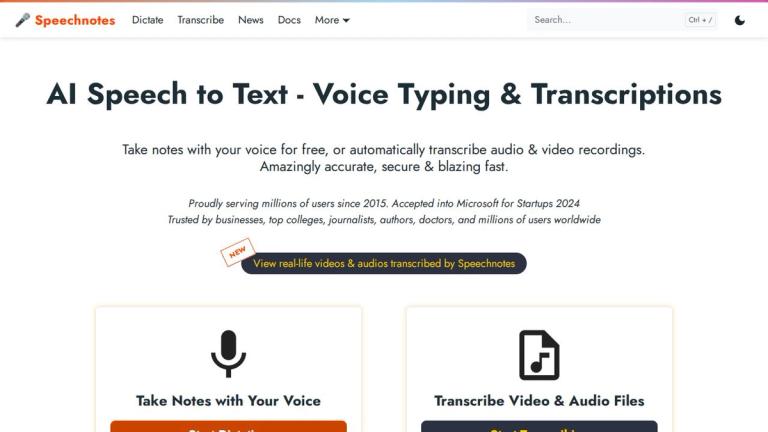
Speechnotes is a reliable and secure automatic speech-to-text service that enables users to quickly and accurately transcribe and translate audio and video recordings, as well as dictate notes instead of typing. Proudly serving millions of users since 2015, Speechnotes was accepted into Microsoft for Startups in 2024 and is trusted by businesses, top colleges, journalists, authors, doctors, and millions of users worldwide.

Core Services
Voice Typing Notepad

Take notes with your voice via the online dictation notepad for free. Features include voice commands for punctuation and formatting, automatic capitalization, and easy import/export options.

Audio & Video Transcription

Accurately transcribes and translates audio & video files, recordings, YouTube videos, and more. The service is private, secure, and fast, supporting all file types and languages. Advanced features include:

  • Speaker automatic tagging (diarization)
  • Timestamping
  • Captioning
  • AI summaries
Product Portfolio

Speechnotes offers a comprehensive suite of complementary speech-to-text tools:

  • Chrome Extension: Dictate instead of typing on any form and text-box across the web, including Gmail
  • Transcription API & Webhooks: Send files via standard POST requests and receive transcription results directly to your server
  • Zapier Integration: Combine automatic transcriptions with Zapier's automation processes for serverless, codeless automation
  • Android App: Battle-tested notepad for mobile with 5M+ downloads and 4.3+ star rating
  • iOS TextHear App: Sister app designed specifically to help people with hearing impairment participate in conversations
  • Audio & Video Converters: Tools for fast batch conversions of audio files and extracting audio from videos
Sister Apps
  • TTSReader: Text-to-speech service that reads out loud texts, files, and web pages
  • Speechlogger: Live captioning and translation service
Target Audience

Businesses, journalists, authors, doctors, college students, professionals needing transcription, people with hearing impairments, developers needing speech-to-text API

Key Features
  • Free online voice typing notepad
  • Automatic audio & video transcription
  • Multi-language support
  • Speaker diarization (automatic tagging)
  • Timestamping and captioning
  • AI summaries
  • Voice commands for punctuation and formatting
  • Automatic capitalization
  • Chrome extension for web-wide voice typing
  • Transcription API & webhooks
  • Zapier automation integration
  • Android app (5M+ downloads)
  • iOS TextHear app for hearing impaired
  • Audio & video file conversion tools
  • Easy import/export options
  • Private and secure processing
Use Cases
  • Taking notes with voice instead of typing
  • Transcribing audio and video recordings
  • Translating audio and video content
  • Voice typing on web forms and Gmail
  • Creating captions for videos
  • Automating transcription workflows via Zapier
  • Mobile note-taking on Android
  • Assisting people with hearing impairment
  • Batch audio/video file conversion
  • API integration for developers
Pros
  • Free online dictation notepad
  • Highly accurate transcription
  • Supports all file types and languages
  • Secure and private processing
  • Trusted by millions since 2015
  • Microsoft for Startups 2024 accepted
  • Comprehensive tool ecosystem
  • No software installation required for web version
Cons
  • iOS TextHear app has separate pricing plan
  • Advanced transcription features may require paid plan
  • Internet connection required for online version
Pricing

Free online dictation notepad available. Transcription services and advanced features have paid pricing tiers (details available on pricing page).

Latest News

Exciting New Partnership with Microsoft - 🎤 Speechnotes

Exciting New Partnership with Microsoft - 🎤 Speechnotes

8/5/2026

Posted in News on April 17, 2023 by Ronen Rabinovici ‐ 1 min read #### Affiliate Program Updated Rates We now offer higher commissions for our affiliates. Join our affiliate program and earn more! Posted in News on October 1, 2024 by Speechnotes Team ‐ 2 min read #### Speechnotes' New WhatsApp bot f...

Speechnotes VS Rev - Live Test - 🎤 Speechnotes

Speechnotes VS Rev - Live Test - 🎤 Speechnotes

8/5/2026

We now offer higher commissions for our affiliates. Join our affiliate program and earn more! Posted in News on October 1, 2024 by Speechnotes Team ‐ 2 min read #### Speechnotes' New WhatsApp bot for Transcription Transcribe WhatsApp voice messages with Speechnotes' new WhatsApp bot, without ever le...

Free Speech to Text Online, Voice Typing & Transcription

Free Speech to Text Online, Voice Typing & Transcription

8/5/2026

Users Worldwide All news ➤ Affiliate Program Updated Rates ➤ Speechnotes' New WhatsApp bot for Transcription ➤ Speechnotes VS Rev - Live Test ➤ Play videos with captions generated by Speechnotes' AI ➤ Exciting New Partnership with Microsoft ➤ All news ➤ [...] Speechnotes is a powerful speech-enabled...

Automatic Transcription powered by AI - 🎤 Speechnotes

Automatic Transcription powered by AI - 🎤 Speechnotes

8/5/2026

- Private & Secure - Speaker Diarization - Timestamps - Video Captioning - Subtitles Generation - Half the Price - Instant Translations - 2025-06-05: ALL SERVERS FUNCTIONAL. YESTERDAY'S LOAD ISSUES WERE FIXED [...] ## Accurately transcribe & translate any audio & video file, from your device or anyw...

Transcription Quick Start - 🎤 Speechnotes

Transcription Quick Start - 🎤 Speechnotes

8/5/2026

Once purchased, you will see you credit-minutes added and updated on the main screen. It may take a few seconds for the payment and update to go through. Please note: for your convenience, we accept payments both from PayPal and from credit cards, whatever you choose. Payments are secured and proces...

FAQ

More Products

TinyPNG is Tinify’s browser-based image compressor and converter. This review explains how its web tool differs from its Developer API, what each free allowance covers, and when its compression, conversion, resizing, and cropping features may fit an image workflow.

Zamzar is an online file conversion and compression service for documents, images, video, sound, and other formats. Its free web service has daily file and upload-size limits.

iLoveIMG is a browser-based image service for compression, resizing, cropping, conversion, and editing, with a free Basic plan and paid options.

Smallpdf is an online PDF toolkit for conversion, compression, editing, merging, signing, and more. Its Free plan includes 30+ tools but limits downloads.

Convertio is a browser-based service for converting files between supported formats, with optional settings for many conversion types.

FreeConvert is an online file converter with more than 1,500 listed conversion types and a free allowance of 20 conversion minutes per day.

HiPDF is an online PDF service with conversion, editing, compression, merging, cropping, image tools, and AI features.

123apps is a browser-based suite of video, audio, PDF, and file-conversion tools. Its apps are free to use with limits on file size and daily operations.

ChatPDF summarizes PDFs and answers questions about them. Its free plan allows two document analyses per day, with no account needed to get started.

CloudConvert is a browser-based converter for more than 200 file formats, including documents, images, audio, video, archives, and specialist formats.

OCR.space provides free browser-based OCR for images and PDFs, searchable PDF creation, and a separate API for adding text recognition to software.

Free online itinerary maker with 900+ trip plans across 96 countries. Edit day-by-day in the browser; export to PDF, Excel, CSV, Google Sheets or .ics. Free account required to download/print. Optional Pro adds premium themes; AI chat helps draft plans.

TasteDir is a curated directory of finished, well-crafted software from indie makers and small teams. Every listed tool is reviewed by hand.

Private voice dictation for Mac and Windows that turns speech into text in your active app or terminal, with on-device transcription and automatic cleanup.

An AI meeting copilot that combines live transcripts, screenshots, and project documents to deliver contextual answers, response drafts, and meeting recaps.

Create professional invoices free in your browser: live preview, any currency, tax and discounts, custom templates, and no-watermark PDF. No signup needed.