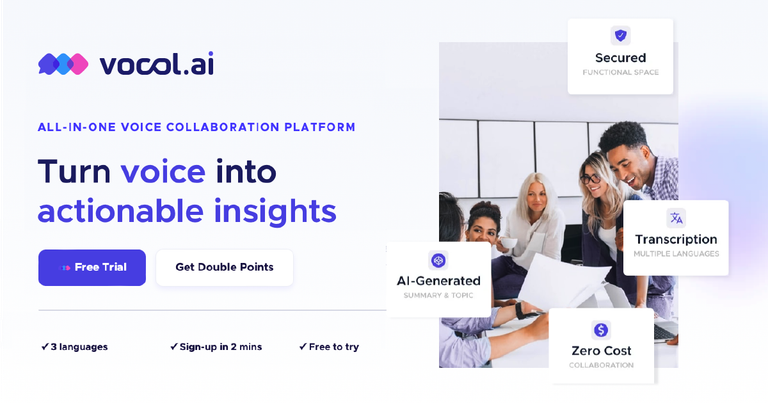
GPT-powered voice collaboration platform converting speech to text with AI summaries, topic highlights, and translation capabilities.
Features
- Multilingual AI Transcription — Specialized speech-to-text engine optimized for Asian languages with seamless support for Chinese, Japanese, and English. Powered by GPT technology with bespoke editing capabilities, delivering higher accuracy transcripts than conventional transcription tools.
- Auto-Generated Summaries & Topic Highlights — AI automatically identifies key topics, generates meeting summaries, and extracts actionable insights from voice recordings. Eliminates manual note-taking and ensures critical information is captured objectively without human bias.
- Highlight Hub — A centralized knowledge repository that catalogs all voice and meeting highlights. Team members can share, comment, and follow best practices in one place, accelerating team growth and institutional knowledge retention.
- Meeting Analytics Dashboard — AI-powered analytics providing clarity on meeting dynamics across team members. Includes data usage metrics, topic word clouds, and collaboration interaction insights to boost team performance based on data-driven decisions.
- Action Items Extraction — Automatically identifies and extracts specific, measurable action items from conversations. Transforms casual meeting discussions into structured, trackable tasks that drive project completion and accountability.
- Platform Integrations — Seamlessly connects with existing workplace tools including Microsoft Teams and conference systems. Enables automatic meeting recording so no important conversations are missed, fitting into established workflows.
Use Cases
Enterprise Meeting Management & Remote Collaboration
Teams conducting frequent meetings across distributed locations use Vocol to automatically transcribe, summarize, and share meeting outcomes. Non-attendees can quickly catch up on key decisions and action items, while managers can monitor team progress without attending every meeting. Comments and collaboration happen asynchronously on the platform. Target Audience: Remote teams, project managers, sales managers, and business development professionals in mid-to-large enterprises
Academic Research & Online Learning
Students and educators leverage Vocol to transcribe lectures, seminars, and research interviews. Summaries and transcripts can be downloaded, edited, and shared with classmates for group discussions. Particularly valuable for multilingual academic environments where participants speak different languages. Target Audience: University students, professors, researchers, and online learning platform users
Media & Journalism Interview Processing
Journalists and content creators use Vocol to transcribe interviews and audio recordings with high accuracy. The platform converts lengthy interviews into editable text documents, saving hours of manual transcription work. Users can download, edit, and correct any transcription errors for publication-ready content. Target Audience: Journalists, podcasters, content creators, and media agency professionals
Multilingual Business Communication
Companies operating across Asian markets use Vocol to bridge language barriers in meetings involving Chinese, Japanese, and English speakers. The AI provides objective, real-time transcription and insights regardless of the languages spoken, enabling better understanding with international clients and vendors. Target Audience: International business consultants, multinational corporations, and service-oriented industries with cross-border operations
Pros
- Specialized Asian language support (Chinese, Japanese, English) with high transcription accuracy, filling a gap left by Western-focused transcription tools
- Transparent pricing model with no hidden fees and a generous free trial offering 200 V-points (equivalent to 200 minutes of transcription) upon signup
- Intuitive UI/UX design praised by users across different demographics—from enterprise professionals to students—with smooth media player and easy workflow visualization
- Comprehensive collaboration features including Highlight Hub, comments, and sharing capabilities that transform passive meeting recordings into active team knowledge bases
- Seamless integration with existing workplace tools like Microsoft Teams, allowing automatic meeting recording without disrupting established workflows
Cons
- Limited language support with only three languages currently available (English, Chinese, Japanese), excluding users who need transcription for other major languages
- Restricted integration ecosystem—only Microsoft Teams and select conference systems are supported, with additional platforms listed as 'coming soon'
- V-points credit system may confuse new users; the per-minute consumption model requires users to monitor usage carefully to avoid unexpected depletion
- Payment options are limited to debit/credit cards for individual users, with wire transfer only available for business licenses, potentially excluding users in regions with different payment preferences