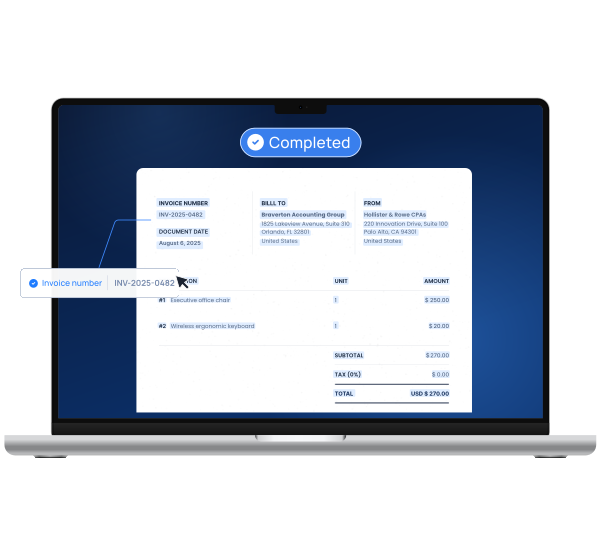
Procys is an AI-powered document processing platform that automates data extraction, streamlines workflows, and ensures compliance for various industries.
Features
- Self-Learning AI Engine — Procys features an intelligent self-learning document processing engine that continuously improves its data extraction accuracy over time. The AI adapts to your specific document types and formats, becoming more efficient with each processed document, reducing errors and increasing automation capabilities.
- AI-Powered OCR API — A robust Optical Character Recognition API powered by artificial intelligence that converts scanned documents, images, and PDFs into machine-readable text. Supports multiple file formats including PDF, JPG, JPEG, and PNG with high accuracy extraction of text, numbers, and structured data fields.
- Customized Data Extraction — Flexible data extraction capabilities that allow users to define and extract specific fields from any document type. Whether it's supplier details, invoice numbers, dates, totals, or custom fields, Procys can be configured to read exactly the values your business needs from invoices, purchase orders, ID cards, receipts, and more.
- AI Autosplit Technology — Intelligent automatic document splitting feature that uses AI to identify and separate multiple documents within a single file. Through intelligent cut detection, it automatically divides batch scans or multi-document PDFs into individual documents, eliminating manual sorting and preparation time.
- Seamless ERP Integration — Native synchronization with over 260 business applications and ERP systems including Holded, Microsoft Business Central, Twinfield, and SFTP. This extensive integration ecosystem ensures Procys fits seamlessly into existing workflows without disrupting current business processes.
- Enterprise-Grade Security & Compliance — Comprehensive security infrastructure with ISO 27001 certification, SOC 2, GDPR, and HIPAA compliance. All data is SSL-encrypted and stored on AWS and Google Cloud infrastructure. Procys has also earned official AEAT (Spanish Tax Agency) approval, making it a trusted solution for regulated industries.
Use Cases
Accounts Payable Automation for Accounting Firms
Accounting firms use Procys to automate the extraction of data from invoices, receipts, and financial documents. The platform eliminates manual data entry, reduces processing errors, and ensures compliance-ready documentation for audit season. Integration with accounting software like Holded and Twinfield creates a seamless workflow from document receipt to ledger entry. Target Audience: Accounting firms, bookkeepers, and financial service providers handling high volumes of client documents
Travel & Hospitality Document Processing
Travel and hospitality businesses leverage Procys to process booking confirmations, receipts, ID cards, passports, and expense reports. The platform streamlines operations by automatically extracting guest information, payment details, and travel documentation, improving customer experience while reducing administrative overhead. Target Audience: Hotels, travel agencies, tour operators, and hospitality management companies
Logistics Document Automation
Logistics companies use Procys to extract data from purchase orders, shipping documents, delivery receipts, and customs paperwork. The AI-powered processing accelerates document handling, reduces shipment processing times, and ensures accurate data capture for supply chain management and compliance reporting. Target Audience: Freight forwarders, shipping companies, warehouse operators, and supply chain managers
Microsoft Business Central AP Automation with Pryme
Procys offers Pryme, a specialized solution for seamless accounts payable automation directly within Microsoft Business Central. Users can automatically extract invoice data and push it directly into their BC environment, eliminating manual entry and accelerating the entire AP workflow from receipt to payment. Target Audience: Mid-size to enterprise businesses using Microsoft Dynamics 365 Business Central for financial management
Pros
- Extensive integration ecosystem with 260+ business applications including major ERP systems, making it easy to incorporate into existing tech stacks without workflow disruption
- Comprehensive compliance and security certifications (ISO 27001, SOC 2, GDPR, HIPAA) with AEAT approval, providing enterprise-grade data protection suitable for regulated industries
- Versatile document type support handling invoices, purchase orders, ID cards, passports, receipts, and custom document types with a single platform
- Highly rated by users with a 4.8 score on Capterra, with testimonials praising ease of integration, exceptional 24/7 customer support, and significant time savings
- Quick setup with free account creation (no credit card required) and the ability to get started in just 3 minutes, lowering the barrier to entry for businesses of all sizes
Cons
- Free trial upload limit of 10 pages may be insufficient for businesses to fully evaluate the platform's capabilities with their actual document volumes
- Pricing information is not transparently displayed on the website, requiring potential customers to contact sales or sign up to understand cost structures and plan options
- Primary market focus appears to be European (headquartered in Rotterdam, Netherlands with Spanish Tax Agency approval), which may mean less localized support or compliance features for businesses in other regions
- Advanced features like API integration and custom extraction setup may require technical expertise, potentially creating a learning curve for non-technical users or small businesses without IT support