LogoAI Jet
Icon for AI Renamer

AI Renamer

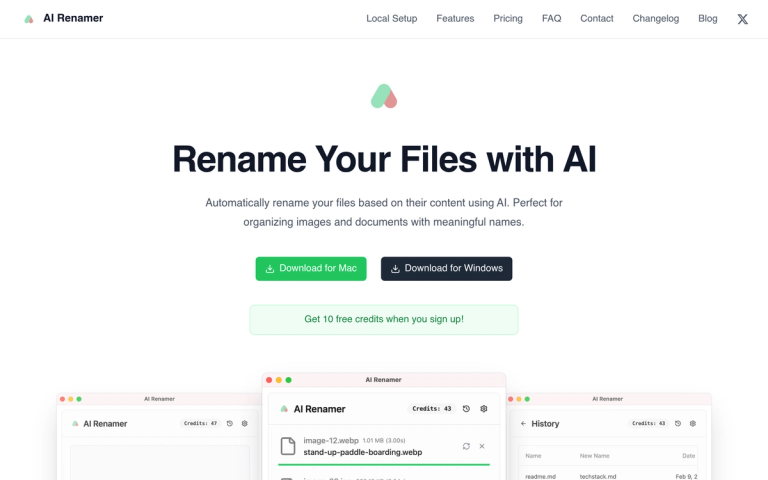
Automatically rename your files based on their content using AI. Perfect for organizing images and documents with meaningful names.

Introduction

AI Renamer

AI Renamer is a desktop application that uses artificial intelligence to automatically rename files based on their content. The tool analyzes images and documents to generate meaningful, descriptive file names, eliminating the frustration of dealing with cryptic default file names like "IMG_20240315_001.jpg" or random character strings.

Available for both Mac and Windows, AI Renamer offers flexibility through multiple AI model options including cloud-based solutions and local models via Ollama and LM Studio integration. Users can process files individually or in batches with a simple drag-and-drop interface, and preview changes before applying them.

The application supports various file types including images (JPG, PNG, GIF, WEBP) and documents (PDF, TXT and text-based files), making it a versatile solution for file organization. With features like custom instructions and smart content recognition, users can personalize naming patterns to suit their specific organizational needs.

Target Audience

Photographers, designers, content creators, and anyone who needs to organize large collections of files with meaningful names

Key Features
  • Custom Instructions - Add personalized naming patterns and custom formatting rules
  • Smart Recognition - AI analyzes image content, EXIF data, and document text
  • Batch Processing - Rename multiple files at once with drag & drop interface
  • File Support - Works with images (JPG, PNG, GIF, WEBP) and documents (PDF, TXT)
  • Local Model Support - Integration with Ollama and LM Studio for privacy
  • Cross-Platform - Available for both macOS and Windows
Use Cases
  • Organizing photo collections with descriptive file names
  • Cleaning up messy desktops and folders with meaningful names
  • Batch renaming downloaded images and documents
  • Renaming files for better searchability and organization
  • Processing large sets of files with consistent naming conventions
Pros
  • Easy to use with drag-and-drop interface
  • Supports both cloud and local AI models for privacy flexibility
  • Cross-platform availability (Mac & Windows)
  • Batch processing capability saves time
  • 10 free credits on signup to try the service
  • Custom instructions for personalized naming
Cons
  • Requires credits for AI processing (cloud models)
  • Desktop application only - no web version
  • Local model setup requires technical knowledge (Ollama/LM Studio)
Pricing

10 free credits when you sign up; additional credits likely available for purchase

Latest News

AI Renamer - Rename Your Files with AI

AI Renamer - Rename Your Files with AI

8/4/2026

AI Renamer - Rename Your Files with AI # Rename Your Files with AI Automatically rename your files based on their content using AI. Perfect for organizing images and documents with meaningful names. Download for Mac Download for Windows Get 10 free credits when you sign up! ## How to Use AI Ren...

AI File Renaming App Now Supports Dark Mode (Light & System Themes)

AI File Renaming App Now Supports Dark Mode (Light & System Themes)

8/4/2026

AI File Renaming App Now Supports Dark Mode (Light & System Themes) AI Renamer is designed for people who regularly work with large numbers of files, including documents, images, and mixed folders. With the new appearance settings, the app now adapts visually to different working environments while....

How to Use OpenRouter Free Models with AI Renamer (Step-by-Step Guide)

How to Use OpenRouter Free Models with AI Renamer (Step-by-Step Guide)

8/4/2026

How to Use OpenRouter Free Models with AI Renamer (Step-by-Step Guide) ## Who This Guide Is For If your computer is: - Old or slow - Not powerful enough to run local AI models - Overheating or crashing with large files You don’t need a better machine. By connecting OpenRouter to AI Renamer, you...

Simple AI File Renamer for Smart Batch Renaming

Simple AI File Renamer for Smart Batch Renaming

8/4/2026

Simple AI File Renamer for Smart Batch Renaming If you’ve ever spent hours renaming files one by one, you know how frustrating it is. Bank statements, invoices, receipts, PBC requests, screenshots, product images. Everything ends up named “Document_1.pdf” or “DISC_4829.jpg” If you’re looking for a.....

How to Use Groq with AI Renamer (Fast & Free AI API for File Renaming - Step-by-Step Guide)

How to Use Groq with AI Renamer (Fast & Free AI API for File Renaming - Step-by-Step Guide)

8/4/2026

How to Use Groq with AI Renamer (Fast & Free AI API for File Renaming - Step-by-Step Guide) ## Who This Guide Is For This guide is for you if your computer is: - Old or slow - Not powerful enough to run local AI models - Overheating or crashing when processing large files You do not need a bette...

FAQ

More Products

TinyPNG is Tinify’s browser-based image compressor and converter. This review explains how its web tool differs from its Developer API, what each free allowance covers, and when its compression, conversion, resizing, and cropping features may fit an image workflow.

Zamzar is an online file conversion and compression service for documents, images, video, sound, and other formats. Its free web service has daily file and upload-size limits.

iLoveIMG is a browser-based image service for compression, resizing, cropping, conversion, and editing, with a free Basic plan and paid options.

Smallpdf is an online PDF toolkit for conversion, compression, editing, merging, signing, and more. Its Free plan includes 30+ tools but limits downloads.

Convertio is a browser-based service for converting files between supported formats, with optional settings for many conversion types.

FreeConvert is an online file converter with more than 1,500 listed conversion types and a free allowance of 20 conversion minutes per day.

HiPDF is an online PDF service with conversion, editing, compression, merging, cropping, image tools, and AI features.

123apps is a browser-based suite of video, audio, PDF, and file-conversion tools. Its apps are free to use with limits on file size and daily operations.

ChatPDF summarizes PDFs and answers questions about them. Its free plan allows two document analyses per day, with no account needed to get started.

CloudConvert is a browser-based converter for more than 200 file formats, including documents, images, audio, video, archives, and specialist formats.

OCR.space provides free browser-based OCR for images and PDFs, searchable PDF creation, and a separate API for adding text recognition to software.

Free online itinerary maker with 900+ trip plans across 96 countries. Edit day-by-day in the browser; export to PDF, Excel, CSV, Google Sheets or .ics. Free account required to download/print. Optional Pro adds premium themes; AI chat helps draft plans.

TasteDir is a curated directory of finished, well-crafted software from indie makers and small teams. Every listed tool is reviewed by hand.

An AI meeting copilot that combines live transcripts, screenshots, and project documents to deliver contextual answers, response drafts, and meeting recaps.

Create professional invoices free in your browser: live preview, any currency, tax and discounts, custom templates, and no-watermark PDF. No signup needed.

Vidsembly is an AI video creation platform that turns PowerPoint presentations, PDFs, and documents into narrated videos. Create AI presentations, clone voices, translate slides, transcribe recordings, generate soundtracks, and host videos in one place.