Vellum AI - Your Personal Intelligence Assistant
Vellum AI is an innovative AI assistant designed to become your most reliable digital colleague. Unlike traditional AI tools that require constant prompting, Vellum adapts to how you work, learns your preferences over time, and proactively handles tasks before you even ask.
How It Works: The Learning Journey
The product features a unique three-day onboarding journey:
- Day 1 (Stranger): Your assistant just met you. It's eager but needs context - your style, role, tools, and preferences.
- Day 2 (Acquaintance): It starts picking up patterns, gets things half-right, and asks the right questions. You correct it when it's off.
- Day 3 (Colleague): It finishes your thought before you do, acts before you ask, and you stop managing it and start relying on it.
Core Capabilities
Vellum integrates seamlessly with your existing workflow tools including Gmail, GitHub, Slack, Linear, Notion, and more. It can:
- Manage your inbox: Read, draft, and prioritize emails so you open Gmail to decisions, not a wall of unread messages
- Maintain your repositories: Automatically label, assign, and respond to GitHub issues based on your team's rules
- Monitor Slack channels: Surface what matters and keep conversations moving without you chasing updates
- Update your backlog: Create, update, and reprioritize your team's Linear board to reflect current reality
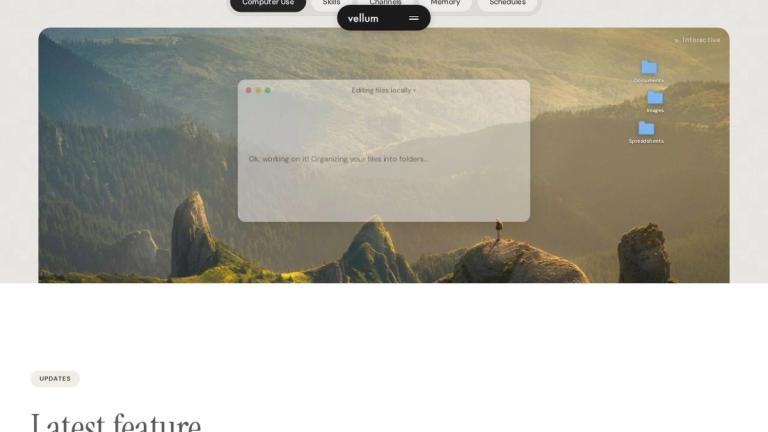
- Access your files: Interact with documents, images, and spreadsheets on your computer (with your permission)
Privacy-First Design
Vellum emphasizes user control - it only uses your computer when you explicitly say so, ensuring your data and privacy remain protected.
Target Audience
Professionals, engineers, product managers, team leads, and knowledge workers who use multiple productivity tools and want to automate repetitive tasks while maintaining control over their workflow.
Key Features
- Adaptive learning that evolves from stranger to colleague over 3 days
- Email management - reads, drafts, and prioritizes your inbox
- GitHub repository auto-maintenance - labels, assigns, and responds to issues
- Slack integration - surfaces blockers, decisions needed, and shipped updates
- Linear backlog automation - creates, updates, and reprioritizes tasks
- Desktop file access - works with documents, images, and spreadsheets
- Multi-tool integration with Notion, GitHub, Linear, Slack, Deepgram, Twilio, Vercel, ElevenLabs
- Privacy-focused - only accesses your computer with explicit permission
- Proactive task execution - acts before you ask
- Customizable to your work style and preferences
Use Cases
- Busy professionals who need help managing email overload
- Engineering teams wanting automated GitHub issue triage and routing
- Product managers seeking automated backlog management
- Team leads who need to stay informed across multiple Slack channels
- Remote workers looking for a unified productivity assistant
- Startups wanting to automate repetitive operational tasks
- Developers who want to focus on coding rather than project management
Pros
- Learns and adapts to your specific work patterns over time
- Integrates with popular productivity tools (Gmail, GitHub, Slack, Linear, Notion)
- Proactive rather than reactive - anticipates needs
- Privacy-first approach with explicit permission controls
- Reduces context switching between multiple apps
- Automates repetitive tasks that consume valuable time
- Available for macOS with cross-platform potential
Cons
- Currently only available for macOS
- Requires initial setup and training period
- Effectiveness depends on quality of integrations
- May require adjustment period for users unfamiliar with AI assistants
- Limited information about pricing and enterprise features
Pricing
Free download available for macOS. Pricing details for premium features not specified on the landing page.