

Keep It Shot
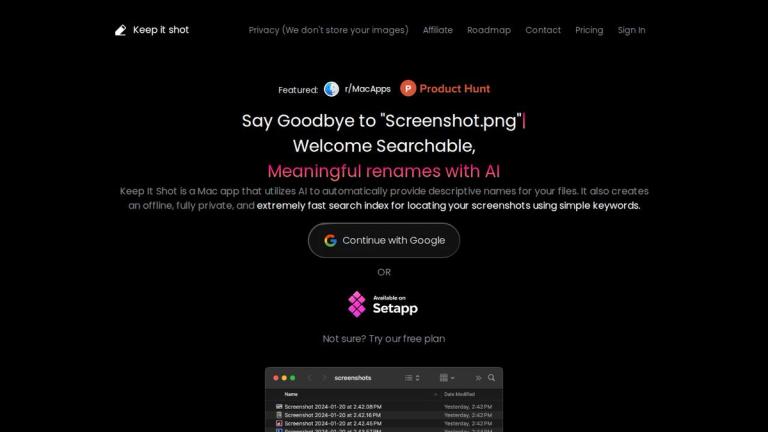
Keep It Shot is a Mac application designed to solve the common problem of disorganized screenshots. Instead of dealing with generic filenames like "Screenshot.png", this AI-powered tool automatically provides meaningful, descriptive names for your files.
Core Functionality
The app leverages AI technology to analyze your screenshots and generate:
- Descriptive file names
- OCR (Optical Character Recognition) text extraction
- Short image or video descriptions
- Relevant keywords
All of this processing happens locally on your device, ensuring complete privacy while creating a powerful search index that lets you find any screenshot using simple keywords.
Key Highlights
- AI-Powered Renaming: Automatically generates meaningful file names based on screenshot content
- Privacy-First Approach: Fully offline processing with no data sent to external servers
- Lightning-Fast Search: Local indexing enables instant search results
- Batch Processing: Rename large numbers of files efficiently with progress tracking
- Customizable Workflows: Set your own renaming preferences and automate the process
Target Audience
Mac users who frequently take screenshots and need an efficient way to organize, rename, and search through their screenshot collections
Key Features
- AI-powered automatic file renaming with descriptive names
- Fully offline and private local search index
- Extremely fast keyword-based screenshot search
- Batch rename files in just 2 clicks with progress bar
- Customizable renaming preferences and rules
- Auto-rename on new screenshot creation
- One-click revert to original file names
- OCR text extraction from screenshots
- Image and video content description generation
- Automatic keyword generation for searchability
Use Cases
- Organizing large collections of screenshots
- Quickly finding specific screenshots using keywords
- Batch renaming screenshot files with meaningful names
- Maintaining a searchable personal screenshot library
- Automating screenshot organization workflows
- Extracting text content from screenshots via OCR
Pros
- AI-powered intelligent file renaming
- Complete privacy with offline processing
- Fast local search index
- Simple 2-click batch renaming
- Automatic workflow with new screenshot detection
- Easy revert to original filenames
- No internet connection required for core features
Cons
- Mac only - not available for Windows or Linux
- Focused primarily on screenshots rather than general file management
- AI renaming quality depends on screenshot content clarity
Pricing
Not specified on the webpage


