

Clipchamp
Clipchamp review: a free editor with a 1080p export ceiling
Clipchamp is an online video editor from Microsoft for recording, editing, and sharing videos. Its free plan is usable for completed work, rather than being limited to a preview: the official pricing page says users can work on and export as many videos as they like, without watermarks, at up to 1080p HD. That makes it an option to consider for projects where full HD is sufficient.
The boundary is clear in the plan comparison. Free video exports go up to 1080p HD; Premium exports go up to 4K UHD. Free and premium stock assets are separated, as are free and premium filters and effects. The brand kit tool is not included in Free, while the Premium column lists a single brand kit. Clipchamp says Premium features are included with Microsoft 365 Personal and Family plans. The official site does not state exact subscription prices.
This review reports official product and pricing information, not hands-on test results. Feature descriptions below are claims made by Clipchamp, not independent verification of performance. The official site does not identify supported browser versions or import and export file formats, or specify project-duration, file-size, or storage limits. It also does not set out detailed privacy practices or commercial-use terms. Those unknowns may matter if you have technical, legal, or organizational requirements.
What Clipchamp does
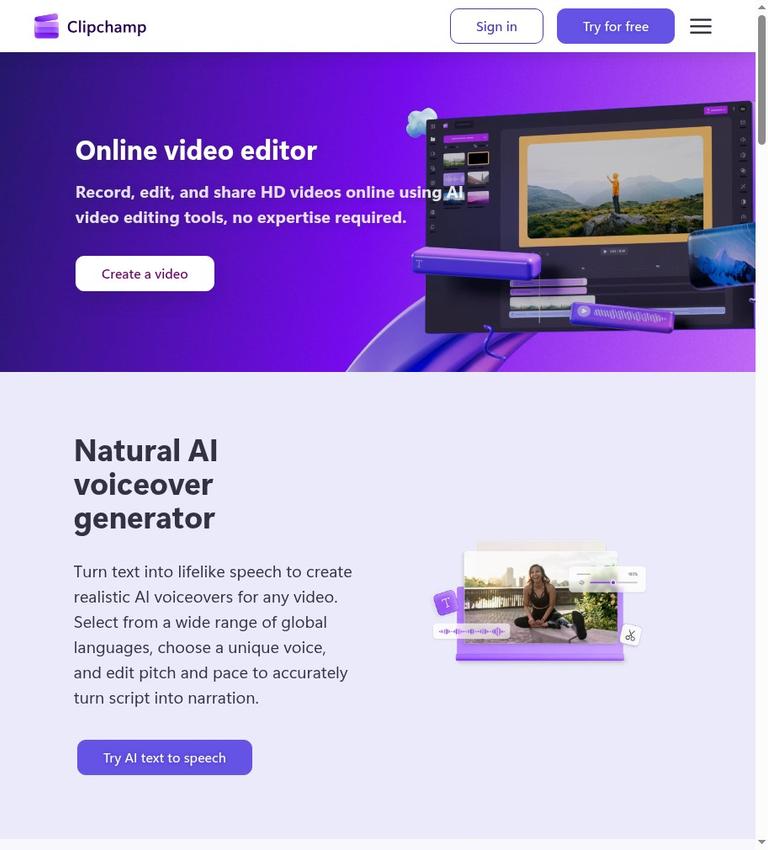
Clipchamp describes itself as an online video editor by Microsoft. Its homepage says the editor is intended for recording, editing, and sharing HD videos online, including with AI editing tools. The pricing page lists basic asset adjustments such as trimming, cropping, resizing, and rotation. It also lists AI video and audio editing, recording, animated text and titles, watermark-free video exports, and audio-only export in both Free and Premium.
These features give the product a set of advertised tools for editing assets, adding titles, and exporting a finished video. The official pricing information includes the listed tools in Free, but that does not confirm how well a particular edit or project will turn out. The product page describes itself as usable without video-editing expertise; that is a vendor description, not a measured result.
Clipchamp advertises AI text-to-speech voiceovers. Its homepage says users can select from a range of languages and voices, and adjust pitch and pace. The AI subtitle generator is described as supporting more than 80 global languages, with controls for subtitle style, font, and color. The pricing page specifically names AI subtitles and voiceovers as free-plan features and also names silence removal. The published descriptions do not provide accuracy benchmarks or guarantees for particular voices, languages, or recordings.
The recording tools are described as supporting audio, screen, and webcam recording on Windows and Mac devices. Clipchamp says users can make unlimited retakes and export audio and video in HD quality. Its AI audio editing tools are advertised as able to remove background noise, pauses, silences, and filler words. These are stated capabilities, not a guarantee that every recording will be cleaned up as desired or that manual editing will not be needed.
Clipchamp also advertises stock videos, images, music, stickers, GIFs, and sound effects. Its stock page says users can drag an asset onto the timeline, adjust color, speed, and volume, and add effects. The pricing comparison distinguishes free stock assets from premium stock assets. The stock page describes premium royalty-free stock as available with a Microsoft 365 Personal or Family subscription. The pricing page's distinction means you should not assume that every asset in the library is included in Free.
A possible workflow
Clipchamp says its editor runs in a web browser without requiring a software download. It also says users can find Clipchamp in the Windows 11 Start menu or download it for Windows 10 from the Microsoft Store. The official site does not identify supported browser versions or compatibility requirements. If you need a particular browser or managed device, check that requirement independently.
The listed tools suggest one possible basic workflow: adjust assets with trim, crop, resize, or rotation tools; arrange material on the timeline; and add animated text or titles. For narration, Clipchamp advertises audio recording and text-to-speech. For spoken video, it advertises caption generation and editing of subtitle appearance. Its audio tools are described as removing pauses, silence, filler words, and background noise. The official material does not prescribe an editing sequence, so this is a way to understand the listed features, not a required workflow.
When an edit is ready, the free export boundary is straightforward: Clipchamp says the Free plan allows unlimited video exports without watermarks, up to 1080p HD. Audio-only export is listed in both Free and Premium. The Premium video export ceiling is up to 4K UHD. The official information does not list supported import or export file formats; verify any required format before relying on Clipchamp for a particular delivery process.
Getting started with the free editor requires signing in with a personal Microsoft account. Clipchamp says no payment or downloads are required. That account requirement is relevant when deciding whether the service suits your needs. The official site does not describe data retention periods, deletion procedures, or detailed privacy practices. Clipchamp describes recording as secure and says users can share videos securely with privacy guaranteed. Those are vendor statements, not independently verified findings, and they do not replace checking the relevant privacy information if your footage is sensitive.
What is free, and what requires Premium
The official pricing page describes a free plan for completed work: users can work on and export as many videos as they like, at up to 1080p full HD, without watermarks. The pricing comparison places AI video and audio editing, asset trimming, cropping, resizing and rotation, screen, camera and voice recording, animated text and titles, watermark-free video exports, and audio-only export in both Free and Premium. The free-plan description also specifically mentions AI subtitles, voiceovers, and silence removal.
Free access to stock content does not mean all stock assets are free. The pricing page lists free stock assets under Free and premium stock assets under Premium. It makes a similar distinction between free and premium filters and effects. If a project depends on a particular asset or effect, check whether that item is available in the plan you intend to use. The stock page calls its stock media royalty-free, but the official site does not give detailed commercial-use or redistribution terms. That description alone does not resolve rights questions for a particular asset or use.
The brand kit tool, described as covering logos, colors, and fonts, is not included in Free; the Premium column lists a single brand kit. Premium also raises the stated video export resolution to up to 4K UHD and includes premium stock assets and premium filters and effects. Clipchamp says Premium features are included with Microsoft 365 Personal and Family plans. The official site does not provide exact prices, so a specific price comparison cannot be made from this evidence.
There is also a note about work and education accounts. Clipchamp says the standard plan of its work version is included in some Microsoft 365 business and education licenses, and that access to all premium features and AI video creation is available with a Copilot license. The official site does not identify every qualifying license. Check the details of the relevant organization’s subscription rather than assuming which features an account includes.
Limits and caveats to check
The clearest stated plan limit is video export resolution: up to 1080p HD for Free, compared with up to 4K UHD for Premium. The comparison also separates free and premium stock assets and effects and excludes the brand kit tool from Free. These distinctions matter if your project requires higher-resolution delivery, a premium asset or effect, or a brand kit within the editor.
Other technical limits are not specified in the official site. It does not state maximum project duration, file size, or storage quota. It also does not name supported import or export formats or browser versions. That absence is not evidence that a particular format or capacity is unsupported; it means those details cannot be established from the provided material. Confirm any specific technical requirement before building a workflow around the editor.
Privacy and usage rights also merit care. Clipchamp describes recording and sharing as secure and says privacy is guaranteed, but the official site identifies these as vendor statements rather than independent findings. It does not give data retention periods or deletion procedures. Nor does it detail commercial-use or redistribution terms for completed videos or stock assets. The stock page calls its media royalty-free, but the official site does not provide fuller licensing conditions. For sensitive recordings or work with specific rights requirements, consult the applicable information and terms rather than treating brief product language as a complete policy.
The AI feature descriptions do not provide benchmarks, accuracy guarantees, or test results. Clipchamp advertises subtitle generation in more than 80 global languages, but that statement is not evidence of identical transcription quality across languages or recordings. Review generated captions, voiceovers, and audio edits before using them in finished work.
Who Clipchamp may suit
Clipchamp may suit someone looking for a browser-based video editor with basic editing, recording, captions, text-to-speech, and free watermark-free exports up to 1080p HD. Its pricing page says the free plan supports as many video exports as users like. The official site does not specify project-duration, file-size, or storage limits. A personal Microsoft account is required to get started with the free editor.
The product information also mentions Clipchamp in the Windows 11 Start menu and a Windows 10 download from the Microsoft Store. Recording support is described for Windows and Mac devices. That does not confirm that a standalone Mac desktop application is available, and the official site does not confirm that Clipchamp offers an API.
Clipchamp may be a less suitable choice if your work requires 4K UHD exports, a brand kit, premium stock or effects, or confirmed compatibility with a particular browser, format, or storage policy. The plan comparison establishes that 4K UHD, premium stock, premium effects, and a brand kit are Premium distinctions. For business or education use, check which plan applies to the account. For client work or other projects with specific rights needs, verify the terms governing the assets and intended use.
Alternatives
If Clipchamp’s workflow or plan distinctions do not meet your needs, compare it with Kapwing. The official site does not confirm a feature-by-feature comparison, so Kapwing is an option to investigate, not a claim that it is better or offers a particular capability. Check each editor’s current export limits, account requirements, and paid features against your own project.
Verdict
Clipchamp’s clearest documented advantage is a free plan that allows unlimited, watermark-free video exports up to 1080p HD. The official plan comparison also places basic editing, recording, AI tools, and audio-only export in Free. The boundaries are specific: Free stops at 1080p rather than 4K UHD, distinguishes free from premium stock and effects, and does not include the brand kit tool.
For projects that fit within the stated HD export ceiling, Clipchamp is worth considering if a personal Microsoft account works for you. For higher-resolution delivery or premium assets and effects, check the Premium distinctions and the relevant Microsoft subscription details. For sensitive or commercial work, verify privacy and licensing information rather than relying on homepage assurances or the phrase royalty-free alone. This assessment reflects the official site, not firsthand testing.
Frequently asked questions
Is Clipchamp free to use?
Clipchamp describes a free plan that requires no payment or software download to get started. Signing in with a personal Microsoft account is required. The plan allows unlimited video exports without watermarks, up to 1080p HD.
Does the free plan add a watermark?
The pricing page lists watermark-free video exports in both Free and Premium. It also says the free plan exports videos without watermarks.
What is Clipchamp’s free export limit?
The stated maximum video resolution for Free is up to 1080p HD. Clipchamp says users can export as many videos as they like. The official site does not specify project-duration, file-size, or storage limits.
Does Clipchamp support 4K export?
The pricing page lists video export up to 4K UHD for Premium and up to 1080p HD for Free. The official site does not state exact subscription prices.
Do you need a Microsoft account to use Clipchamp?
The pricing page says users need to sign in with a personal Microsoft account to get started with the free editor. It also says no payment or downloads are required.
Can you use Clipchamp on a Mac?
Clipchamp describes its audio, screen, and webcam recording tools as available on Windows and Mac devices and says its editor can be used in a web browser. The official site does not confirm that a standalone Mac desktop application is available or identify supported browser versions.
Are all Clipchamp stock assets free for commercial use?
The pricing page distinguishes free stock assets from premium stock assets, and the stock page calls its media royalty-free. The official site does not provide detailed commercial-use or redistribution terms, so it does not confirm whether a particular asset is cleared for a particular use.


