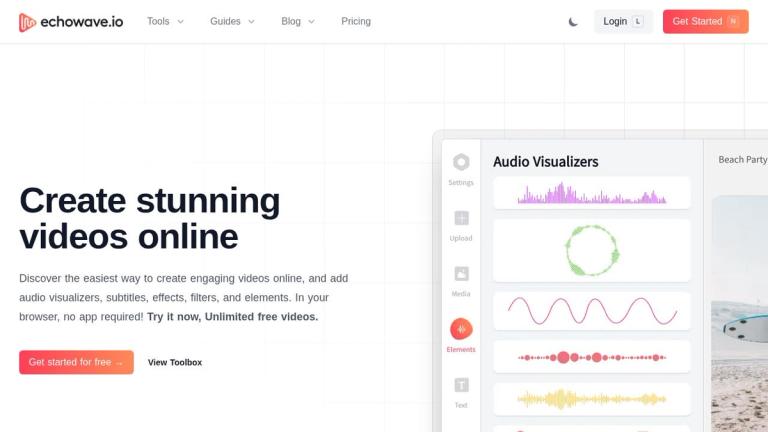
EchoWave - Online Video and Audio Editor
EchoWave is a free, browser-based video and audio editing platform that enables users to create stunning videos without installing any software. The platform offers a comprehensive suite of tools for video editing, audio manipulation, and content creation.
Key Highlights
- Browser-Based: Works entirely in your browser - no downloads or installations needed
- Free Tier: Offers unlimited free video creation
- AI-Powered Features: Includes AI auto subtitle generation and video transcription
- Versatile Tools: From basic video editing (trim, crop, rotate) to advanced features like music visualizers, audiogram creators, and lyric video makers
- Social Media Ready: Built-in tools for optimizing content for YouTube, Instagram, Facebook, and podcast platforms
Core Capabilities
EchoWave provides an extensive toolbox covering video editing, audio processing, and multimedia creation. Users can merge videos, add subtitles, create watermarks, generate music visualizers, convert audio to video, and much more - all through an intuitive online interface.
Target Audience
Content creators, podcasters, social media managers, musicians, and anyone needing quick browser-based video/audio editing without professional software.
Key Features
- AI Auto Subtitles Generator
- Video Editor with trim, crop, rotate, flip tools
- Music Visualizer and Audio Waveform Generator
- Audiogram Creator for podcast promotion
- Video Merger and Compressor
- Add Audio, Image, Text, and Watermark to Video
- Lyric Video Maker
- Credits Maker
- Convert Audio to Video
- Podcast to Video converter
- File format conversion
- Video Quiz Maker
Use Cases
- Creating social media video content for YouTube, Instagram, and Facebook
- Converting podcasts into engaging video content for visual platforms
- Adding subtitles and captions to videos for accessibility
- Creating music visualizer videos from audio tracks
- Producing lyric videos for music promotion
- Generating audiograms for podcast marketing
- Basic video editing tasks like trimming, cropping, and merging
- Adding watermarks and branding to video content
Pros
- Completely browser-based - no software installation required
- Free tier with unlimited video creation
- Wide range of specialized tools for different use cases
- AI-powered subtitle generation saves time
- Intuitive and beginner-friendly interface
- Supports multiple social media platform optimizations
Cons
- Advanced features may require paid subscription
- Performance depends on browser and internet connection
- May have limitations compared to professional desktop editing software
Pricing
Free tier available with unlimited videos. Paid plans available for advanced features.