VocalRemover.org
What VocalRemover.org does
VocalRemover.org presents itself as “Vocal Remover and Isolation [AI].” The site describes its purpose as separating voice from music in a song, and calls the service an online application for creating karaoke by removing vocals. Its core description is that you choose a song and artificial intelligence separates vocals from instrumental audio.
The page describes two resulting tracks: a karaoke version of the song with no vocals and an acapella version with isolated vocals. Those outputs have different stated purposes. The karaoke track is the one described as having no vocals; the acapella track is the one described as containing isolated vocals. The page states that both are produced by the separation process.
That description is more specific than a promise of only a vocal-free backing track: it also names an isolated-vocal output. It does not confirm whether you can choose to create just one of the two tracks, adjust how separation works, or edit a result after processing. It also does not provide evidence about how clean either track sounds or how separation performs on different kinds of music. Treat the stated outputs as the page describes them, rather than assuming additional editing controls or a particular sound quality.
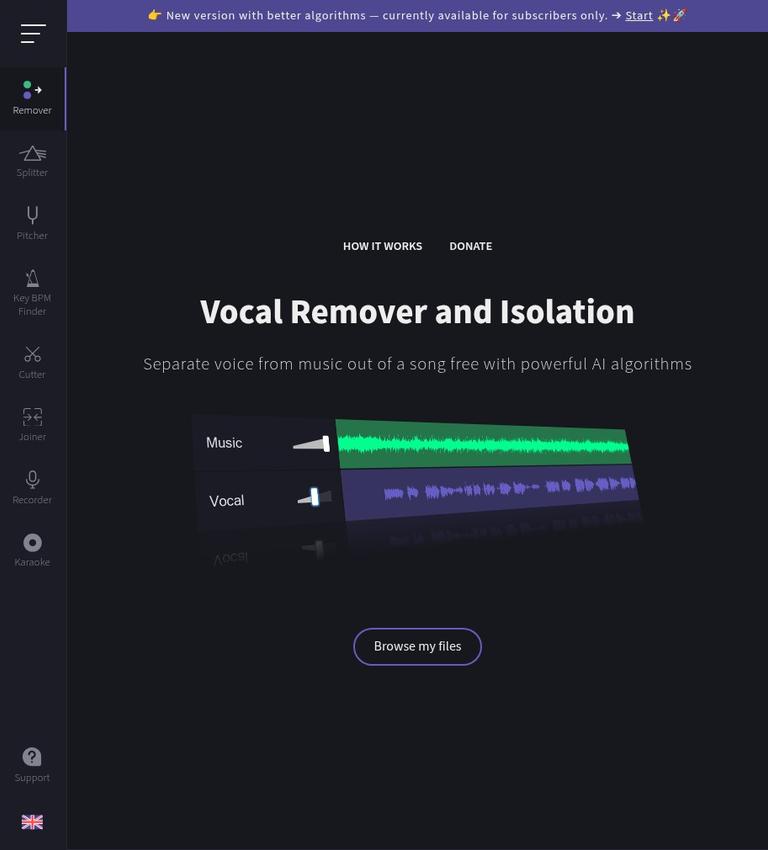
The site’s navigation lists Remover, Splitter, Pitcher, Key BPM Finder, Cutter, Joiner, Recorder, and Karaoke. This verifies that those names appear in the navigation; it does not confirm the capabilities, limits, or cost of each tool. Their presence may help orient someone exploring the site, but it is not enough evidence to recommend a particular one or to say that all are available on the same terms.
How the workflow is described
The site describes a simple high-level workflow: choose a song, then artificial intelligence separates the vocals from the instrumental audio. The page provides a file-selection control labeled “Browse my files.” It says the result is a karaoke version without vocals and an acapella version with isolated vocals.
The page says processing “usually takes about 10 seconds.” This is the stated usual time, not a guarantee. The official site does not say whether processing time changes with file length, traffic, or other conditions, and it does not confirm a maximum wait. If timing matters to your task, treat the stated time as an approximate description rather than a promise for every file or session.
The workflow evidence does not explain all the steps after processing. Supported input formats, file-size limits, and duration limits are not stated on the official site. Output formats and whether results can be downloaded are also not stated. The text does not confirm whether you can preview results before downloading or whether the outputs are preview-only. These details matter if you need a specific file type, a saved result, or a particular way to review the tracks.
The page calls the service an online application. That establishes how the service is described, but it does not verify browser compatibility, a mobile app, desktop software, or API access. Account creation and login requirements are not stated either. If you need a particular platform or account arrangement, the official site does not answer whether it is supported.
What is free, and what is not stated
VocalRemover.org presents its vocal-removal application as free. The page says, “Despite the complexity and high cost of service, you can use it absolutely free,” and separately describes separating voice from music as free. The official site presents the core vocal-removal value as fully usable rather than preview-only or trial-only.
That free claim should not be expanded into a claim of unlimited use. The published page text does not specify a request quota, rate limit, queue limit, or other boundary for free access. “Absolutely free” is the site’s wording about price; it does not confirm that you can submit an unlimited number of files or use the service without any other restriction. If you expect to process many songs, the site does not confirm how much use is permitted.
No paid plan, price, paid feature, or difference between free and paid access is stated in the published official-page text. There is therefore no grounded basis here to compare tiers, describe an upgrade, or claim that payment removes a limit. The supported answer for the core vocal-removal function is that the site presents it as free. Whether any paid access exists, and what it might include, remains unstated in the official site.
The free wording also does not settle the practical questions about file types, processing volume, or what happens to a result after separation. Those are separate details from whether the page presents vocal removal as free. For a decision that depends on a particular file or a large batch, check the current service for details not stated on the official site.
Limits and practical caveats
The clearest stated operational detail is that processing usually takes about 10 seconds. Beyond that, the official site does not confirm accuracy, output quality, or performance guarantees. The description of an AI separation process explains the intended function; it does not show how reliably the tool separates vocals from every recording. The stated two-track result should not be read as a guarantee that either part will be perfectly isolated or suitable for a specific performance or release.
Input and output details remain unresolved. The official site does not state supported input formats, maximum file size, or maximum duration. It also does not state output formats or whether downloads are available. If you require a particular format, need to process a long recording, or require a saved file, verify those details before relying on the service for that workflow.
Privacy is another open question. The official site does not state how uploaded files are handled, how long they are retained, whether they are deleted, or how data is used. The description of the audio function is not evidence about those practices. If your audio is confidential or otherwise sensitive, seek the service’s privacy information before uploading it; the official site does not confirm a privacy outcome.
The same evidentiary limit applies to copyright and permissions. The official site does not state who owns processed outputs or whether commercial use is permitted. The fact that the page describes karaoke and acapella outputs does not confirm permission to use the underlying song or resulting audio. For a use that involves publishing, distributing, performing, or monetizing music, the available evidence does not verify rights or licensing terms.
Account requirements and platform coverage are not stated. The service is described as an online application, but the official site does not say whether you need to create an account or sign in. It also does not verify browser compatibility, mobile apps, desktop software, or API availability. The word “online” alone does not answer those questions.
Who it may suit
VocalRemover.org may be worth considering if you want to explore an online vocal-separation tool and its two stated outputs match your goal: a karaoke version without vocals or an acapella version with isolated vocals. The site presents the core vocal-removal function as free, and describes a process in which you choose a song and AI separates vocals from instrumental audio.
The official site is less complete for someone who needs specific technical details before starting. It does not answer whether a given file type or length is supported, whether results can be downloaded, how many files can be processed, or what happens to uploaded audio. It also does not confirm the sound quality of the separated tracks. If one of these points is essential, the official site is not enough to confirm that the service meets the requirement.
For an exploratory use, the page’s description gives a clear account of the intended function and the two stated tracks. For a time-sensitive, confidential, or production-critical task, the unspecified details matter more. The stated usual processing time is not a service guarantee, the two-track description is not a quality guarantee, and the free wording is not proof of unlimited processing. Those distinctions keep the description within what the official site establishes.
Alternatives and how to compare them
No alternative products or approved internal links were published on the official site, so there are no named alternatives to recommend here. If VocalRemover.org does not meet your needs, compare other options by checking the same points that remain unknown here: supported input and output formats, size and duration limits, whether results can be previewed and saved, free-use boundaries, account requirements, privacy practices, and rights terms. These are comparison criteria, not claims that another service offers any particular feature.
The intended output is another useful point to compare. VocalRemover.org states that it produces both a karaoke track without vocals and an acapella track with isolated vocals. A project may call for one or both of those kinds of audio, but the official site does not confirm controls for selecting outputs or changing the separation. Check the actual features and terms of any option you consider rather than assuming they match this tool’s description.
Verdict
VocalRemover.org has a clearly stated central purpose: use AI to separate a chosen song into a karaoke version without vocals and an acapella version with isolated vocals. The site presents the application as free and says processing usually takes about 10 seconds. The official site describes the free value as usable rather than preview-only, while leaving the amount of permitted use unspecified.
The practical caveat is how much else remains unstated. Usage quotas, supported formats, file limits, output downloads, account requirements, privacy handling, rights, and separation quality are not stated in the published page text. There is no verified paid-plan information to compare. Consider the service for its stated task, but confirm any details that matter to your file and intended use. The official site supports the site’s description of a free core function; it does not support a promise of unlimited access, a particular output quality, or a specific legal or privacy outcome.
Frequently asked questions
Is VocalRemover.org free?
The site says you can use the service “absolutely free” and describes vocal removal as free. The official site presents the core function as usable rather than preview-only, but does not confirm unlimited use or specify quotas and other access limits.
What does VocalRemover.org produce?
The site says it produces two tracks: a karaoke version without vocals and an acapella version with isolated vocals. Output file formats and download availability are not stated on the official site.
How long does VocalRemover.org take?
The page says processing usually takes about 10 seconds. That is the site’s stated usual time, not a guarantee for every file or session.
Do I need an account?
The official site does not say whether an account or login is required. It describes the service as an online application but does not specify account requirements.
Which audio formats can I use?
Supported input formats are not stated on the official site. Output formats are also not stated, so the site does not confirm either for a specific workflow.
Can I use the results commercially?
The official site does not state ownership, licensing, or commercial-use permissions. The described outputs do not confirm rights to the underlying song or processed audio.