

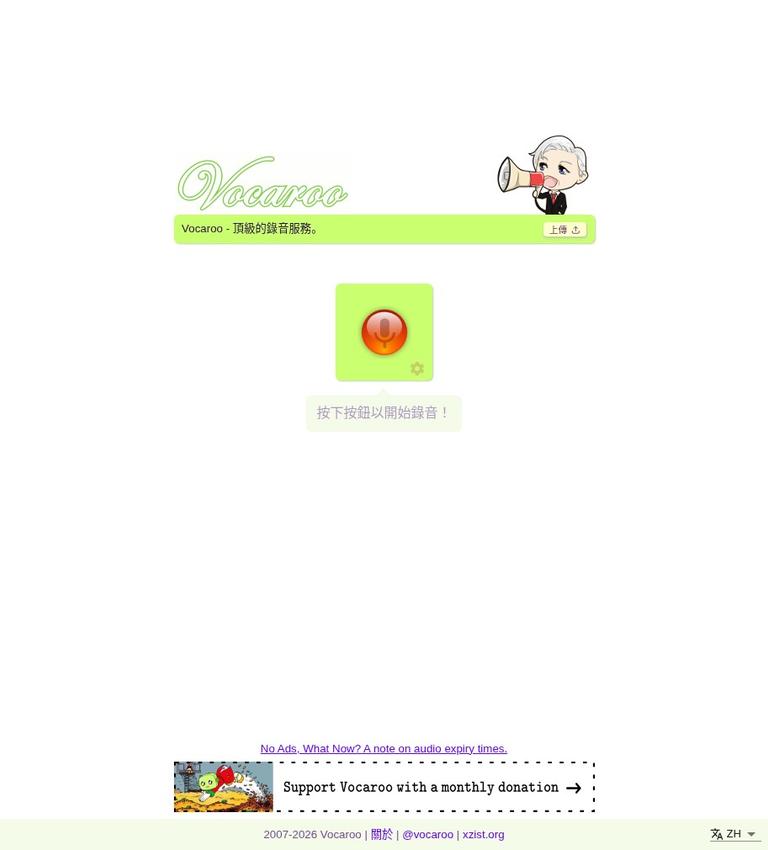
Vocaroo review: a simple browser voice recorder
Vocaroo is a free browser-based voice recorder for making and sharing audio without creating an account. Its appeal is its short path from a microphone check to a saved recording: allow microphone access, record, listen back, and then download the audio or share it with a link. You can also upload an existing audio file. The service is designed for straightforward voice capture and sharing, not for multitrack production or detailed editing.
That distinction matters when choosing a recorder. Vocaroo suits quick spoken notes, class assignments, pronunciation practice, interview snippets, and other recordings where a simple file or share link is enough. It is less appropriate when a project needs extensive editing, multiple audio tracks, transcription, or tightly controlled access. The tool is free to use, and its optional Ko-fi donations are not a paid subscription tier.
At a glance
- Product: Vocaroo
- Type: Browser voice recorder and audio-sharing service
- Cost: Free; optional donations through Ko-fi
- Account: No account or login required for the basic recording workflow
- Sharing: Link, QR code, or embed options
- Main consideration: Recordings are hosted online, and a share link is not a password-protected vault
Key features that matter in everyday use
Record, listen, and try again
The central workflow is deliberately short: grant microphone access, record, stop, and listen back. If you are unhappy with the take, you can re-record instead of committing to the first attempt. That makes Vocaroo useful for brief tasks where you want to check clarity, pacing, or whether you captured the complete message before sharing it.
Listening back is especially helpful for classroom responses, language practice, and spoken instructions. A quick review can catch a clipped opening, an interruption, or a section that is too quiet. It does not replace professional audio review, but it gives you a simple chance to decide whether a take is usable before sending it on.
Save a local backup
Vocaroo lets you download a backup of a recording. This matters because a share link and a local copy serve different purposes: the link is convenient for sending audio, while a downloaded file gives you a copy you can keep separately. For anything you may need later, download the recording when you finish and store it somewhere you control.
The precise file formats available are not established in the product information used for this review. If a recipient or editing program requires a particular format, check the downloaded file before relying on it. Do not assume that a browser recorder will export every format a production workflow might need.
Share by link, QR code, or embed
Once a recording is ready, you can share it using a link. Vocaroo also offers QR-code and embed sharing, which can suit different settings: a link in an email, a QR code on printed class material, or an embedded player on a page. Choose the method your audience can actually access, and test the link or code before distributing it widely.
Convenient sharing is not the same as private, restricted sharing. A Vocaroo link is not a password-controlled vault. Treat a recording as shareable with anyone who has access to the link, and avoid putting sensitive personal, financial, health, or confidential workplace information into an audio file intended for this kind of sharing.
Upload existing audio
Vocaroo can also accept an existing audio file, so you are not limited to making a new recording directly in the browser. That can help when a recording was made on another device and you want to use Vocaroo’s sharing workflow. Uploading does not turn the service into an editor: plan to make any detailed changes in an audio tool before you upload.
How to use Vocaroo, step by step
- Open Vocaroo in a browser. Use a device with a working microphone if you plan to record. A phone or computer can work, provided the browser can access its microphone.
- Allow microphone access. When your browser asks for permission, allow access if you want to make a live recording. If the permission prompt is blocked or dismissed, check the browser’s site permissions and try again.
- Make a short check recording. Before recording a long message, say a few words and listen back. This helps you confirm that the microphone is working and that your voice is audible.
- Record the message. Speak clearly and keep the device at a comfortable distance. For a formal assignment or announcement, it can help to note your main points first so you do not need to repeat a long take.
- Stop and listen. Review the recording from beginning to end when the message matters. If it is incomplete or unclear, use the option to record again rather than sharing a take you do not want.
- Choose how to keep it. Download a backup if you want a copy outside the online service. Keep that backup in a location appropriate for its contents, especially if the audio contains personal information.
- Share only as intended. Copy the link, or use the available QR or embed option. Remember that the link is not password protected. Send it only to people who should hear the recording.
- Consider deletion when finished. The deletion control is available in the browser where the original recording was made. Keep access to that browser and its site data if you may want to delete the recording later.
For an uploaded file, begin with an audio file you already have and follow the available upload flow. If the goal is editing rather than sharing, make your changes in a dedicated editor first. Vocaroo’s simple workflow is most effective when the source audio is already ready to send.
Pricing: free use, with optional donations
Vocaroo is free to use, and the core recording and sharing workflow does not require an account or login. The product information describes optional Ko-fi donations, not a paid subscription tier. There is therefore no monthly or annual plan price, paid-seat charge, or listed subscription allowance to compare for ordinary use.
The practical cost is zero for the described recording features. That does not mean the service is a permanent archive or a private file vault. The storage and access details still matter, particularly if you need to retrieve a recording well into the future or share something sensitive. For important audio, download a backup rather than treating a hosted link as your only copy.
The FAQ places the maximum recording length somewhere over six hours, without stating an exact six-hour cap. That makes Vocaroo suitable for many short recordings, but it is not a clear promise of unlimited recording time. If you are planning an unusually long session, consider whether a purpose-built recorder and local file storage would give you a more suitable workflow.
Real limits to consider
Long recordings are not the same as an unlimited guarantee
Vocaroo’s FAQ describes a maximum recording length somewhere over six hours, but does not give an exact cap. Avoid planning around a precise six-hour limit or assuming that recordings can continue without limit. For a long interview, lecture, or event, use a recorder suited to the session and make sure you have a dependable local copy.
Hosting is not permanent storage
Vocaroo says audio is usually kept for a minimum of 12 months and frequently accessed recordings may remain longer, but permanent retention is not guaranteed. This is an important difference between sharing a recording and archiving one. If you need the audio for a course record, a business process, or a personal archive, download it and maintain your own copy.
Deletion control depends on the original browser
The delete button is available in the browser used to make the original recording. Clearing that browser’s cookies or history can remove your ability to use the deletion control and recover access to it. If you may need to delete a recording, do not clear the relevant browser data until you have handled that task.
It is a recorder, not a production suite
The service offers simple recording and sharing. Do not choose it expecting multitrack production, advanced audio editing, or transcription. Those jobs call for other tools. For example, Audacity can be considered for local editing, while a device’s Voice Memos app may be enough for a personal recording that does not need a hosted sharing link.
The link is not a privacy barrier
A shared link is convenient, but it is not password controlled. Avoid sharing recordings that require a protected audience or confidential access. Get consent before recording other people, and explain how you intend to share the audio. These steps are useful whether the recording is for a class, a meeting, or a personal project.
Privacy and data handling
Vocaroo uploads and hosts audio so that other people can play a recording from its shared link. Audio is usually retained for at least 12 months; frequently accessed recordings may remain available longer. Permanent storage is not guaranteed, so download important recordings immediately and keep an organized backup.
Use the delete button in the browser that made the recording. Clearing that browser's cookies or history can remove your deletion control. Get permission before recording another person and treat the playback link as something recipients can forward. For confidential interviews, student records, or other restricted audio, choose a recording and storage workflow with the access controls your organization requires.
Who should use Vocaroo?
Vocaroo is a good fit for people who value speed over production features. It works well for short voice messages, a spoken homework response, a pronunciation sample, a simple instruction, or an audio clip that needs a shareable link. No account requirement makes it easier to start, while the download option gives you a way to keep a separate copy.
It can also suit educators or presenters who want to distribute audio by link, QR code, or embed. Before relying on that workflow, consider whether the audience is comfortable opening shared links and whether the content is appropriate for link-based access. For classroom use, tell participants whether they are expected to record, upload, or listen, and avoid collecting sensitive details unnecessarily.
Who should choose something else?
Choose a different tool if you need editing across multiple tracks, detailed sound processing, a transcript, or a guaranteed long-term archive. Vocaroo’s strength is a simple recording-to-sharing path, not a broad production toolkit. Audacity is a stronger alternative for local editing, and Voice Memos may be more convenient for a personal recording that does not need a browser-based share link.
It is also a poor fit for confidential recordings that require password-protected sharing. The service’s share link is not a password-controlled vault, so use a service with suitable access controls when distribution must be restricted. If an organization needs records retained for a set period, use a storage system that matches its retention and privacy requirements rather than depending on a general-purpose audio link.
Alternatives
- Audacity: Consider it when you need local audio editing or a more involved production workflow instead of only recording and sharing.
- Voice Memos: A straightforward option for recording on a device when you do not need Vocaroo’s hosted link, QR code, or embed options.
These alternatives serve different needs rather than duplicating every Vocaroo feature. Choose based on whether your priority is quick browser sharing, local editing, or a simple device recording. For any tool, keep a backup of important audio and make sure its sharing method is appropriate for the content.
FAQ
Is Vocaroo free?
Yes. Vocaroo is free to use, and optional Ko-fi donations are not a paid subscription tier.
Do I need an account to record with Vocaroo?
No. The basic browser recording workflow is available without an account or login.
How long can a Vocaroo recording be?
The FAQ describes a maximum somewhere over six hours, but does not state an exact six-hour cap.
How long does Vocaroo keep recordings?
Audio is usually kept for at least 12 months. Frequently accessed recordings may remain longer, but permanent storage is not guaranteed.
Can I delete a Vocaroo recording?
Yes. Use the delete button in the browser where you made the original recording; clearing its cookies or history can remove that control.
How can I share a Vocaroo recording?
Save the recording and share its playback link, QR code, or embed. Download a separate copy when you need a lasting backup.
Sources
Product information checked November 11, 2026.


