LogoAI Jet

Introduction

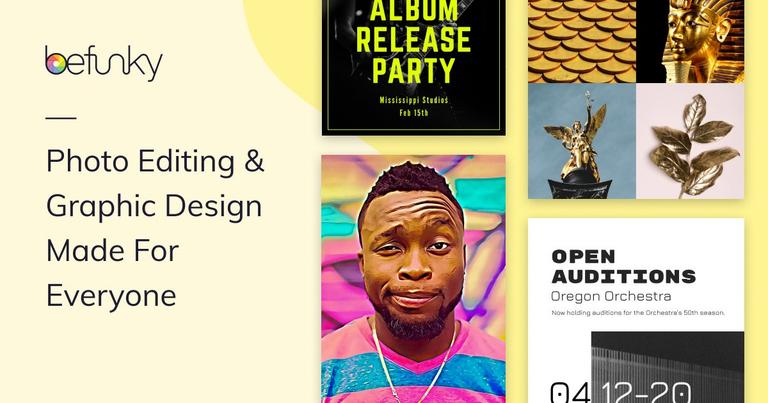
BeFunky is an all-in-one online creative platform designed for users of all skill levels. It offers a suite of tools for photo editing, graphic design, and collage creation.

Key Features:

  • Photo Editor: Essential editing tools (crop, resize, exposure) and unique effects (Cartoonizer, Digital Art, Enhance DLX).
  • Collage Maker: Create photo collages with customizable layouts, including layouts optimized for social media platforms.
  • Graphic Designer: Design custom graphics using pre-designed templates or create projects from scratch with drag-and-drop tools.
  • AI-Powered Tools: Background Remover, Object Eraser, Photo Enhancer, Image Upscaler, Sky Replacer, Deblur, and Old Photo Restorer.
  • Batch Processing: Crop, resize, and enhance multiple photos simultaneously.
  • Free Stock Images: Access to over a million high-quality stock images from Pixabay and Pexels.
  • Vector Graphics and Icons: Thousands of vector graphics and icons available for use in designs.

Use Cases:

  • Photo Editing: Enhance personal photos, create social media content, or prepare images for professional use.
  • Graphic Design: Design marketing materials, social media graphics, website banners, and more.
  • Collage Making: Create photo collages for personal use, gifts, or social media sharing.
  • E-commerce: Create transparent backgrounds for product photos.
  • Marketing: Create marketing materials and social media graphics.
Latest News

What's New | Check Out BeFunky's Recent Updates

What's New | Check Out BeFunky's Recent Updates

8/4/2026

March 2023 | BeFunky now supports native-Apple HEIC formatted images across all devices. That means you can drag images from Apple Photos straight into the web app! February 2023 | Ever take a bunch of pictures only to find out that they were oriented the wrong way and then spent way too long fixing...

Say 'Hello' To The New And Improved BeFunky.

Say 'Hello' To The New And Improved BeFunky.

8/4/2026

In this update we also introduced a new feature called Overlays, these are shapes and patterns you can overlay onto your photo for emphasis or just because (who needs a reason to have fun, anyway?) I'll go more into how to use these in an upcoming post, here's what they look like: We also added a to...

BeFunky.com Has Launched “NEW” Features & Updates ! | Learn ...

BeFunky.com Has Launched “NEW” Features & Updates ! | Learn ...

8/4/2026

SMOKING NEW ! BeFunky.com has been just UPDATED ! with many new features tailored towards community needs.. YOU Wanted WE MADE IT! New Clean User

Photo Editor | BeFunky: Free Online Photo Editing and Collage Maker

Photo Editor | BeFunky: Free Online Photo Editing and Collage Maker

8/4/2026

Updates about our new features · Account Photos Help / Support Sign Out Upgrade · Create · Photo Editor Collage Maker Graphic Designer · Learn · Getting Started Features BeFunky Plus Learn Tutorials Inspiration What's NewSupport Sign In · Account · Account Photos Help / Support Sign OutGet Started ·

What’s New | Learn BeFunky

What’s New | Learn BeFunky

8/4/2026

Updates about our new features · Account Photos Help / Support Sign Out Upgrade · Create · Photo Editor Collage Maker Graphic Designer · Learn · Getting Started Features BeFunky Plus Learn Tutorials Inspiration What's New Support Sign In · Account · Account Photos Help / Support Sign Out Get Started...

Alternatives

  • Canva

    Canva is a popular online graphic design platform offering extensive templates for photo editing, graphic design, and collages, making it a versatile alternative.

  • PicMonkey

    PicMonkey provides a comprehensive suite of online tools for photo editing, graphic design, and collage creation, directly competing with BeFunky's features.

  • Fotor

    Fotor is an all-in-one online photo editor, graphic designer, and collage maker, offering similar functionalities for creative projects.

  • Adobe Express

    Adobe Express is a user-friendly online platform for creating graphics, photos, and short videos with professional templates, ideal for quick and impactful designs.

  • Pixlr

    Pixlr offers both simple (Pixlr X) and advanced (Pixlr E) online photo editing tools, along with design templates for various creative needs.

  • VistaCreate

    VistaCreate (formerly Crello) is an intuitive online graphic design platform with a vast library of templates for social media, marketing, and other visual content.

  • Photoshop Express

    Photoshop Express is a streamlined online and mobile photo editor from Adobe, perfect for quick edits, collages, and creative enhancements.

  • Ribbet

    Ribbet is an online photo editor known for its easy-to-use interface, collage features, and touch-up tools for enhancing images.

  • Polarr

    Polarr is a powerful online and mobile photo editor offering advanced filters, adjustments, and AI-driven tools for creative photo manipulation.

  • Photopea

    Photopea is a free online photo editor that closely mimics Adobe Photoshop, providing advanced editing and design features directly in your browser.

FAQ

User Reviews

4.1/5.0
(20reviews)
Click stars to rate

Pricing

Pricing Model: Freemium

Free

Basic photo editing and design tools to get started.

Free

Plus (Monthly)

All the features at one low price. Convenient monthly and annual billing. Cancel anytime.

Price not available in static content
monthly

Plus (Annual)

All the features at one low price. Convenient monthly and annual billing. Cancel anytime.

Price not available in static content
yearly

More Products

TinyPNG is Tinify’s browser-based image compressor and converter. This review explains how its web tool differs from its Developer API, what each free allowance covers, and when its compression, conversion, resizing, and cropping features may fit an image workflow.

iLoveIMG is a browser-based image service for compression, resizing, cropping, conversion, and editing, with a free Basic plan and paid options.

Pixelcut is an AI image and video platform with tools for background removal, upscaling, retouching, image generation, and product visuals.

Slazzer removes image backgrounds online. Its website offers free, low-resolution previews; higher-resolution downloads use credits.

Ezgif is a free online toolset for making and editing animated GIFs, converting videos to animations, and working with other image formats.

Free face rater with visible symmetry and proportion diagrams, plus optional illustrated reports and six AI hairstyle concepts.

Contextual nofollow link exchanges for sites you control, handled with your coding agent and your approval.

An online AI photo editor where you describe the change and an AI image model makes it. Remove objects, swap backgrounds, restore old photos and restyle portraits.

SpriteGen is a free online sprite creator. Describe your character, pick a perspective and style, and the AI generates a game-ready pixel-art sprite sheet.

Plimo brings the newest AI image and video models together in one place and makes them easy to use. Pick a trending template and add your photo, or describe your own idea and choose a model. New accounts get 100 free credits, and plans start at $15/month.

PartnerBoost helps Amazon sellers and cross-border brands recruit affiliates and creators, manage partnership campaigns, and track partner-driven sales.

AI photo effects and editing workspace: Y2K, VHS, glitch and vintage grain styles in your browser.

A weekly startup launch board where founders submit products for free and get discovered.

A rising-star tools directory and launchpad for new web tools, startups, and AI products.

An AI tools directory for discovering new AI tools and products and quickly finding the right solution for your needs.

Plan, approve, publish, and analyze social content with an AI assistant and API, CLI, and MCP automation.