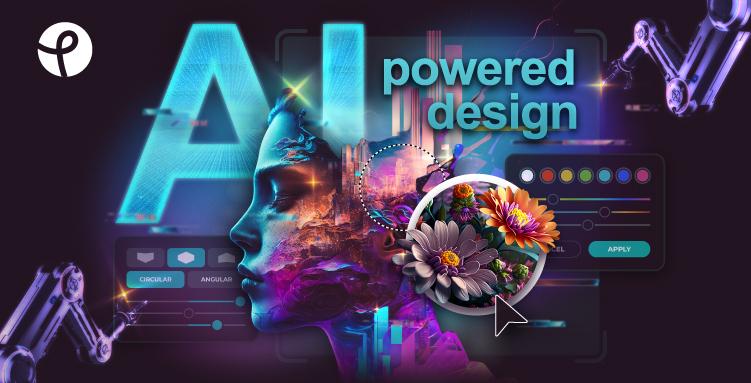
Quick answer: Pixlr is an online AI photo editor, image generator, and design tool. It works for quick edits, background removal, social graphics, AI-generated visuals, and browser-based creative work without installing desktop software.
AI-powered online photo editor, image generator, and design tool for creating stunning visuals with ease, offering free and premium options.
Features
- AI Image Generator — Revolutionary Text-to-Image AI technology that converts simple text prompts into visually captivating artwork. Users can unleash their imagination and craft breathtaking, AI-generated masterpieces for various creative projects.
- AI Generative Fill — Advanced AI tool that helps users quickly realize creative visions from concepting ideas to making complex edits and refinements. Provides complete control over every creation while dramatically speeding up the editing process.
- AI Background Removal & Changer — One-click AI-powered background remover that automatically detects and removes backgrounds from images. Also includes background changer functionality to replace backgrounds with new scenes or solid colors.
- AI Face Swap — Intelligent face swapping technology that allows users to transform into superheroes, celebrities, or switch faces with friends. Offers limitless creative possibilities for fun and engaging visual content.
- Professional Photo Editing Suite — Comprehensive editing tools including HDR effects, Bokeh/Focus blur, Dispersion effects, Mirror reflections, Glitch effects, and Colorize options. Features Smart Resize, Heal Tool, Image Eraser, Remove Object, and Clone Tool for precise editing.
- Design Templates & Tools — Extensive collection of design tools including Photo Collage Maker, Mood Board Maker, Carousel Maker, and specialized templates like Christmas Card Maker. Includes Auto Photo Grid Maker and Product Shot Creator for professional results.
Use Cases
Social Media Content Creation
Create eye-catching social media posts, carousels, and graphics using AI-powered tools and design templates. Features like Smart Resize help adapt content for different platforms, while filters and effects ensure professional-quality visuals that stand out in feeds. Target Audience: Social media managers, influencers, content creators, and digital marketers
E-commerce Product Photography
Generate studio-quality product images using the AI Product Shot Creator, remove backgrounds with one click, and enhance product photos with professional editing tools. Eliminates the need for expensive photography equipment and studio setups. Target Audience: E-commerce sellers, small business owners, and online retailers
Quick Professional Photo Editing
Perform advanced photo editing tasks like object removal, background changes, image upscaling with AI Super Scale, and noise reduction without needing expensive software. Perfect for quick edits, touch-ups, and professional retouching work. Target Audience: Photographers, graphic designers, and creative professionals
Marketing & Brand Asset Creation
Design marketing materials, campaign graphics, posters, report covers, and visual content using templates and AI tools. Batch Editor enables efficient processing of multiple images for consistent brand visuals across all channels. Target Audience: Marketing teams, small business owners, and organizations needing visual content
Pros
- 100% free tier available with no watermarks, making professional photo editing accessible to everyone without financial barriers
- Browser-based platform requiring no downloads or installations - works on any device including mobile and desktop for maximum convenience
- Comprehensive AI-powered tools including image generation, face swap, background removal, and generative fill that dramatically speed up creative workflows
- 15+ years of industry experience with a proven track record as a top web-based photo editing service trusted by millions of users worldwide
- User-friendly interface designed for both beginners and professionals, with intuitive tools that don't require specialized knowledge to achieve professional results
Cons
- Premium features and full AI tool access require a paid subscription, limiting some advanced capabilities for free users
- Being browser-based means a stable internet connection is required for all editing work, which can be problematic in low-connectivity areas
- May have limitations compared to full desktop applications like Adobe Photoshop for highly complex professional workflows and specialized editing needs
- AI-generated results can sometimes be unpredictable, requiring multiple attempts to achieve desired outcomes for generative features