

Describe Picture
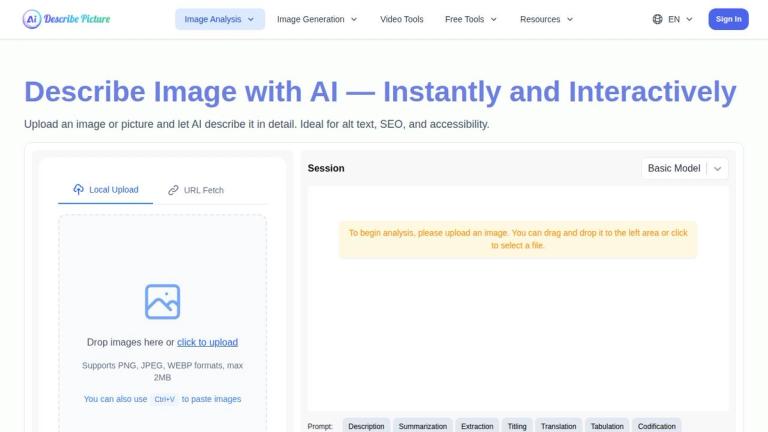
Describe Picture is an AI-powered image analysis platform that transforms visual content into various text formats. The tool leverages artificial intelligence to describe images in detail, extract text, convert screenshots to code, and generate markdown-formatted content from visual inputs.
Core Capabilities
The platform offers multiple analysis modes including Description, Summarization, Extraction, Titling, Translation, Tabulation, and Codification — allowing users to process images in the way that best suits their needs.
Key Features
-
Image Content Extraction: Accurately identifies and extracts text from images, converting it into editable text format. Works with scanned documents, infographics, and photographs of physical text.
-
Screenshot to Code: Intelligently recognizes web page elements from screenshots and automatically converts them into corresponding HTML, CSS, or JavaScript code.
-
Image to Markdown: Converts content from graphs, slides, or handwritten notes into properly formatted Markdown output.
-
Creative Content Generation: Provides exhaustive image descriptions and offers personalized content creation based on specific requirements.
-
One-Click Code Copying: Streamlines the workflow with instant code selection and copying functionality.
Technical Details
- Supports PNG, JPEG, and WEBP formats (max 2MB)
- Offers both local upload and URL fetch options
- Includes clipboard paste support (Ctrl+V)
- Provides Basic and advanced model options
Target Audience
Web developers, content creators, SEO professionals, accessibility specialists, designers, and anyone needing to extract or describe visual content
Key Features
- AI image description and analysis
- Text extraction from images
- Screenshot to HTML/CSS/JS code conversion
- Image to Markdown conversion
- Multiple analysis modes (Description, Summarization, Extraction, Titling, Translation, Tabulation, Codification)
- URL image fetching
- Clipboard paste support
- One-click code copying
- Supports PNG, JPEG, WEBP formats
Use Cases
- Generating alt text for web accessibility and SEO
- Extracting text from scanned documents and photos
- Converting web design screenshots to code
- Transforming visual content into Markdown documentation
- Creating descriptive content from images
- Processing infographics and social media visuals
Pros
- Multiple analysis modes for versatile use cases
- Free tier available
- Simple drag-and-drop interface
- No complex setup required
- Supports clipboard paste for quick uploads
- Combines image description, text extraction, and code generation in one tool
Cons
- 2MB file size limit
- Limited to PNG, JPEG, WEBP formats only
Pricing
Free tier available with paid plans. Detailed pricing available at describepicture.org/price/


