LogoAI Jet
Icon for Let's Enhance

Let's Enhance

AI-powered image enhancement platform that upscales, sharpens, and improves image quality online with one-click processing.

Introduction

Let's Enhance

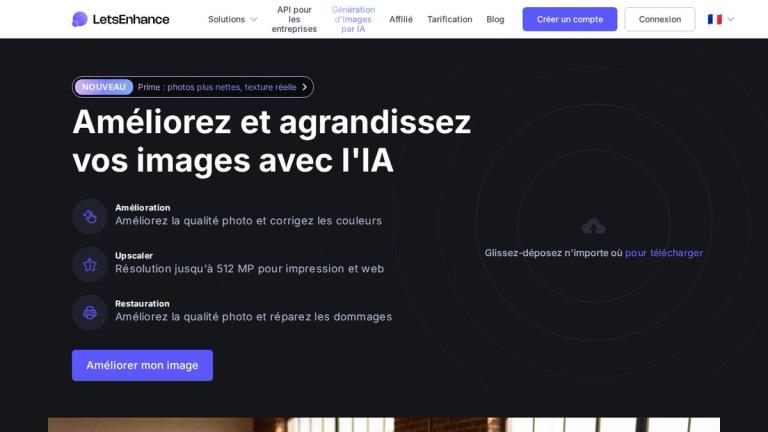
Let's Enhance is an AI-powered image enhancement platform designed to help users upscale, sharpen, and improve the quality of their images quickly and easily. The tool leverages advanced artificial intelligence and machine learning algorithms to transform low-resolution or blurry images into high-quality, professional-looking photos.

Key Capabilities

The platform offers a suite of AI-driven tools that can:

  • Upscale images up to 16x their original resolution without losing quality
  • Sharpen blurry photos and recover lost details
  • Remove noise and artifacts from low-quality images
  • Enhance colors and lighting for more vibrant results
  • Process images in batch for efficient workflow
How It Works

Users simply upload their images to the platform, select their desired enhancement options, and the AI processes the images automatically. The tool is designed to be user-friendly, requiring no technical expertise or photo editing skills.

Use Cases

Let's Enhance is widely used by photographers, e-commerce businesses, marketers, designers, and anyone who needs to improve image quality for professional or personal use. The platform supports various image formats and provides both web-based and API access for different workflow needs.

Target Audience

Photographers, e-commerce businesses, marketers, graphic designers, content creators, and anyone needing to improve image quality

Key Features
  • AI-powered image upscaling up to 16x resolution
  • Image sharpening and detail recovery
  • Noise and artifact removal
  • Color and lighting enhancement
  • Batch processing capabilities
  • One-click enhancement
  • Multiple output format support
  • API access for developers
Use Cases
  • E-commerce product photo enhancement
  • Social media content creation
  • Photography post-processing
  • Marketing and advertising materials
  • Print media preparation
  • Website image optimization
  • Old photo restoration
  • Real estate photography enhancement
Pros
  • Easy to use with no technical skills required
  • Fast AI-powered processing
  • Significant quality improvement for low-resolution images
  • Batch processing saves time
  • Web-based platform accessible from anywhere
  • Free trial available
Cons
  • Requires internet connection for processing
  • Premium features require paid subscription
  • Processing time may vary based on image size and server load
  • Results may vary depending on original image quality
Pricing

Free trial available with limited features; paid plans for full access and higher processing limits

Latest News

Careers - Let's Enhance

Careers - Let's Enhance

8/5/2026

## Open Jobs UGC Creator (remote/part-time) Marketing · Multiple locations · Fully Remote General Applications USA · Fully Remote All jobs ## FAQ ### Good news: we can fix that! Scroll up and click the "Connect" button. Answer a few questions to let us know about your interest. Give us some time to ...

UI dashboard update - May 2025 | Let's Enhance Help Center

UI dashboard update - May 2025 | Let's Enhance Help Center

8/5/2026

Let's Enhance Help Center Go to website Articles on: Image Enhancement # UI dashboard update - May 2025 We're changing! As you may have noticed, our dashboard has changed recently. We're working hard to make your experience easier and more intuitive. Here's what you need to know about the latest int...

Privacy policy | LetsEnhance

Privacy policy | LetsEnhance

8/5/2026

With respect to subsections E to I above, Let's Enhance relies on its legitimate commercial business interest to provide its Services to you, to prevent fraud and to improve its Services. When using personal data to serve our commercial business interest, Let's Enhance will always balance your right...

How to get started with Let's Enhance 2.0? | Let's Enhance Help Center

How to get started with Let's Enhance 2.0? | Let's Enhance Help Center

8/5/2026

IMAGES TO PROCESS area on Enhancer dashboard, is where you can upload photos you'd like to enhance: Use our Uploader area to batch upload and process up to 20 images at a time. You may consider the uploader as your staging area from now on 💡 Learn more: What type of images I can use with Let’s Enhan...

AI Photoshoot by Claid: Generate product photos in seconds

AI Photoshoot by Claid: Generate product photos in seconds

8/5/2026

Ready to enhance your creative process? Discover how to effectively use AI in your art creation and why it's a crucial tool for growth and improvement as a LetsEnhance LetsEnhance - Image enhancement powered by AI # Subscribe to LetsEnhance - Image enhancement powered by AI Stay up to date! Get all ...

FAQ

User Reviews

4.4/5.0
(21reviews)
Click stars to rate

Pricing

Pricing Model: Freemium

Free

10 free credits upon signing up, no credit card needed

Free
one-time

Starter (Annual)

100 credits to process images each month

$9/month
yearly

Starter (Monthly)

100 credits to process images each month

$12/month
monthly

Pro (Annual)

300 credits to process images each month

$24/month
yearly

Pro (Monthly)

300 credits to process images each month

$32/month
monthly

Max (Annual)

500 credits to process images each month

$34/month
yearly

Max (Monthly)

500 credits to process images each month

$45/month
monthly

Business

Preset capacities for teams/enterprise (e.g., 1000, 2500, 5000 credits)

Custom
custom

More Products

TinyPNG is Tinify’s browser-based image compressor and converter. This review explains how its web tool differs from its Developer API, what each free allowance covers, and when its compression, conversion, resizing, and cropping features may fit an image workflow.

iLoveIMG is a browser-based image service for compression, resizing, cropping, conversion, and editing, with a free Basic plan and paid options.

Pixelcut is an AI image and video platform with tools for background removal, upscaling, retouching, image generation, and product visuals.

Slazzer removes image backgrounds online. Its website offers free, low-resolution previews; higher-resolution downloads use credits.

Ezgif is a free online toolset for making and editing animated GIFs, converting videos to animations, and working with other image formats.

Free face rater with visible symmetry and proportion diagrams, plus optional illustrated reports and six AI hairstyle concepts.

An online AI photo editor where you describe the change and an AI image model makes it. Remove objects, swap backgrounds, restore old photos and restyle portraits.

SpriteGen is a free online sprite creator. Describe your character, pick a perspective and style, and the AI generates a game-ready pixel-art sprite sheet.

Plimo brings the newest AI image and video models together in one place and makes them easy to use. Pick a trending template and add your photo, or describe your own idea and choose a model. New accounts get 100 free credits, and plans start at $15/month.

Free AI image enhancer to sharpen blurry photos, reduce noise, and improve low-resolution images online. Enhance faces, details, and clarity in seconds.

Browlens is a free AI brow app that maps your eyebrow shape with six adjustable points, gives a left-right balance report, and lets you preview different eyebrow filters on your own photo — no sign-up required.

AI photo effects and editing workspace: Y2K, VHS, glitch and vintage grain styles in your browser.

All-in-one toolkit for freelancers combining 27+ AI-powered writing tools, file converters, and productivity utilities into a single workspace.

AI-powered thumbnail generator that creates data-backed, viral thumbnails to help content creators increase views and engagement.

Free AI-powered dog breed identifier that analyzes photos to identify breeds from 360+ breeds with personality and health information.

AI-powered logo maker and brand identity design platform that generates professional logos and automates brand creation.