LogoAI Jet
Icon for Pokecut

Pokecut

Pokecut is an online AI photo editor and image generator for enhancing, editing, and creating images.

Introduction

Pokecut: AI Photo Editing and Image Generation

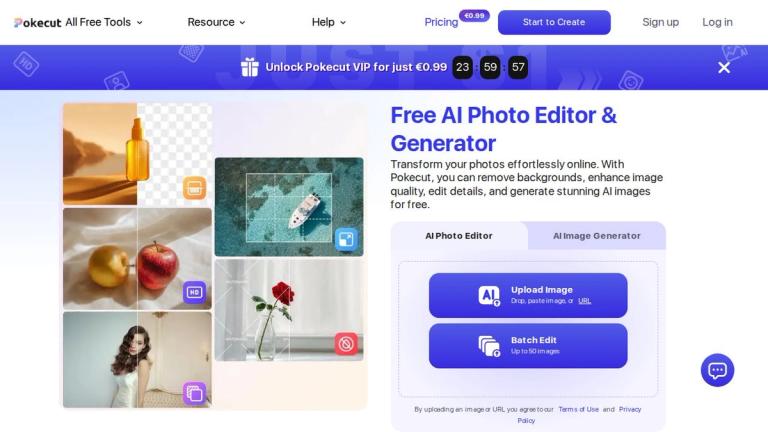
Pokecut is an online AI photo editor and image generator that brings together tools for editing existing pictures and creating new visuals. You can start by uploading a photo, choosing an AI tool, or entering a prompt in the image generator. Pokecut then guides you to an editor where you can preview the result, adjust it, and export the image. The service says it can be used without signing up or logging in, so you can explore its workflow before deciding whether to create an account.

The toolset covers a wide range of everyday image tasks. The site lists background removal and replacement, object erasing, photo enhancement, image extension, collages, filters, and text enhancement. There are also dedicated portrait, face, body, and hair editors, plus an ID photo maker and clothes changer. For generating images, Pokecut offers prompt-based creation and image-to-image editing. Its homepage also highlights multiple AI models and ready-made templates for portraits, products, seasonal posts, and social content. These options give users several starting points, whether the goal is to improve a photo, make a portrait variation, or prepare a visual for a post.

Editing and Batch Workflows

Pokecut’s workflow is designed to take an image from upload or prompt through editing and export in one place. For batch tasks, its Batch Photo Edit tool can process up to 50 images at once. The site names batch resizing, enhancement, background removal, and background changes as supported uses, making the feature particularly relevant when many images need similar adjustments. The site also presents separate enhancement modes for general image quality, text, portraits, and higher-detail results.

Pokecut may suit casual users, creators, and people working with product or social images who want a browser-based collection of editing tools. Templates can provide a ready-made starting point, while the portrait and background tools address more specific edits. Its mobile apps are listed for both the App Store and Google Play, alongside the online editor. The breadth of tools is useful, but the right choice still depends on the particular edit: check the current tool and its output before relying on it for a particular project.

Free Use and Pro Access

Pokecut says it is free to use and offers free credits for trying basic features such as photo enhancement and background removal. It also says usage is limited. The site does not state the number of free credits or set out the limits for each tool, so free access should not be confused with unlimited generations or edits. Pokecut says a Pro plan unlocks more edits, higher resolution, and full feature access. Check the online store for current subscription terms before paying; the homepage does not list a subscription price.

Commercial Use

Pokecut says images generated with its AI Image Editor and AI Image Generator can be used for commercial purposes. Its terms come with a specific caveat: Pokecut does not manage commercial rights for design resources that it did not provide. If a project includes outside resources, check their permissions separately. For planned commercial work, review Pokecut’s Terms of Use as well as the rights attached to any assets you add.

Overall, Pokecut combines photo editing, generation, portrait tools, and batch processing in one service. It offers a straightforward way to try a range of image workflows, including without signing in, while free use remains limited by credits. Check the live editor for the tools and access available to your project, and review the current Pro terms if you need more edits or higher-resolution output.

Latest News

Pokecut May 2025 AI Tech: Image & Background Generation Guide | Pokecut

Pokecut May 2025 AI Tech: Image & Background Generation Guide | Pokecut

8/5/2026

Pokecut May 2025 AI Tech: Image & Background Generation Guide | Pokecut All Free Tools Resource Help Pricing offer ending soon24:00:00 View Profile My Project My Order Contact us Notification Sign Out Sign upLog in Unlock Pokecut VIP for just 24 : 00 : 00 Home> Blog> Pokecut May 2025 ...

Enhance Your Visual Content: Four New Features in AI Tools Released in March 2025 | Pokecut

Enhance Your Visual Content: Four New Features in AI Tools Released in March 2025 | Pokecut

8/5/2026

Enhance Your Visual Content: Four New Features in AI Tools Released in March 2025 | Pokecut All Free Tools All Free Tools Image to Image AINew Help Exit Sign upLog in Unlock Pokecut VIP for just Home> Blog> Enhance Your Visual Content: Four New Features in AI Tools Released in March 2025 # ...

About Pokecut - AI Photo Editor for Effortless Visual Creation

About Pokecut - AI Photo Editor for Effortless Visual Creation

8/5/2026

About Pokecut - AI Photo Editor for Effortless Visual Creation All Free Tools Resource Help Pricing offer ending soon24:00:00 View Profile My Project My Order Contact us Notification Sign Out Sign upLog in Unlock Pokecut VIP for just 24 : 00 : 00 About Pokecut # Creative images, made...

How to Merge Two Images | Pokecut

How to Merge Two Images | Pokecut

8/5/2026

How to Merge Two Images | Pokecut All Free Tools Resource Help Pricing offer ending soon24:00:00 Start to Create Upgrade View Profile My Project My Order Contact us Notification Sign Out Sign upLog in Unlock Pokecut VIP for just 24 : 00 : 00 Home> Blog> How to Merge Two Images? # Ho...

Pokecut: Free Online AI Photo Editor & Image Generator

Pokecut: Free Online AI Photo Editor & Image Generator

8/5/2026

Pokecut: Free Online AI Photo Editor & Image Generator All Free Tools All Free Tools Photo Collage MakerNew Batch Photo EditNew AI Replace AI Background AI Image Generator All Tools Image to Image AINew Magic eraser AI Photo Enhancer Resource Help FAQ Contact us About us Pricing60% ...

FAQ

User Reviews

4.6/5.0
(18reviews)
Click stars to rate

Pricing

Pricing Model: Freemium

Freemium

Free tier available with most tools. VIP access offered at promotional price of $1 USD.

$1

Website Traffic

pokecut.com ·

Estimated monthly visits
978,742
-6.8% vs. prior month
Pages per visit
4.49
Bounce rate
37.34%
Avg. session
1m 44s
Global rank
#44,569
Country rank (IN)
#16,536

Visits Over Time

1,085,464
1,050,157
978,742

Traffic Sources

Direct
29.63%
Search
63.86%
Referrals
4.29%
Social
1.44%
Paid referrals
0.04%
Mail
0.16%
Generative AI
0.57%
Affiliate
0%
Other
0%
Organic search
63.84%
Paid search
0.03%
Organic social
1.44%
Paid social
0%

Top Keywords

KeywordVolumeCPCEst. monthly value
quitar fondo imagen214,650$0.25$10,080.00
pokecut3,440$2.30$5,330.00
digicamfx11,790$0.84$4,980.00
ai face rater2,390$0.59$2,860.00
remove watermark145,550$0.43$1,320.00

Top Regions

RegionPercentage
United States (US)15%
India (IN)8.58%
Russia (RU)6.98%
United Kingdom (GB)4.6%
Vietnam (VN)3.76%

AI Referral Trends

Share of AI assistant referrals by month.

AssistantAug 2026Sep 2026Oct 2026
chatgpt.com88.98%46.08%14.49%
gemini.google.com11.02%15.57%0.85%

More Products

TinyPNG is Tinify’s browser-based image compressor and converter. This review explains how its web tool differs from its Developer API, what each free allowance covers, and when its compression, conversion, resizing, and cropping features may fit an image workflow.

iLoveIMG is a browser-based image service for compression, resizing, cropping, conversion, and editing, with a free Basic plan and paid options.

Pixelcut is an AI image and video platform with tools for background removal, upscaling, retouching, image generation, and product visuals.

Slazzer removes image backgrounds online. Its website offers free, low-resolution previews; higher-resolution downloads use credits.

Ezgif is a free online toolset for making and editing animated GIFs, converting videos to animations, and working with other image formats.

Free face rater with visible symmetry and proportion diagrams, plus optional illustrated reports and six AI hairstyle concepts.

An online AI photo editor where you describe the change and an AI image model makes it. Remove objects, swap backgrounds, restore old photos and restyle portraits.

SpriteGen is a free online sprite creator. Describe your character, pick a perspective and style, and the AI generates a game-ready pixel-art sprite sheet.

Plimo brings the newest AI image and video models together in one place and makes them easy to use. Pick a trending template and add your photo, or describe your own idea and choose a model. New accounts get 100 free credits, and plans start at $15/month.

AI photo effects and editing workspace: Y2K, VHS, glitch and vintage grain styles in your browser.

All-in-one toolkit for freelancers combining 27+ AI-powered writing tools, file converters, and productivity utilities into a single workspace.

AI-powered thumbnail generator that creates data-backed, viral thumbnails to help content creators increase views and engagement.

AI-powered logo maker and brand identity design platform that generates professional logos and automates brand creation.

Unique AI-powered pet name generator that creates personalized name suggestions based on your pet's photo, along with downloadable name certificates.

An AI-powered image text editor that makes it easy to change words in existing images. Update your content without recreating the entire design.

A creator-first mobile app that empowers anyone to produce high-quality video and photo content in minutes with AI editing, templates, and cross-platform publis