LogoAI Jet
Icon for Procreate

Procreate

Professional creative apps for iPad and iPhone offering powerful digital illustration, painting, and animation tools with a one-time purchase model.

Introduction

Procreate

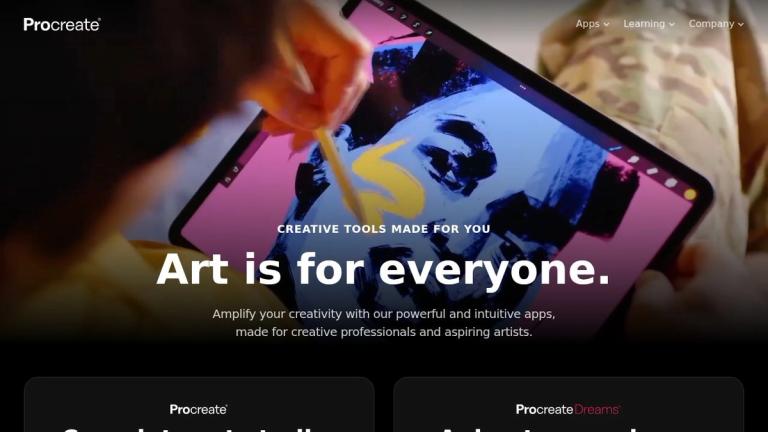
Procreate is a suite of creative applications designed specifically for Apple devices (iPad and iPhone). Founded on the principle that "art is for everyone," Procreate provides powerful and intuitive digital art tools for both creative professionals and aspiring artists.

The Procreate ecosystem includes three main products:

Procreate®

The flagship application offering a complete art studio experience on iPad. It provides professional-grade sketching, painting, and illustration tools with an extensive brush library. Priced at $12.99 USD as a one-time purchase.

Procreate Dreams™

A dedicated animation app that allows users to animate anywhere on their iPad. Also priced at $12.99 USD as a one-time purchase.

Procreate® Pocket

A mobile version of Procreate optimized for iPhone, enabling sketching and painting on the go. Available for $5.99 USD as a one-time purchase.

Procreate distinguishes itself with a no-subscription pricing model — users pay once and own the app forever. The company also provides extensive learning resources including a Help Center, Beginners Series, and educational materials for classroom use.

Target Audience

Digital artists, illustrators, graphic designers, animators, art students, creative professionals, and hobbyist artists

Key Features
  • Complete digital art studio for iPad
  • Professional sketching and painting tools
  • Extensive brush library with regular updates
  • Animation capabilities (Procreate Dreams)
  • iPhone version available (Procreate Pocket)
  • One-time purchase - no subscription required
  • Intuitive user interface for beginners and professionals
  • Regular software updates with new features
Use Cases
  • Digital illustration and painting
  • Concept art creation
  • Animation production
  • Sketching and drawing on mobile devices
  • Graphic design projects
  • Educational art instruction
  • Professional artwork creation
  • Creative hobby projects
Pros
  • One-time purchase with no subscription fees
  • Professional-grade tools at affordable prices
  • Intuitive interface suitable for all skill levels
  • Regular updates with new features and brushes
  • Available on both iPad and iPhone
  • Extensive learning resources and community support
Cons
  • Only available on Apple devices (iPad/iPhone)
  • No Android or Windows version available
  • Requires Apple Pencil for optimal experience
Pricing

Procreate: $12.99 USD (one-time), Procreate Dreams: $12.99 USD (one-time), Procreate Pocket: $5.99 USD (one-time)
Latest News

Procreate receives a shiny new look to feel at home on iPadOS 26.

Procreate receives a shiny new look to feel at home on iPadOS 26.

8/4/2026

Procreate receives a shiny new look to feel at home on iPadOS 26. Announcements October 14, 2025 Procreate introduces a fresh, modern, new look in our 5.4.5 update. Inspired by Apple’s Liquid Glass, we’ve put our own spin on the design language so that it’s still the Procreate people know and love.....

Where did my fonts go? — Procreate for iPad Help Center

Where did my fonts go? — Procreate for iPad Help Center

8/4/2026

Where did my fonts go? — Procreate for iPad Help Center Table of Contents # Where did my fonts go? Procreate, Procreate Dreams, and Procreate Pocket are undergoing changes to fonts in 2026. Procreate and Procreate Pocket will have two fonts removed with a patch in late March. Procreate Dreams wi...

What's new in Procreate 5.4?

What's new in Procreate 5.4?

8/4/2026

What's new in Procreate 5.4? — Procreate for iPad Help Center Table of Contents # What's new in Procreate 5.4? ## Brush libraries and 180 new brushes Brush libraries allow you to store, import, share and sync entire collections of brushes using iPadOS's Files app. You will additionally be provi...

The making of Procreate 5.4, and crafting a whole new brush library.

The making of Procreate 5.4, and crafting a whole new brush library.

8/4/2026

The making of Procreate 5.4, and crafting a whole new brush library. Behind the Scenes October 7, 2025 Procreate 5.4 is here, and who better to give a behind the scenes look at the new update than the brushmakers themselves? James, Nate & Kyle sit down to talk shop on the process of creating the n.....

Procreate 5.4 - new Brushes system — Procreate for iPad Help Center

Procreate 5.4 - new Brushes system — Procreate for iPad Help Center

8/4/2026

Procreate 5.4 - new Brushes system — Procreate for iPad Help Center Table of Contents # Procreate 5.4 - new Brushes system ## Upgrading to the new Brushes system In Procreate version 5.4, your Procreate brushes are stored in the iPadOS Files app, and can be synced using iCloud. Previously your ...

FAQ

More Products

TinyPNG is Tinify’s browser-based image compressor and converter. This review explains how its web tool differs from its Developer API, what each free allowance covers, and when its compression, conversion, resizing, and cropping features may fit an image workflow.

iLoveIMG is a browser-based image service for compression, resizing, cropping, conversion, and editing, with a free Basic plan and paid options.

Pixelcut is an AI image and video platform with tools for background removal, upscaling, retouching, image generation, and product visuals.

Slazzer removes image backgrounds online. Its website offers free, low-resolution previews; higher-resolution downloads use credits.

Ezgif is a free online toolset for making and editing animated GIFs, converting videos to animations, and working with other image formats.

Free face rater with visible symmetry and proportion diagrams, plus optional illustrated reports and six AI hairstyle concepts.

An online AI photo editor where you describe the change and an AI image model makes it. Remove objects, swap backgrounds, restore old photos and restyle portraits.

SpriteGen is a free online sprite creator. Describe your character, pick a perspective and style, and the AI generates a game-ready pixel-art sprite sheet.

Plimo brings the newest AI image and video models together in one place and makes them easy to use. Pick a trending template and add your photo, or describe your own idea and choose a model. New accounts get 100 free credits, and plans start at $15/month.

AI photo effects and editing workspace: Y2K, VHS, glitch and vintage grain styles in your browser.

All-in-one toolkit for freelancers combining 27+ AI-powered writing tools, file converters, and productivity utilities into a single workspace.

AI-powered thumbnail generator that creates data-backed, viral thumbnails to help content creators increase views and engagement.

AI-powered logo maker and brand identity design platform that generates professional logos and automates brand creation.

Unique AI-powered pet name generator that creates personalized name suggestions based on your pet's photo, along with downloadable name certificates.

An AI-powered image text editor that makes it easy to change words in existing images. Update your content without recreating the entire design.

A creator-first mobile app that empowers anyone to produce high-quality video and photo content in minutes with AI editing, templates, and cross-platform publis