LogoAI Jet
Icon for UnblurImage AI

UnblurImage AI

Easily unblur images and sharpen photos in one click. Remove blur and achieve stunning clarity online for free with AI-powered enhancement, upscaling, and noise reduction.

Introduction

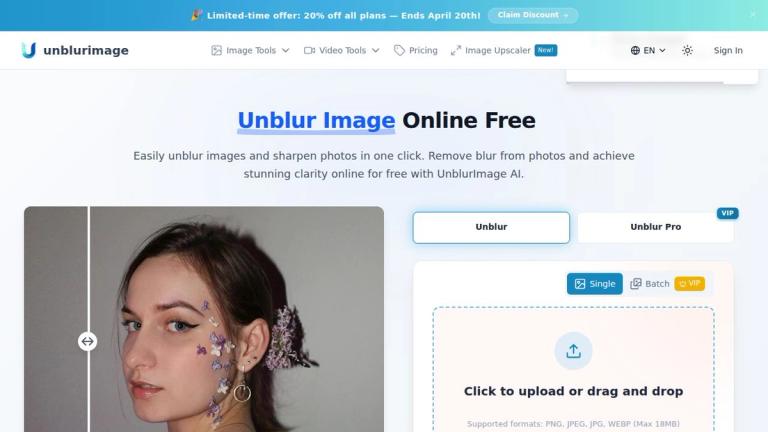
UnblurImage AI offers a powerful online tool to easily unblur images and sharpen photos with just one click. It leverages advanced AI to remove blur from photos, achieving stunning clarity and enhancing details. The platform supports all major image formats including PNG, JPEG, JPG, and WEBP, with a maximum file size of 18MB. Users can simply upload or drag and drop their images to begin the enhancement process. UnblurImage AI can process various types of content, effectively handling different watermarks and unwanted elements, though the primary focus is on blur removal and quality enhancement.

Target Audience

Casual users wanting to fix blurry personal photos.,Graphic designers and artists needing to enhance image quality for their work.,Content creators and social media users looking to improve visual content.,E-commerce businesses for enhancing product photography.,Professionals requiring high-resolution images for presentations or print.,Anyone looking for a quick and easy way to improve image clarity and detail.

Key Features
  • AI-Powered Image Sharpening: Utilizes powerful AI to remove photo blur, sharpen blurry photos, and enhance detail clarity by refining each pixel.
  • Image Unblurring for Clearer Details: Quickly and effectively removes blur from photos, recovers blurred details, and restores clarity to images affected by motion blur or poor focus.
  • Upscaling for Higher Resolutions: Upscales images up to 4x and 4K resolution, enhancing clarity and making photos crisp and sharp even when enlarged for high-resolution prints or large displays.
  • Image Quality Enhancement: Beyond unblurring, it enhances image details, making lines sharper, colors more vibrant, and textures clearer, ideal for close-ups or product shots.
  • Noise Reduction and Clarity Enhancement: Effectively eliminates various types of noise (high ISO, scan, compression) while maintaining image clarity and detail.
Use Cases
  • Restoring clarity to blurry personal or vacation photos.
  • Enhancing product shots and close-ups for e-commerce or marketing materials.
  • Improving images for presentations and professional printing.
  • Retouching photographs of artwork for artists and designers.
  • General image enhancement for graphic designers and content creators.
  • Making social media posts stand out with clear and vibrant images.
Pros
  • Free to use for unblurring images online.
  • Easy and quick one-click process for image enhancement.
  • AI-powered for effective blur removal and sharpening.
  • Supports multiple major image formats (PNG, JPEG, JPG, WEBP, HEIC).
  • No sign-up required to process and download images.
  • Offers image upscaling up to 4x and 4K resolution.
  • Includes noise reduction and overall image quality enhancement.
  • Delivers high-quality, clear, and vibrant results.
  • Saves time for image editing tasks.
Cons
  • Maximum file size limit of 18MB for uploads.
  • Specific details on 'Unblur Pro' and 'VIP' tiers are not provided, implying potential limitations or premium features not available in the free version.
Pricing

The core service of unblurring images online is advertised as "Free." While "Unblur Pro" and "VIP" options are mentioned, no specific pricing details or feature differences for these potential premium tiers are provided on the webpage. The process is available without requiring a sign-up.

Latest News

How to Change the Resolution of a Picture — Unblur Images Like a Pro

How to Change the Resolution of a Picture — Unblur Images Like a Pro

8/5/2026

How to Change the Resolution of a Picture — Unblur Images Like a Pro ·Oct 30, 2025 # How to Change the Resolution of a Picture — Unblur Images Like a Pro Enhance photo quality instantly with UnblurImage.ai — change picture resolution, unblur images, and sharpen details, using powerful AI in secon...

How to Batch Remove Image Blur with Unblurimage.ai

How to Batch Remove Image Blur with Unblurimage.ai

8/5/2026

How to Batch Remove Image Blur with Unblurimage.ai 0 Upgrade One-time 0 Permanently valid Allowance 0 Expire on View Subscription >> Explore More Plans Allowance Sign In Account: 0 Credits Subscribed Pricing Cancel Subscription Delete Account Sign Out Confirm Delete Account × Pl...

How to Remove Blur from Image with Unblurimage.ai

How to Remove Blur from Image with Unblurimage.ai

8/5/2026

How to Remove Blur from Image with Unblurimage.ai 0 Upgrade One-time 0 Permanently valid Allowance 0 Expire on View Subscription >> Explore More Plans Allowance Sign In Account: 0 Credits Subscribed Pricing Cancel Subscription Delete Account Sign Out Confirm Delete Account × Ple...

Best AI Upscaling Video Online Free – Enhance Video Quality Fast

Best AI Upscaling Video Online Free – Enhance Video Quality Fast

8/5/2026

Best AI Upscaling Video Online Free – Enhance Video Quality Fast 0 Upgrade One-time 0 Permanently valid Allowance 0 Expire on View Subscription >> Explore More Plans Allowance Sign In Account: 0 Credits Subscribed Pricing Cancel Subscription Delete Account Sign Out Confirm Delete...

HD Photo Converter — Unblur Your Image with Unblurimage

HD Photo Converter — Unblur Your Image with Unblurimage

8/5/2026

HD Photo Converter — Unblur Your Image with Unblurimage ·Jun 21, 2025 # HD Photo Converter — Unblur Your Image with Unblurimage Discover how AI image upscalers are transforming low-resolution images into stunning high-quality visuals. Learn about the latest advancements and how tools like UnblurI...

Alternatives

  • PicWish

    User-friendly AI deblurs portraits and old photos with bulk processing up to 30 images, watermark-free on free tier for quick social fixes.

  • LetsEnhance

    High-fidelity unblurring with specialized models for different blur types, supports 4x upscaling ideal for professional prints and e-commerce.

  • Picsart

    All-in-one editor unblurs while offering templates and cloud storage, perfect for mobile creators handling social content workflows.

  • Artguru

    Multi-format deblurring for images, videos, and PDFs with batch support, daily free credits for testing portrait restores and text sharpening.

  • Topaz Photo AI

    Desktop tool for RAW pro workflows, excels in detail recovery from lens blur on paid plans for photographers needing artifact-free results.

  • Pollo.ai

    Beginner one-click unblurring for casual portraits and old photos, fast browser processing with trial for everyday enhancements.

  • Upscale.media

    AI upscaler that sharpens blurry images via noise reduction and enlargement, suited for web graphics without login hassles.

FAQ

More Products

TinyPNG is Tinify’s browser-based image compressor and converter. This review explains how its web tool differs from its Developer API, what each free allowance covers, and when its compression, conversion, resizing, and cropping features may fit an image workflow.

iLoveIMG is a browser-based image service for compression, resizing, cropping, conversion, and editing, with a free Basic plan and paid options.

Pixelcut is an AI image and video platform with tools for background removal, upscaling, retouching, image generation, and product visuals.

Slazzer removes image backgrounds online. Its website offers free, low-resolution previews; higher-resolution downloads use credits.

Ezgif is a free online toolset for making and editing animated GIFs, converting videos to animations, and working with other image formats.

Free face rater with visible symmetry and proportion diagrams, plus optional illustrated reports and six AI hairstyle concepts.

An online AI photo editor where you describe the change and an AI image model makes it. Remove objects, swap backgrounds, restore old photos and restyle portraits.

SpriteGen is a free online sprite creator. Describe your character, pick a perspective and style, and the AI generates a game-ready pixel-art sprite sheet.

Plimo brings the newest AI image and video models together in one place and makes them easy to use. Pick a trending template and add your photo, or describe your own idea and choose a model. New accounts get 100 free credits, and plans start at $15/month.

AI photo effects and editing workspace: Y2K, VHS, glitch and vintage grain styles in your browser.

All-in-one toolkit for freelancers combining 27+ AI-powered writing tools, file converters, and productivity utilities into a single workspace.

AI-powered thumbnail generator that creates data-backed, viral thumbnails to help content creators increase views and engagement.

Free AI-powered dog breed identifier that analyzes photos to identify breeds from 360+ breeds with personality and health information.

AI-powered logo maker and brand identity design platform that generates professional logos and automates brand creation.

Unique AI-powered pet name generator that creates personalized name suggestions based on your pet's photo, along with downloadable name certificates.

Free AI-powered tool that predicts what your future baby will look like by analyzing photos of parents using advanced facial recognition and generation technolo