

Vheer - AI-Powered Image & Video Generation
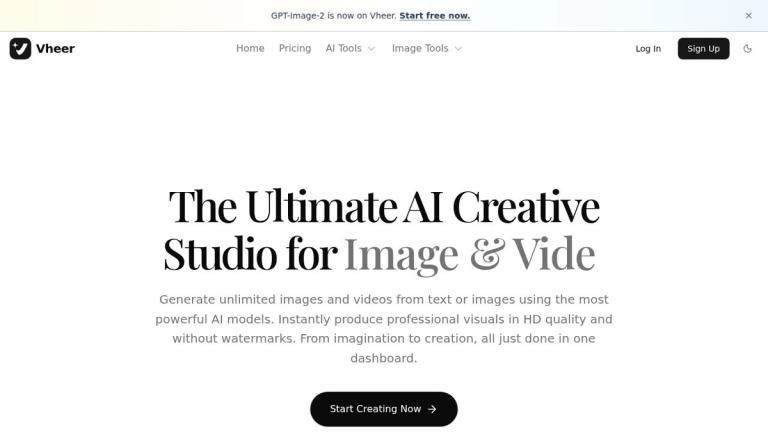
Vheer is a comprehensive AI creative studio that enables users to generate stunning images and videos from text descriptions or existing images. The platform integrates multiple advanced AI models into a single, unified workspace, making professional-quality visual content creation accessible to everyone.
Core Capabilities
Vheer offers a complete suite of AI-powered creative tools organized into two main categories:
AI Tools
- Text to Image: Generate stunning images from text descriptions
- Text to Video: Create videos from text prompts
- Image to Image: Transform and edit images with AI assistance
- Multi Images to Image: Edit using one primary image plus multiple references
- Image to Video: Animate static images into dynamic videos
- Image to Prompt: Extract high-quality prompts from existing images
- Image to Text: Extract text content from images using OCR
- Background Remover: Remove image backgrounds instantly
Image Editing Tools
The platform includes numerous image manipulation utilities such as color inversion, grayscale conversion, black & white thresholding, image flipping, blur effects, face detection and blurring, image resizing, HSL adjustments, image splitting, outline generation, background blur, color palette extraction, and image combining.
AI Models Available
Vheer integrates some of the world's best AI models for both image and video generation, including:
- Vheer Quality (proprietary)
- Nano Banana Pro & Nano Banana 2
- Flux Klein
- SeeDream V4
- SeeDance V1 Pro Fast
- Veo3 Fast
- LTX Video 2.3 Fast
- Sora 2
- MiniMax Image 01
- MiniMax Hailuo 2.3 Fast
Dashboard Features
The all-in-one dashboard provides:
- Instant Tool Switching: Seamlessly move between different tools
- Visual Generation Canvas: Real-time preview of creations
- Precise Model Controls: Fine-tune generation parameters
- Easy Customization: Intuitive interface for quick edits
- Trackable Generation History: Keep track of all your creations
Users can produce professional visuals in HD quality without watermarks, moving from imagination to final creation in one streamlined workspace.
Target Audience
Content creators, marketers, designers, social media managers, and anyone needing AI-generated visual content
Key Features
- Text to Image generation
- Text to Video generation
- Image to Image transformation
- Multi-image reference editing
- Image to Video animation
- Image to Prompt extraction
- OCR text extraction from images
- Background removal
- Multiple AI model integration
- HD quality output without watermarks
- All-in-one dashboard workspace
- Batch image processing tools
- Color and HSL adjustments
- Face detection and blur
- Image resizing and splitting
Use Cases
- Creating marketing visuals from text descriptions
- Generating social media content
- Producing video content from static images
- Removing backgrounds from product photos
- Extracting text from images using OCR
- Creating artistic and creative visual content
- Batch processing and resizing images
- Generating prompts from reference images
- Professional image editing and enhancement
- Rapid prototyping of visual concepts
Pros
- Access to multiple premium AI models in one platform
- No watermarks on generated content
- HD quality output
- Comprehensive all-in-one dashboard
- Wide variety of image editing tools included
- Free tier available to start
- Intuitive and user-friendly interface
Cons
- Premium features may require paid subscription
- Quality depends on selected AI model
- May require learning curve for advanced features
Pricing
Free tier available with sign-up; premium pricing details available on the pricing page.


