

Cleanup.pictures
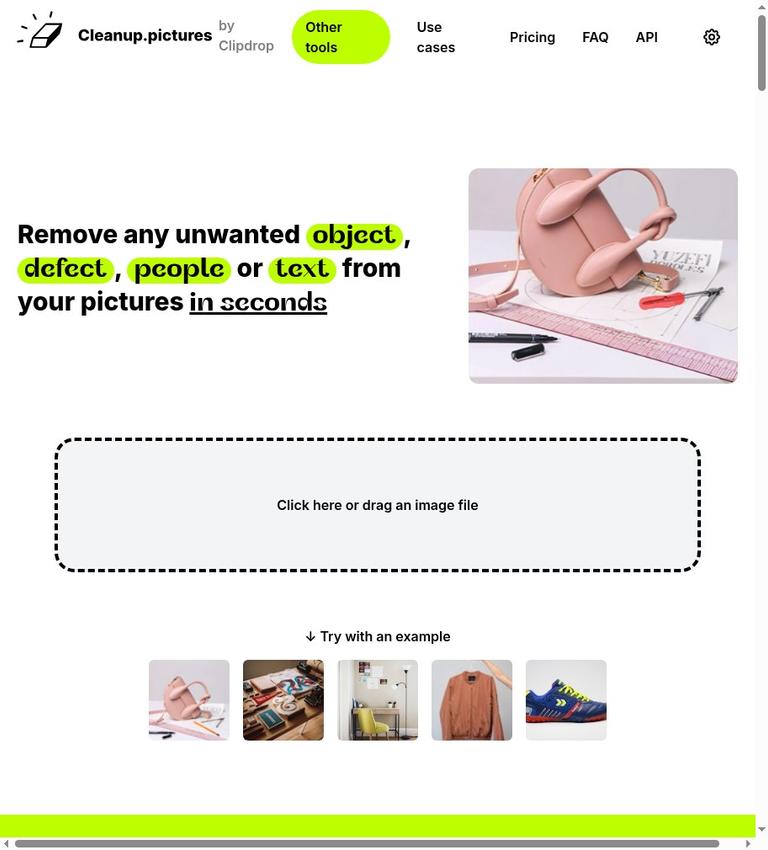
Cleanup.pictures is a web application for removing unwanted objects, people, text, and defects from pictures. The site describes a simple workflow: load an image, draw over the content to remove, and let its AI reconstruct what was behind the selected area. Its homepage advertises free use with unlimited images, while limiting free exports. The page describes that limit in two ways: the pricing section says 720p, and the FAQ says 720 pixels. It does not explain whether those descriptions mean the same thing.
The service is presented as a tool for localized photo cleanup rather than a general-purpose image editor. Its examples include removing a tourist, timestamp, blemish, wrinkle, or text element. Whether the result suits a particular image or output requirement is not stated by those examples. This review summarizes the product information published by the official site; it does not claim firsthand testing of image quality, speed, or reliability.
What Cleanup.pictures does
The site calls its approach inpainting, describing it as a retouch technology for removing unwanted objects from photos. The stated process is to mark an area with a brush. The homepage says the AI reconstructs what was behind the removed object. That describes the intended operation, not a guarantee that every background, edge, or texture will be reconstructed convincingly.
The listed targets span several kinds of edits. The site says users can remove people, objects, and defects; it also describes drawing over text or a watermark. For portraits, it mentions blemishes and wrinkles. Examples for photographers include removing timestamps or tourists from holiday photos. These use cases differ in difficulty: a small mark and a large object against a complex background are not equivalent tasks. The available material does not provide performance results for either.
The homepage names photographers, creative agencies, real estate, and e-commerce as audiences or use cases. It also describes cleaning and depersonalizing photos of rooms, flats, houses, or apartments. These descriptions show the kinds of work the service promotes. They do not confirm that it meets a particular professional quality standard, or that its terms grant commercial-use rights for an edited image.
How the documented workflow works
The site’s instructions are straightforward: load an image into the tool and draw over the content you want removed. The selected area can be text or a watermark, and the wider examples include objects, people, and defects. The FAQ describes downloading the result after retouching. The official site does not document a more elaborate editing sequence, a particular undo or recovery process, or the availability of controls beyond the brush-based selection.
The site offers one brush tip: select a brush larger than the unwanted area and cover more than the target, especially its shadows. It says this can help the algorithm create better results. This is the site’s own guidance, not a tested rule or assurance. It may be relevant where an unwanted object has a shadow, but the official site does not explain how much area to include or how to address an unsatisfactory result.
The product is described as a web application, and the homepage invites visitors to drag and drop an image to get started for free. The site says a subscription works on both mobile and desktop. That statement concerns subscription use across those device categories; it does not confirm that a native mobile app or separate desktop application exists. The official site does not identify supported input formats or downloadable output formats.
Free use and its limits
The official page describes a genuinely usable free workflow, not only a preview: it says users can edit images and export results, with the free export limited in resolution. The free plan card also advertises unlimited images. The free boundary is therefore the stated output-resolution limit, rather than a stated cap on the number of images. No separate free image quota is established by the published page text.
There is an unresolved wording difference in the limit. The pricing section says “Resolution limited to 720p”; the FAQ says “Export will be limited to 720px for the free version.” Those are not identical specifications, and the official text provided here does not reconcile them. The FAQ separately says images of any size can be imported and edited, while free exports are limited. This distinguishes input size from output resolution in the page’s description, but it does not clarify the 720p-versus-720px wording. If a particular pixel dimension matters to your work, verify the current limit and the exported file rather than treating the terms as interchangeable.
The site also says users can try HD quality for free through a trial and describes the trial period as a “free look period.” That is an evaluation offer, not evidence that ongoing HD exports are part of the continuing free plan. The official site does not confirm the trial’s duration or all its conditions. It is important to keep the trial distinct from the free version’s stated export boundary.
Pro, subscriptions, and API pricing
The site associates Pro with a high quality refiner and says there is no size limit for the Pro version, with processing for images of any size. Those are the specific distinctions the official site supports. It does not explain in detail how the refiner changes an image, or describe every feature available in Pro.
The homepage’s price presentations do not agree clearly enough to give one unqualified figure. The Pro card says “3 starting from,” while the FAQ lists $5 per month or $36 per year, describing the annual cost as $3 per month. The official site does not explain the difference between the card and FAQ. Confirm the current plan price and terms on the official site before subscribing rather than assuming either presentation resolves the other. The page says each Cleanup subscription is individual and limited to one user; it should not be treated as a multi-user entitlement.
The site lists API access separately with usage-based pricing and says special pricing applies. It points to documentation, a live demo, and samples, and names Node.js, SwiftUI, and Kotlin as environments in which the API can be used. This is a developer-facing option. The official site does not say API access is included in the consumer free plan or Pro subscription, and it does not provide enough pricing detail to calculate API costs.
The homepage says subscriptions can be managed through a “manage subscription” section. The official site does not confirm what payment methods are accepted or provide further account-management details. It also does not state whether creating an account or logging in is required to use the free workflow. Do not infer an account requirement, or the absence of one, from the drag-and-drop invitation.
Privacy, rights, and platform unknowns
The published official-page text contains no privacy statement explaining whether uploaded images or edits are stored, how long they are retained, or how they are used. That is a material unknown for images containing personal, client, property, or other sensitive information. The absence of a statement in the official pages is not evidence either that images are retained or that they are not. If the handling of an image matters, check the service’s current privacy information before uploading it.
The official text also does not make a general statement granting commercial-use rights for edited images. The site’s list of professional use cases is not a rights grant. Users should confirm they have the necessary rights to the original image and consult the applicable terms for their intended use. Supported input and output file formats, native app availability, and free-use account requirements are likewise not established in the official site.
Watermarks require particular care. Cleanup.pictures describes brushing over text or a watermark, but its homepage warns that watermarks usually indicate restrictive copyrights and says to remove them only from images for which the user has an explicit license. The availability of a removal feature does not provide permission to remove a watermark. Follow the site’s stated caution and use the feature only when authorized.
Relationship to ClipDrop and Init ML
The homepage displays a ClipDrop Pro listing that includes Cleanup, and its footer names Init ML as the copyright holder. Those are the supported details. They do not confirm a broader corporate relationship between Cleanup.pictures and ClipDrop. Nor does the listing establish that a ClipDrop subscription includes a particular Cleanup entitlement, or that the services share accounts, features, or terms. For the available product and plan information, see Clipdrop; do not assume the listing itself settles any subscription question.
Who may find it useful
Cleanup.pictures may suit someone who needs to mark and remove a localized object, person, text element, or defect and can work within the free export boundary. The homepage’s unlimited-images wording may be useful for repeated cleanup, but it does not change the stated resolution limit. The brush workflow is a direct way to identify what should be removed; the official site does not confirm how successful it will be for a particular photograph.
The site’s examples make the tool relevant to portrait retouching, travel photographs, property imagery, and e-commerce or agency work. Those are use cases named by the site, not independent recommendations or proof of professional suitability. A business user should consider the one-user subscription limit, the unresolved privacy and commercial-rights questions, and the output dimensions required by the job. The official site does not confirm any particular business workflow’s compliance or quality requirements.
If the final image needs a larger output than the free plan allows, the site points to Pro for processing images of any size. However, the price presentations conflict, so confirm the current charge and subscription conditions first. The HD trial may offer a way to evaluate HD quality, but its duration and detailed conditions are not stated on the official site; it should not be confused with continuing free high-resolution use.
This is an evidence-based review of the official product information, not a hands-on test. It cannot verify image quality, speed, reliability, or how the brush performs on specific photographs. A cautious evaluation would use a non-sensitive image similar to the intended task, check whether the exported result meets the required dimensions, and review the current terms before moving to paid use. Do not upload sensitive images on the assumption that they are or are not retained; the official site does not answer that question.
Alternatives and decision
No named non-paid alternatives were published as approved for this review, so there is no verified alternative to recommend. Rather than inventing a comparison, assess the requirements that are supported by the product information: whether the free output limit suits the job, whether you are authorized to edit the source image, whether the image is appropriate to upload given unresolved privacy details, and whether you need a single-user web subscription or developer API access. The official site here does not confirm how Cleanup.pictures compares with another service on quality, cost, file support, or privacy.
The practical assessment is conditional. Cleanup.pictures has a clearly described brush-based removal workflow and a free version that supports editing and exports. The free plan advertises unlimited images, but the resolution boundary is worded inconsistently as 720p and 720 pixels. Pro is described as supporting images of any size and includes a high quality refiner, while the displayed card and FAQ pricing do not match cleanly. Check both the current export specification and price before relying on them. For watermarks, follow the site’s explicit-license caution. For sensitive images or commercial work, resolve the privacy and rights questions rather than treating them as settled.
Frequently asked questions
Is Cleanup.pictures free?
The site describes a free version with unlimited images and a usable editing-and-export workflow. Free exports are limited, though the page describes the limit differently in two places: 720p in the pricing section and 720 pixels in the FAQ. The available material does not explain the discrepancy.
What can Cleanup.pictures remove?
The site says it can remove objects, people, text, and defects. Its examples include watermarks, blemishes, wrinkles, timestamps, and tourists. These are stated use cases, not a guarantee of a particular result.
How do you use Cleanup.pictures?
The documented process is to load an image and draw over the content to remove. The FAQ describes downloading the result. The site recommends using a brush larger than the target and covering shadows as well.
Does Cleanup.pictures provide free HD exports?
The free plan has a stated export-resolution limit. The site says users can try HD quality for free through a trial, which it describes as a free look period. The official site does not confirm that ongoing HD exports are free or specify the trial’s duration.
What does Cleanup.pictures Pro include, and what does it cost?
The site lists a high quality refiner and says Pro processes images of any size. Pricing is not presented consistently: the Pro card says “3 starting from,” while the FAQ lists $5 per month or $36 per year, described as $3 per month. Confirm current pricing and terms with the service.
Does Cleanup.pictures require an account or offer a mobile app?
The official site does not say whether an account is required for free use or whether a native mobile app is available. It describes a web application and says a subscription works on both mobile and desktop.
Can you remove a watermark with Cleanup.pictures?
The site describes brushing over a watermark, but warns that watermarks usually indicate restrictive copyrights. It says to remove them only from images for which you have an explicit license. The removal feature itself does not confirm permission.


