

PhotoScissors
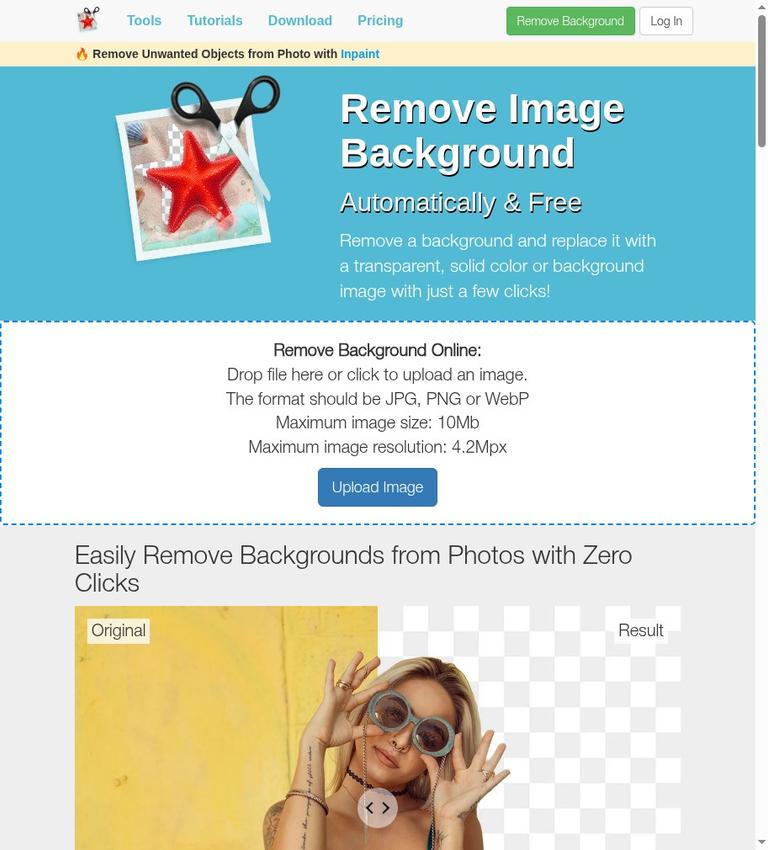
PhotoScissors is an online tool for removing a photo’s background and isolating a person or object. You upload an image, let the service make an initial cutout, and can replace the removed background with transparency, a solid color, or another image. The vendor explicitly offers free downloads in standard definition, while paid options include credit packs and desktop products. The exact pixel dimensions of free downloads and any free-use quota are not stated in the available official information.
That free download offer gives PhotoScissors a usable non-paid workflow, but it is not a fully specified free tier. It may be suitable if standard-definition output is enough and your image fits the stated upload limits. It is harder to assess for work that requires a particular output resolution, a known free-download volume, or explicit commercial-use terms. The available official information does not provide independent performance measurements, so vendor claims about cutout quality should not be treated as independently verified results.
The homepage lists maximum uploads of 10 MB and 4.2 megapixels. Check both limits against your source image. The site lists JPG, PNG, and WebP as upload formats, but the official site does not specify downloadable file formats. It also does not confirm whether an account is required for free online processing. These gaps matter if you need a documented production workflow rather than a quick background edit.
What PhotoScissors does
PhotoScissors is presented as a way to isolate a person or object from a photograph, either to paste the cutout into another picture or remove the background. The service describes its automatic processing as powered by deep neural networks trained on millions of images. That is the vendor’s description of its approach, not proof that every image will produce clean edges. The homepage’s claims of a “perfect” or “flawless” result are promotional claims; the official site includes no independent tests or measured accuracy.
After background removal, the product says users can choose transparency, a solid color, or a background image. The vendor lists product-image preparation for eBay, Etsy, and Amazon, as well as collages and other photo edits, among possible uses. These are examples of intended workflows, not a guarantee that a marketplace will accept a particular output or that users have commercial rights to every image.
The homepage lists JPG, PNG, and WebP as upload formats. That list concerns inputs; the available official text does not identify the formats offered for download. If you need a specific output format, confirm it in the tool before relying on the service. A transparency option alone does not confirm which downloadable format preserves transparency.
A practical workflow
Upload and inspect the cutout
The online workflow begins with an upload: the homepage invites users to drop a file or click to select an image. PhotoScissors says its algorithm automatically removes the background. Treat that description as a starting point to inspect rather than a guarantee of a finished result, particularly for fine hair, transparent elements, or subjects that blend into the background. The vendor says the tool handles semi-transparent objects such as hair, but the official site does not show how reliably it does so across different photos.
The stated upload ceilings are 10 MB and 4.2 megapixels. Check both before uploading. The official information does not explain whether the service can resize an image that exceeds those limits, so do not assume that oversized files can be corrected within the tool.
Refine using the described controls
PhotoScissors describes a group-by-color feature. Its stated workflow is to mark areas to cut and areas to preserve, then let the program process the rest. The site also describes a Hair tool for transparent objects and a transparent marker for areas intended to retain both foreground and background textures. These descriptions indicate that the product presents options beyond automatic removal, but the official site does not document every control, interface step, or editing capability.
A reasonable approach is to inspect the subject boundary and use the described marking tools where the initial result needs correction. Then choose whether the replacement should be transparent, a solid color, or an image. The vendor says background replacement can be done in a few clicks, but the official site does not confirm a particular number of steps or guarantee a result. This review is based on published official information, not firsthand testing; it cannot confirm interface speed or output quality.
Download and check the output
The free boundary is important before relying on the tool: the pricing page explicitly says “Free download of images in standard definition (SD).” That confirms a free downloadable result, rather than only a preview or trial. However, the exact dimensions of an SD download are not stated in the available official text. Nor does it give a daily or monthly free-download quota. You can conclude that free standard-definition downloads are offered, but not how large those downloads are or how many are available over a given period.
Do not confuse the upload maximum with output resolution. The 4.2-megapixel limit describes the maximum image resolution the homepage says it accepts; it does not define the dimensions of a free download. Similarly, the listed upload formats do not confirm the download formats. If your project has specific requirements for resolution, format, or volume, verify them before relying on the free workflow.
Free use and paid options
PhotoScissors is best described as freemium on the official site available. The vendor directly states that images can be downloaded free in standard definition. The exact free resolution and quota are not stated. This makes the service a possible option for work where SD downloads suffice, but an uncertain choice when predictable dimensions or volume are essential.
For online paid use, the pricing page lists credit packs of 10, 50, 200, and 1,000. Its displayed prices are $4.99 for 10, $9.99 for 50, $19.99 for 200, and $29.99 alongside $39.99 for 1,000 credits. It also displays per-image amounts of 50 cents, 20 cents, 10 cents, and 3 cents, respectively. Because the 1,000-credit listing shows both a promotional and a higher price, treat these as prices displayed on the official site page, not as a guarantee that a particular promotion will remain available.
For online processing, one credit corresponds to one image, and a credit is used when you download the result. The pricing page says you can re-edit and download that same image without spending another credit. Uploading it again counts as a new image and uses a credit when its result is downloaded. Credits are valid for one year from the date of the last purchase. Once all purchased credits have been used, the page says new credits are needed to continue processing images.
The pricing page also offers desktop versions for Windows and Mac and describes a one-year license period during which unlimited images can be processed. It describes the desktop version as allowing unlimited offline image processing, while also saying an internet connection is required to activate the license. These statements distinguish offline processing from activation; they do not mean activation can be completed without internet access. The page says local processing may perform well on a modern computer. It also says credits can be used with online and desktop versions, so check current terms if comparing a desktop license with credit-based processing.
The official site refers to an iOS version in its credit-use description, but does not confirm its availability or provide its terms. It also mentions an API key sent after purchase, without describing API access, endpoints, or API pricing. That mention is not enough information to plan an integration.
The pricing page says purchases are not eligible for a cash refund or exchange, explaining that products are available to try before buying. The existence of free SD downloads does not confirm that every paid feature can be tested in advance. Confirm what you can try and what you would be buying before paying.
Accounts, privacy, and rights
The website includes login and profile controls. That does not confirm whether an account is required for free online background removal; the official site leaves that question unanswered. Check the current upload flow if account requirements matter to you.
The privacy policy says uploaded images are transferred over a secured connection and used only to remove backgrounds and offer results for download. It also says the company does not share uploaded images with third parties or publish them. The policy text published here does not give an image-retention period or specify when uploaded images are deleted. Those statements should not be extended into a claim about deletion timing.
The policy separately says the site collects information users provide, including names, email addresses, IP addresses, browser information, usernames, and passwords. It says server logs include IP addresses, cookie information, and requested pages. The policy says users can delete an account and personal information they provided through the profile page. It also says aggregate usage information may be shared with partners, while stating that this information is not disclosed in a way that identifies users personally. Cookies are described as supporting site features and non-personalized statistics.
These are the vendor’s stated practices, not an independent audit. For sensitive images, read the current privacy policy and consider whether its stated handling meets your needs. The official site does not confirm a general commercial-use license or other rights for generated results. Marketplace examples on the homepage are use cases, not a substitute for explicit rights terms. Check the rights attached to the source image and seek clarification about output usage if that matters to your project.
Limits and realistic fit
The clearest technical constraints are the 10 MB file-size maximum and 4.2-megapixel upload maximum. The free tier’s exact output resolution and download quota are not given, and the site does not identify downloadable file formats. Those gaps are relevant when preparing assets to strict specifications. The vendor’s claims about handling hair and transparent objects may be useful context, but the official site does not quantify performance or guarantee a clean cutout on difficult images.
PhotoScissors may fit users who want a focused background-removal workflow, need a transparent or replacement background, and can work within the stated upload limits and free SD output. It may also suit someone looking for credit-based payment for occasional paid downloads; the published online pricing describes credit packs. For higher volume, compare the one-credit-per-downloaded-image online model with the desktop license terms and the computer requirements described by the vendor.
It is a less certain fit if you need exact high-resolution exports, a known free quota, a documented output format, API integration, or firm commercial rights. The official site does not answer those questions. If image privacy depends on deletion after a set period, the privacy policy does not confirm one either. These gaps do not prove the product cannot meet your needs; they are reasons to verify before making it part of a deadline-driven or sensitive workflow.
Alternative
If you are comparing background-removal tools, see our remove.bg listing as another option to evaluate. The official site does not confirm a feature-by-feature comparison, so compare the workflows and terms each product documents for your image, output requirements, and budget. Do not assume another tool has a better free resolution or different rights unless its current official terms confirm that.
Verdict
PhotoScissors offers a clear core workflow: upload a photo, remove its background automatically, refine areas with marking tools, and choose a transparent, solid-color, or image background. The free offer is meaningful because the vendor explicitly says standard-definition images can be downloaded for free. It is not a fully specified free tier: the exact output resolution and download quota are unknown.
The product may suit occasional background-removal work where SD output and the stated upload limits are acceptable. Paid online credits have a defined consumption rule, while the Windows and Mac desktop option is described as allowing unlimited processing during a one-year license period. Before paying, consider the stated no-cash-refund-or-exchange policy and confirm the details the official information leaves open, especially resolution, output format, account requirements, usage rights, and any API terms you need. PhotoScissors could be a practical focused tool, but those unanswered questions make it less certain for tightly specified or high-volume production.


