LogoAI Jet
Icon for Pixelfox AI

Pixelfox AI

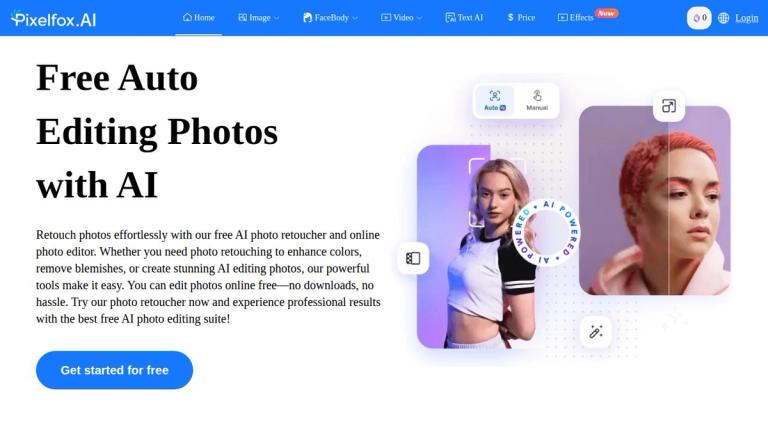
Pixelfox AI offers a comprehensive suite of free online AI tools for editing photos and videos, including background removal, object removal, virtual try-on, image generation, video enhancement, and avatar creation.

Introduction

Pixelfox AI is a free online platform that leverages artificial intelligence to provide a wide array of photo and video editing capabilities. It aims to make advanced editing accessible to everyone, offering tools for both basic adjustments and complex creative tasks. The platform supports multiple languages, indicating a global reach, and provides a user-friendly interface for various image, face/body, and video manipulation tasks.

Target Audience

Casual users and hobbyists,Social media managers and content creators,Small businesses and e-commerce sellers,Digital artists and designers,Anyone needing quick and easy photo/video edits without professional software

Key Features
  • Edit images with AI text prompts (Inpaint)
  • Remove backgrounds quickly
  • AI Try-On (Virtual Fitting Room – AI Stylist)
  • Remove unwanted objects from photos
  • Blend multiple images seamlessly
  • Remove watermarks instantly
  • Uncrop and expand images
  • Improve image quality (Enhancer)
  • Enlarge images without quality loss (Upscale)
  • Alter images intelligently (Reimagine)
  • Generate images from text
  • Transfer photo styles
  • Remove logos from images
  • Remove subtitles from images
  • Colorize black & white photos
  • Change image colors
  • Apply artistic styles to images
  • Generate realistic AI backgrounds
  • Replace the sky in photos
  • Automatically remove the background from any image (Cutout)
  • Retouch skin automatically
  • Slim faces in photos
  • Enhance facial features (Face Beauty)
  • Apply virtual makeup
  • Reshape facial features
  • Turn photos into drawings
  • Create anime-style portraits
  • See how you might look at different ages (Age Progression)
  • Instantly change facial expressions in photos
  • Virtually try on new hairstyles and colors
  • Instantly open closed eyes in any photo
  • Create videos from text/photos (AI Video Generate)
  • Create dance videos from photos
  • Make photos talk (AI Avatar, AI Photo Talking)
  • Make photos sing (AI Face Singing)
  • Create lip-synced videos
  • Enhance video quality
  • Upscale video resolution
  • Increase video frame rate (AI Frame Interpolation)
  • Enhance video portraits
  • Remove video noise
  • Apply artistic styles to videos
  • Remove video subtitles
  • Remove video logos
  • Translate and dub videos into any language
Use Cases
  • E-commerce product photo editing (background removal, AI try-on)
  • Social media content creation and enhancement
  • Personal photo retouching and artistic transformation
  • Marketing and advertising material generation
  • Video post-production and localization
  • Creative projects like turning photos into drawings or anime
  • Virtual makeovers and hairstyle experimentation
Pros
  • Free to use for core functionalities
  • Comprehensive suite of AI-powered image editing tools
  • Extensive range of AI-powered video editing capabilities
  • Specialized face and body retouching features
  • Online platform, accessible from any device
  • Supports multiple languages for a global user base
  • Offers advanced AI features like virtual try-on and video translation
Pricing

Advertised as 'Free AI Edit photos/video online free'. A dedicated 'Price' page exists, suggesting potential premium features, subscription tiers, or credit-based usage for advanced tools.

Latest News

How AI Powers Next-Generation Image and Video Editing: A Deep Dive into Pixelfox.ai

How AI Powers Next-Generation Image and Video Editing: A Deep Dive into Pixelfox.ai

8/5/2026

How AI Powers Next-Generation Image and Video Editing: A Deep Dive into Pixelfox.ai # How AI Powers Next-Generation Image and Video Editing: A Deep Dive into Pixelfox.ai Author:leemasshelen , Date:10 months ago Discover how Pixelfox.ai uses AI models like GANs, diffusion, and super-resolution to ...

Removing Backgrounds Made Simple with Powerful AI Tools ...

Removing Backgrounds Made Simple with Powerful AI Tools ...

8/5/2026

Removing Backgrounds Made Simple with Powerful AI Tools (2025 Update) # Removing Backgrounds Made Simple with Powerful AI Tools (2025 Update) Author:Usama , Date:9 months ago Remove photo backgrounds in seconds with our AI background remover. Get clean, professional images effortlessly using powe...

Realistic AI Videos – Generate Life-Like Video Content

Realistic AI Videos – Generate Life-Like Video Content

8/5/2026

Realistic AI Videos – Generate Life-Like Video Content # Realistic AI Videos – Generate Life-Like Video Content Author:Iqra_Fatima , Date:11 months ago Find out about tools you can use to create the appearance of real AI videos, such as PixelFox. Learn how realistic AI video is transforming conte...

Best Free AI Image Generator: Why Pixelfox.ai Tool Tops All Others in 2025

Best Free AI Image Generator: Why Pixelfox.ai Tool Tops All Others in 2025

8/5/2026

Best Free AI Image Generator: Why Pixelfox.ai Tool Tops All Others in 2025 # Best Free AI Image Generator: Why Pixelfox.ai Tool Tops All Others in 2025 Author:Iqra_Fatima , Date:11 months ago Discover why Pixelfox.ai is the top free AI image generator in 2025. Find the best AI art generators, che...

AI Video Generator - Text & Image to Video - Pixelfox AI

AI Video Generator - Text & Image to Video - Pixelfox AI

8/5/2026

AI Video Generator - Text & Image to Video - Pixelfox AI # Turn Text & Images into Stunning Videos with AI Create high-quality videos from your ideas in seconds. Simply prompt or upload an image, choose a style, and let Pixelfox’s AI image reimagine and reimagine image AI technology instantly gene.....

Alternatives

  • Pixelcut

    AI photo editor for fast background removal and product mockups, ideal for e-commerce with clean edges and no-download access.

  • Canva

    All-in-one design platform with Magic Studio for AI image/video edits, object removal, and templates perfect for marketing teams.

  • Picsart

    Mobile-first AI editor with face swaps, generative fills, and video effects for creative social content and avatars.

  • Fotor

    Cross-platform photo editor offering AI upscaling, restoration, and batch processing for professional video enhancements.

  • Simplified

    AI suite combining image generation, video tools, and content creation for streamlined marketing workflows.

  • Photoleap

    AI app for cutouts, background swaps, and layering effects, suited for artistic photo and video experiments.

  • Pixlr

    Browser-based editor with AI remove and enhance tools for quick photo fixes and design projects.

FAQ

User Reviews

Click stars to rate

Pricing

Pricing Model: Freemium

Free Plan

For personal or non-commercial projects

Free
Forever

Pro Plan (Monthly)

Subscription plan with credits shared across Web, iOS, Android, API

$9.99
monthly

Pro Plan (Yearly)

Yearly subscription variant of Pro Plan

$9.99 (50% save)
yearly

Pro Plan ($4.99 per credit)

Credit-based Pro option

$4.99
per credit

Flexible Plan

One-time purchase for scaling business, credits shared across Web, iOS, Android, API

Pay as You Go
one-time

More Products

TinyPNG is Tinify’s browser-based image compressor and converter. This review explains how its web tool differs from its Developer API, what each free allowance covers, and when its compression, conversion, resizing, and cropping features may fit an image workflow.

iLoveIMG is a browser-based image service for compression, resizing, cropping, conversion, and editing, with a free Basic plan and paid options.

Pixelcut is an AI image and video platform with tools for background removal, upscaling, retouching, image generation, and product visuals.

Slazzer removes image backgrounds online. Its website offers free, low-resolution previews; higher-resolution downloads use credits.

Ezgif is a free online toolset for making and editing animated GIFs, converting videos to animations, and working with other image formats.

123apps is a browser-based suite of video, audio, PDF, and file-conversion tools. Its apps are free to use with limits on file size and daily operations.

Free face rater with visible symmetry and proportion diagrams, plus optional illustrated reports and six AI hairstyle concepts.

An online AI photo editor where you describe the change and an AI image model makes it. Remove objects, swap backgrounds, restore old photos and restyle portraits.

SpriteGen is a free online sprite creator. Describe your character, pick a perspective and style, and the AI generates a game-ready pixel-art sprite sheet.

Plimo brings the newest AI image and video models together in one place and makes them easy to use. Pick a trending template and add your photo, or describe your own idea and choose a model. New accounts get 100 free credits, and plans start at $15/month.

Vidsembly is an AI video creation platform that turns PowerPoint presentations, PDFs, and documents into narrated videos. Create AI presentations, clone voices, translate slides, transcribe recordings, generate soundtracks, and host videos in one place.

AI photo effects and editing workspace: Y2K, VHS, glitch and vintage grain styles in your browser.

Create polished AI videos from text, images, and audio with advanced motion control.

All-in-one toolkit for freelancers combining 27+ AI-powered writing tools, file converters, and productivity utilities into a single workspace.

AI-powered YouTube growth platform offering tools and services including thumbnail design, video editing, script generation, SEO optimization, and channel manag

A free video recording, editing, and hosting platform with AI-powered features, designed as a Loom alternative for creating and managing video content.