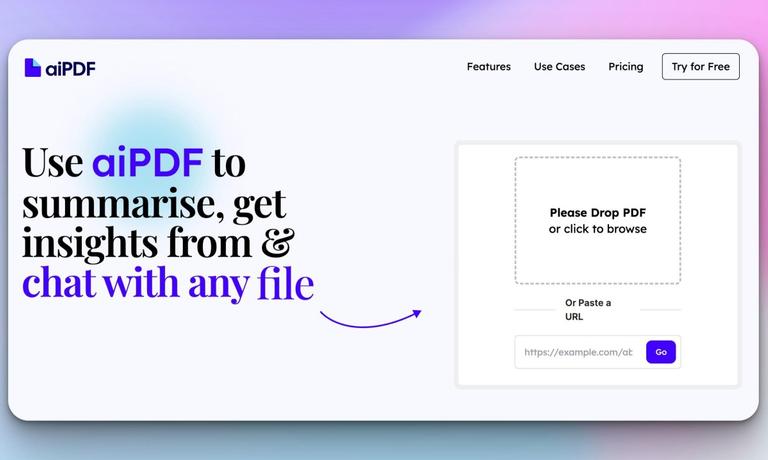
aiPDF is an AI-powered tool that allows users to summarize, extract insights, and chat with PDFs, web articles, YouTube videos, and podcasts.
Features
- Multi-Modal Document Support — aiPDF goes beyond traditional PDF tools by supporting a wide range of input types including PDFs, EPUB books, website URLs, YouTube videos, and podcasts. This versatility allows users to consolidate their research and learning materials into a single, unified platform.
- AI-Powered Summarization with Full Context — The tool can rapidly summarize entire books and lengthy documents while considering their full context. Unlike basic summarizers, aiPDF processes comprehensive content to deliver meaningful, accurate summaries that capture the essence of the material.
- Interactive Q&A with Source References — Users can ask questions and receive answers that are double-checked and backed by specific sources extracted directly from uploaded documents. The Q&A system has been rigorously tested against benchmarks from Google and Stanford University to ensure accuracy.
- Multi-Language Support — The AI system supports all languages and responds in the language of the user's query, making it accessible to a global audience regardless of the document's original language.
- Privacy-First Architecture — Documents are stored on encrypted databases with weekly deletion from external services like OpenAI. Users have full control to manually delete their documents at any time, and automatic deletion policies vary by subscription tier.
- Response Export Functionality — Users can easily export the AI's responses for use in reports, research papers, or personal records, streamlining the workflow between AI interaction and practical application.
Use Cases
Academic Research & Study
Students and researchers can upload academic papers, theses, homework assignments, and textbooks to quickly extract key insights, generate summaries, and ask specific questions about complex topics. The tool handles everything from dense academic essays to massive reference books. Target Audience: Students, researchers, academics, and lifelong learners
Business Intelligence & Financial Analysis
Professionals can upload financial reports, pricing strategies, market analyses, and business documents to rapidly extract critical data points, compare findings, and generate actionable insights without manually reading through lengthy reports. Target Audience: Business analysts, financial professionals, consultants, and executives
Multimedia Content Consumption
Users can paste YouTube video links or podcast URLs to get instant summaries and engage in Q&A conversations about the content. This transforms passive media consumption into an interactive, efficient learning experience. Target Audience: Podcast listeners, video content consumers, and busy professionals seeking efficient content digestion
Book Summarization & Literary Analysis
Readers can upload entire ebooks—from classic literature like Moby Dick to modern publications—to get comprehensive summaries, ask thematic questions, and explore content without reading every page. The tool handles massive documents with ease. Target Audience: Book clubs, literature students, avid readers, and professionals reviewing industry publications
Pros
- Truly multi-modal platform that handles PDFs, EPUBs, URLs, YouTube videos, and podcasts—rare versatility among AI document tools
- Free tier available with no credit card required, making it accessible for users to test and use basic features without financial commitment
- Strong privacy commitment with encrypted storage, weekly external data deletion, and user-controlled document removal
- No software installation required—runs entirely in a web browser with just an internet connection
- Socially conscious brand that donates 1% of annual sales to environmental causes through One Percent for the Planet partnership
Cons
- File size upload limits vary by subscription tier, which may restrict users working with very large documents on lower plans
- Documents require a preprocessing period before interaction begins, which could cause delays for large files
- Automatic document deletion policies differ by tier—Playful tier documents are deleted after just one month, which may be too aggressive for some users
- Reliance on external AI services like OpenAI means some data processing occurs outside the platform's direct control despite privacy measures