LogoAI Jet
icon of Arc Search

Arc Search

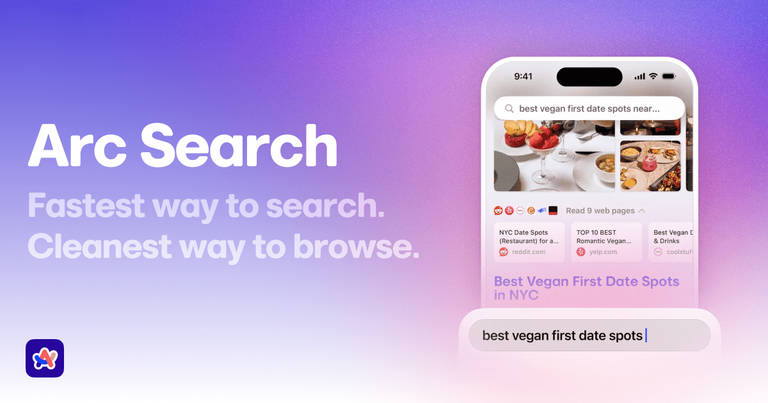
Arc Search is an AI-enabled mobile browser by The Browser Company, offering fast search, ad-blocking, privacy features, and tab management.

Introduction

Arc Search is an AI-enabled mobile browser by The Browser Company, offering fast search, ad-blocking, privacy features, and tab management.

Features
  • Browse for Me AI Search — Generates perfect, comprehensive answers to any question by combining multiple sources into a clean, readable format. Provides instant answers, recommendations, comparisons, and step-by-step guides without requiring users to visit multiple websites.
  • Built-in Ad & Tracker Blocker — Blocks all ads, trackers, pop-ups, and cookie banners by default. Specifically blocks trackers like the 17 found on google.com, providing a cleaner, faster, and more private browsing experience without needing additional extensions.
  • Intelligent Tab Management — Automatically archives inactive tabs after one day to prevent clutter and 'virtual dust bunnies.' Keeps your browsing experience organized and lightweight without manual tab management.
  • Cross-Device Sync with Arc Sync — Instantly syncs tabs, passwords, and browsing state across Mac, Windows, and iOS devices. Allows users to pick up where they left off on any device seamlessly.
  • Voice & Lift-to-Talk Search — Enables voice search for lengthy questions on the go. Features a unique 'lift to talk' function where raising the phone to your ear initiates a conversation with the internet for hands-free interaction.
  • Integrated Reading & Translation Tools — Includes a clean reader mode for distraction-free article reading and built-in translation on any page to break language barriers, all within the browser interface.
Use Cases
Quick Research & Answer Generation

Students, researchers, and professionals can use 'Browse for Me' to instantly get synthesized answers, comparisons, and step-by-step guides for complex questions without sifting through multiple search results and websites. Target Audience: Students, academics, professionals, and anyone needing quick, reliable information synthesis.

Privacy-Focused Mobile Browsing

Users concerned about online privacy can browse with confidence knowing all trackers and ads are blocked by default. The browser protects personal data from being monitored across websites. Target Audience: Privacy-conscious individuals, journalists, activists, and general users who want to protect their online data.

Efficient Multi-Device Workflow

Users who switch between phone, laptop, and desktop can seamlessly continue their browsing sessions. Research started on mobile can be instantly continued on desktop, and vice versa. Target Audience: Remote workers, students, professionals, and anyone who uses multiple devices throughout their day.

Distraction-Free Reading & Learning

Readers and learners can use the built-in reader mode and translation features to consume articles and content without ads or language barriers, creating an optimal reading environment. Target Audience: Avid readers, language learners, international users, and students studying foreign materials.

Pros
  • AI-powered 'Browse for Me' delivers synthesized answers, saving significant time compared to traditional search and manual information gathering.
  • Exceptional privacy protection with built-in ad and tracker blocking that works by default without configuration or additional extensions.
  • Clean, minimalist interface with automatic tab management reduces clutter and improves browsing focus and performance.
  • Seamless cross-device synchronization allows for continuous workflow across mobile and desktop platforms.
  • Free to use with no ads, providing a premium browsing experience without subscription costs.
Cons
  • As a relatively new browser, it may have fewer extensions and integrations compared to established browsers like Chrome or Safari.
  • The mobile-first focus means some advanced desktop browsing features might be limited or still in development.
  • The AI-generated answers, while convenient, may occasionally lack the depth or source transparency of visiting original websites.
  • Users accustomed to traditional search interfaces may need time to adapt to the 'Browse for Me' paradigm and other unique features.

Alternatives

  • Brave Browser

    Brave offers a strong focus on privacy, built-in ad-blocking, and fast browsing, similar to Arc Search's core features.

  • DuckDuckGo Browser

    DuckDuckGo prioritizes user privacy with its search engine and browser, blocking trackers and ads for a secure experience.

  • Firefox Focus

    Firefox Focus provides a minimalist, privacy-centric browsing experience with automatic tracker blocking and history clearing.

  • Vivaldi Browser

    Vivaldi is known for its extensive customization options, advanced tab management, and privacy features, appealing to power users.

  • Opera Browser

    Opera integrates a free VPN, ad-blocker, and AI features like Aria, offering a feature-rich and secure mobile browsing experience.

  • Google Chrome

    Google Chrome is a widely used browser offering fast performance, robust syncing across devices, and extensive extension support.

  • Safari

    Safari is the default browser for iOS users, providing strong privacy protections, efficient performance, and seamless integration with the Apple ecosystem.

  • Microsoft Edge

    Microsoft Edge is a Chromium-based browser that offers good performance, AI integration with Copilot, and efficient tab management features.

  • Aloha Browser

    Aloha Browser focuses on privacy and security with a built-in VPN, ad-blocker, and media player, providing an all-in-one secure browsing solution.

  • Orion Browser

    Orion Browser is a fast and privacy-focused browser that natively blocks ads and trackers while supporting Chrome and Firefox extensions.

FAQ

More Products

TinyPNG is Tinify’s browser-based image compressor and converter. This review explains how its web tool differs from its Developer API, what each free allowance covers, and when its compression, conversion, resizing, and cropping features may fit an image workflow.

Zamzar is an online file conversion and compression service for documents, images, video, sound, and other formats. Its free web service has daily file and upload-size limits.

iLoveIMG is a browser-based image service for compression, resizing, cropping, conversion, and editing, with a free Basic plan and paid options.

Smallpdf is an online PDF toolkit for conversion, compression, editing, merging, signing, and more. Its Free plan includes 30+ tools but limits downloads.

Convertio is a browser-based service for converting files between supported formats, with optional settings for many conversion types.

FreeConvert is an online file converter with more than 1,500 listed conversion types and a free allowance of 20 conversion minutes per day.

HiPDF is an online PDF service with conversion, editing, compression, merging, cropping, image tools, and AI features.

123apps is a browser-based suite of video, audio, PDF, and file-conversion tools. Its apps are free to use with limits on file size and daily operations.

ChatPDF summarizes PDFs and answers questions about them. Its free plan allows two document analyses per day, with no account needed to get started.

CloudConvert is a browser-based converter for more than 200 file formats, including documents, images, audio, video, archives, and specialist formats.

OCR.space provides free browser-based OCR for images and PDFs, searchable PDF creation, and a separate API for adding text recognition to software.

Free online itinerary maker with 900+ trip plans across 96 countries. Edit day-by-day in the browser; export to PDF, Excel, CSV, Google Sheets or .ics. Free account required to download/print. Optional Pro adds premium themes; AI chat helps draft plans.

TasteDir is a curated directory of finished, well-crafted software from indie makers and small teams. Every listed tool is reviewed by hand.

An AI meeting copilot that combines live transcripts, screenshots, and project documents to deliver contextual answers, response drafts, and meeting recaps.

Create professional invoices free in your browser: live preview, any currency, tax and discounts, custom templates, and no-watermark PDF. No signup needed.

Free online auto redaction tool with AI for PDFs, images, Word, PowerPoint, Excel, text and audio. Files are never stored.