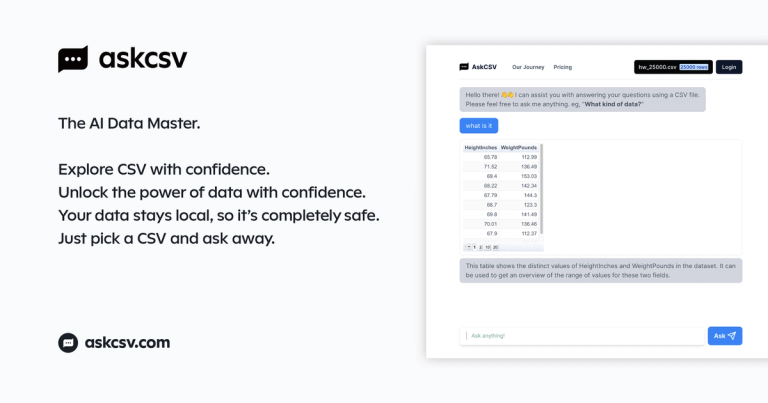
AskCSV is an AI-powered data analysis tool that allows users to analyze CSV files by simply asking questions in natural language.
Features
- Natural Language Data Querying — AskCSV allows users to analyze CSV files by simply asking questions in plain English. No SQL knowledge, formulas, or technical expertise required — just type what you want to know and the AI interprets your intent to deliver relevant insights.
- Browser-Based Local Processing — All CSV data is processed directly within the user's browser memory. Files are never uploaded to external servers, ensuring complete data privacy and security. This architecture makes AskCSV ideal for handling sensitive business or personal data.
- AI-Powered Automatic Chart Generation — The AI automatically selects and renders the most appropriate visualization for your data — whether it's bar charts, line graphs, pie charts, or tables. Users can simply request 'chart anything' and the system intelligently chooses the best representation.
- Advanced Pattern & Relationship Detection — AskCSV can identify complex data relationships such as frequently bought-together products, similar items, and customer segmentation patterns. It goes beyond simple queries to uncover hidden insights in your datasets.
- Sample Dataset Testing — New users can explore AskCSV's capabilities immediately using built-in sample datasets (200 rows and 1000 rows). This allows risk-free experimentation before uploading personal or business CSV files.
- Marketing & Sales Analytics — Specialized capabilities for business analysis including ROI comparison across marketing campaigns, identification of top-selling products over specific time periods, and customer value ranking — all through conversational queries.
Use Cases
Sales Performance Analysis
Sales managers and business owners can upload transaction data and instantly identify top-selling products, best customers, and sales trends over specific time periods. Questions like 'Who is the best customer?' or 'Top selling products in the last week' yield immediate visual insights. Target Audience: Small business owners, sales managers, e-commerce operators, and retail analysts
Marketing Campaign ROI Evaluation
Marketing teams can compare the return on investment across multiple campaigns by simply asking 'Which marketing campaign had the highest ROI?' The AI analyzes budget vs. results data and presents comparative charts for quick decision-making. Target Audience: Digital marketers, marketing managers, and startup founders evaluating ad spend effectiveness
Product Recommendation & Cross-Selling Analysis
E-commerce and retail professionals can discover purchasing patterns by asking 'Which products are frequently bought together?' or finding similar items. This enables data-driven product bundling and recommendation strategies without complex data science tools. Target Audience: E-commerce managers, merchandisers, and product catalog managers
Quick Data Exploration for Non-Technical Users
Anyone with a CSV file — from students to HR professionals to journalists — can explore their data without learning Excel formulas, SQL, or Python. Simply upload and ask questions in natural language to get instant charts and tables. Target Audience: Students, researchers, journalists, HR professionals, and anyone needing quick data insights without technical skills
Pros
- Complete data privacy — all processing happens locally in the browser with zero server uploads, making it safe for sensitive financial, medical, or personal data.
- Extremely low learning curve — natural language interface means anyone can analyze data without SQL, Excel expertise, or programming knowledge.
- Instant visualization — AI automatically generates the most appropriate charts and tables, eliminating the manual effort of choosing and configuring visualizations.
- Free to explore — built-in sample datasets (200 and 1000 rows) allow users to test all features before committing their own data.
- Advanced analytical capabilities including pattern detection, similarity analysis, and cross-tabulation that would typically require specialized BI tools or data science skills.
Cons
- Limited to CSV file format — users with data in Excel (.xlsx), JSON, databases, or other formats must convert their files before use.
- Browser-based processing may encounter performance limitations with very large datasets, as all computation relies on the user's device memory and CPU.
- AI interpretation of complex or ambiguous queries may not always align with user intent, potentially requiring rephrasing or multiple attempts to get desired results.
- Lacks advanced customization options for power users who need fine-grained control over chart styling, statistical methods, or export formats.