LogoAI Jet
icon of AutoFyl

AutoFyl

AutoFyl is a browser extension that automatically fills out forms, saving time and reducing errors with secure, cross-browser support.

Introduction

AutoFyl is a browser extension that automatically fills out forms, saving time and reducing errors with secure, cross-browser support.

Features
  • Auto Form Filling — Automatically fills out web forms using your pre-set personal information, eliminating the need to manually type repetitive details like names, addresses, and contact information across websites.
  • Cross-Browser Support — Works seamlessly across multiple browsers including Chrome, Firefox, Edge, and others, ensuring a consistent auto-fill experience regardless of your preferred browser.
  • Secure Browser-Based Storage — All user data is stored locally in your browser and never sent to or accessible by AutoFyl's servers, providing maximum privacy and security for sensitive personal information.
  • AI-Powered Dynamic Generations — Offers AI-generated content capabilities with up to 350 dynamic generations per day on premium plans, enabling smart form field population beyond static saved data.
  • Email Generation Tools — Provides fake email generation for privacy protection, with personal email and temporary email features coming soon—useful for signups, testing, and avoiding spam.
  • Flexible Tiered Plans — Offers a generous free tier with unlimited form filling and static generations, plus paid plans (Keyboard Saver at £6.99/mo and Keyboard Warrior at £11.99/mo) for power users needing AI features and priority support.
Use Cases
Job Seekers & Application Fillers

Individuals applying to multiple jobs can instantly populate application forms with their personal details, work history, and contact information—turning a tedious 10+ minute process into seconds for each application. Target Audience: Job seekers, career changers, and freelancers submitting multiple applications or proposals

Privacy-Conscious Web Users

Users who want to protect their real email addresses can use AutoFyl's fake email generation for newsletter signups, free trials, and one-time registrations, keeping their primary inbox clean and secure. Target Audience: Privacy-focused internet users, digital minimalists, and anyone wanting to reduce spam

QA Testers & Developers

Software testers and developers can rapidly fill test forms with various data sets using dynamic AI generations, significantly speeding up form testing workflows and quality assurance processes. Target Audience: QA engineers, software developers, and product testers

Frequent Online Shoppers & Registrants

Regular online shoppers and users who sign up for multiple services can auto-fill shipping addresses, billing details, and registration forms across different e-commerce and SaaS platforms. Target Audience: E-commerce shoppers, deal hunters, and users who frequently register for new online services

Pros
  • Generous free tier includes unlimited form filling and static generations at no cost, making it accessible for casual users without any financial commitment.
  • True privacy-first approach with all data stored locally in the browser—AutoFyl never sees or stores your personal information on their servers.
  • Cross-browser compatibility ensures users don't need different extensions for Chrome, Firefox, or other browsers, providing a unified experience.
  • Significant time savings by reducing repetitive form-filling from minutes to seconds, especially valuable for users who fill out many forms daily.
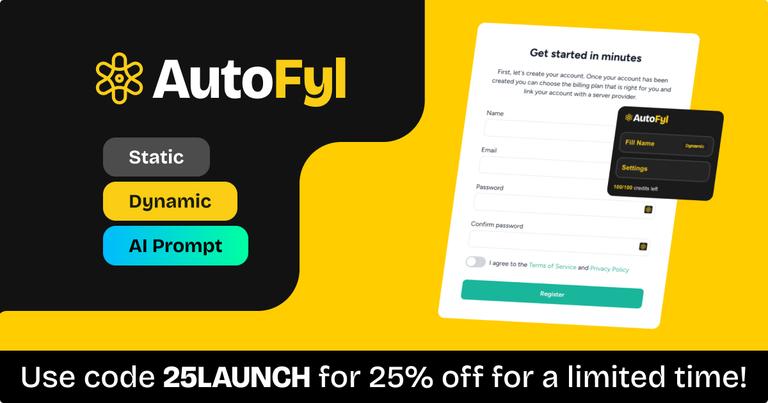
  • Multiple pricing tiers with a current 25% launch discount (code: 25LAUNCH) make premium features affordable for different user needs and budgets.
Cons
  • Several advertised features are still 'Coming Soon' (Personal Email with OTP, Temporary Email with OTP), meaning paid subscribers don't yet get full value for their subscription.
  • Free plan is limited to fake email generation only and lacks AI generations, pushing users toward paid plans for the most useful features.
  • As a newly launched product (2025), it lacks an established track record, extensive user reviews, or long-term reliability data compared to established competitors.
  • Pricing is in GBP (£) which may cause friction or confusion for international users, and monthly-only billing may not appeal to those preferring annual plans.

Alternatives

  • LastPass

    LastPass is a password manager that also offers form-filling capabilities, securely storing and automatically inputting your information.

  • Dashlane

    Dashlane provides password management and secure auto-filling of forms, with advanced security features and a user-friendly interface.

  • 1Password

    1Password securely stores passwords and personal information, offering seamless form filling across all your devices.

  • Bitwarden

    Bitwarden is an open-source password manager with form-filling capabilities, providing a secure and affordable alternative.

  • RoboForm

    RoboForm specializes in password management and form filling, offering a comprehensive solution for automating online data entry.

  • Keeper

    Keeper is a secure password manager and digital vault that simplifies form filling and protects sensitive information.

  • NordPass

    NordPass, from the makers of NordVPN, offers password management and auto-fill features with a focus on simplicity and security.

  • Google Password Manager

    Google Password Manager, integrated into Chrome, offers basic password storage and form-filling functionality for Google account users.

  • Microsoft Autofill

    Microsoft Autofill, built into the Edge browser, securely stores and automatically fills passwords and form data for Microsoft account users.

  • Enpass

    Enpass is a password manager that offers offline storage and form-filling capabilities, providing greater control over your data.

FAQ

More Products

TinyPNG is Tinify’s browser-based image compressor and converter. This review explains how its web tool differs from its Developer API, what each free allowance covers, and when its compression, conversion, resizing, and cropping features may fit an image workflow.

Zamzar is an online file conversion and compression service for documents, images, video, sound, and other formats. Its free web service has daily file and upload-size limits.

iLoveIMG is a browser-based image service for compression, resizing, cropping, conversion, and editing, with a free Basic plan and paid options.

Smallpdf is an online PDF toolkit for conversion, compression, editing, merging, signing, and more. Its Free plan includes 30+ tools but limits downloads.

Convertio is a browser-based service for converting files between supported formats, with optional settings for many conversion types.

FreeConvert is an online file converter with more than 1,500 listed conversion types and a free allowance of 20 conversion minutes per day.

HiPDF is an online PDF service with conversion, editing, compression, merging, cropping, image tools, and AI features.

123apps is a browser-based suite of video, audio, PDF, and file-conversion tools. Its apps are free to use with limits on file size and daily operations.

ChatPDF summarizes PDFs and answers questions about them. Its free plan allows two document analyses per day, with no account needed to get started.

CloudConvert is a browser-based converter for more than 200 file formats, including documents, images, audio, video, archives, and specialist formats.

OCR.space provides free browser-based OCR for images and PDFs, searchable PDF creation, and a separate API for adding text recognition to software.

Free online itinerary maker with 900+ trip plans across 96 countries. Edit day-by-day in the browser; export to PDF, Excel, CSV, Google Sheets or .ics. Free account required to download/print. Optional Pro adds premium themes; AI chat helps draft plans.

TasteDir is a curated directory of finished, well-crafted software from indie makers and small teams. Every listed tool is reviewed by hand.

An AI meeting copilot that combines live transcripts, screenshots, and project documents to deliver contextual answers, response drafts, and meeting recaps.

Create professional invoices free in your browser: live preview, any currency, tax and discounts, custom templates, and no-watermark PDF. No signup needed.

Vidsembly is an AI video creation platform that turns PowerPoint presentations, PDFs, and documents into narrated videos. Create AI presentations, clone voices, translate slides, transcribe recordings, generate soundtracks, and host videos in one place.