LogoAI Jet
icon of Beautiful.ai

Beautiful.ai

AI presentation maker that helps teams and individuals create professional, client-ready slide decks in minutes with AI-powered design.

Introduction

AI presentation maker that helps teams and individuals create professional, client-ready slide decks in minutes with AI-powered design.

Features
  • Smart Slides with Auto-Aligning Layouts — Intelligent slide design system that automatically handles layout, spacing, and alignment as you add, edit, or remove content. Eliminates manual formatting by taking care of design elements in real-time, allowing users to focus on their message rather than dragging text boxes or adjusting positioning.
  • Create with AI Workflow — A context-aware AI presentation creation workflow that stays with users from first draft to finished slides. Unlike one-shot AI generators, it allows users to start from a prompt, outline, or document, generate a text-first outline for early structure editing, then produce polished slides while maintaining context and enabling iterative refinement without starting over.
  • Brand Control & Presentation Themes — Comprehensive brand management tools including customizable presentation themes with control over text, fonts, colors, icons, and backgrounds. Ensures cohesive visual styling across all presentations with team-wide theme application and consistent brand identity enforcement.
  • Locked Slides & Team Collaboration — Enterprise-grade collaboration features that allow organizations to protect key information across presentations. Edit slides once and update shared decks everywhere, with access given only to approved librarians. Enables marketing, sales, and legal teams to work collaboratively on decks in one platform.
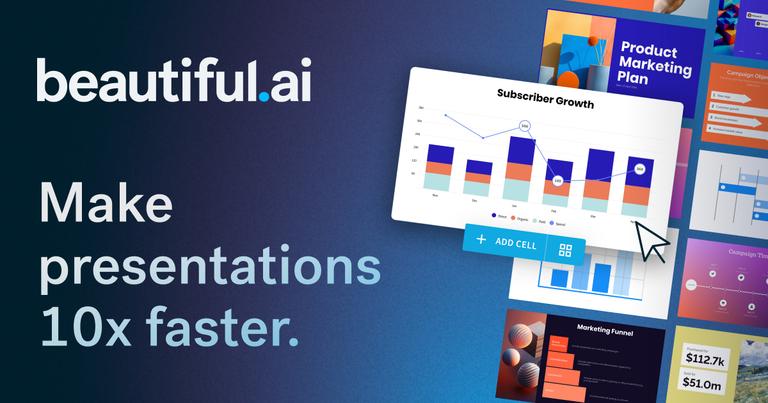
  • Data Visualization & Dynamic Charts — Built-in dynamic graphs, charts, and data slides that transform raw data into visually compelling presentations. Supports reporting and analytics use cases with professional data visualization capabilities integrated directly into the presentation workflow.
  • Extensive Integrations Ecosystem — Seamless connectivity with popular business tools including Dropbox for branded assets, ChatGPT for content ideation, Slack for real-time updates, Monday.com for embedded presentation management, Salesforce for engagement tracking, Webex for browser-based presenting, and PowerPoint compatibility for streamlined workflows.
Use Cases
Sales Team Presentations & Client Pitches

Sales professionals use Beautiful.ai to create polished, client-ready pitch decks and quarterly business reviews (QBRs) in a fraction of the time. The AI workflow helps maintain consistent messaging while Smart Slides ensure professional design without design expertise. Salesforce integration enables deck sharing and engagement tracking with actionable audience insights. Target Audience: Sales teams, account executives, business development professionals, and enterprise sales organizations

Marketing Campaign Decks & Brand Presentations

Marketing teams leverage Beautiful.ai to produce on-brand presentations for campaigns, product launches, and stakeholder communications. Brand control features ensure consistent visual identity across all materials, while locked slides protect approved messaging. Teams can collaborate in real-time to align messaging, add data, and incorporate legal feedback efficiently. Target Audience: Marketing managers, brand teams, content creators, and marketing departments at mid-size to enterprise companies

Startup Pitches & Investor Presentations

Startup founders and entrepreneurs use Beautiful.ai to create compelling investor pitch decks that look professionally designed without hiring a designer. The platform enables rapid iteration on pitch narratives, with AI-powered design that makes presentations appear polished and credible—critical for securing funding and partnerships. Target Audience: Startup founders, CEOs, entrepreneurs, and early-stage company leadership seeking investor funding

Training & Educational Content Development

Educational institutions and corporate training departments use Beautiful.ai to create engaging learning content at unprecedented speed. Smart templates and AI assist tools help produce visually appealing training materials, lectures, and workshop content. Free plans for students make it accessible for academic use cases. Target Audience: Corporate trainers, university educators, instructional designers, and academic professionals

Pros
  • Dramatic time savings: Customer testimonials report 75-80% reduction in presentation creation time, allowing teams to focus on core message, story, and content rather than design formatting.
  • Professional results without design expertise: Smart Slides technology automatically handles layout, spacing, and alignment, enabling users without PowerPoint or design skills to create polished, client-ready presentations that appear professionally designed.
  • Context-aware AI workflow: Unlike basic AI generators that produce one-shot outputs, the Create with AI workflow maintains context throughout the creation process, allowing iterative refinement without losing work or starting over.
  • Robust team collaboration and brand consistency: Enterprise features including locked slides, team themes, and brand control ensure organizations maintain consistent visual identity while enabling cross-functional collaboration on shared presentations.
  • Extensive integrations with business tools: Native connections with Salesforce, Slack, Monday.com, Dropbox, ChatGPT, and Webex streamline workflows by embedding presentation creation into existing business processes.
Cons
  • Subscription cost barrier: The cheapest plan starts at $12 per month billed annually, which may be prohibitive for individual users or small teams with limited budgets compared to free alternatives like Google Slides.
  • Limited customization compared to traditional tools: While Smart Slides automate design for efficiency, advanced users accustomed to PowerPoint's granular control may find the automated layout system restrictive for highly customized or unconventional slide designs.
  • AI output still requires human refinement: Despite the improved Create with AI workflow, generated presentations may still need editing for accuracy, tone, and specific messaging—AI serves as an accelerator rather than a complete replacement for human judgment.
  • Internet-dependent workflow: As a cloud-based platform with AI features, Beautiful.ai requires reliable internet connectivity, which may be a limitation for users who need to create or present in offline environments.

Latest News

Beautiful.ai Product Updates | New Features and Improvements

Beautiful.ai Product Updates | New Features and Improvements

8/5/2026

Try "Summarize the benefits of using AI to generate content" or "Rewrite in the voice of William Shakespeare" In other DesignerBot news, we've made improvements to our presentation generator. In addition to being faster, you'll get better results, more slides, and more visual variety. You'll notice ...

Beautiful.ai

Beautiful.ai

8/5/2026

Learn more about how organizations save hundreds of hours and thousands on design resources with Beautiful.ai.

Beautiful.ai Launches Context-Aware AI Workflow and Secures $45M ...

Beautiful.ai Launches Context-Aware AI Workflow and Secures $45M ...

8/5/2026

The new experience from Beautiful.ai offers its more than 100,000 business customers more control to shape their story, refine the structure, and adjust content and visuals in a natural, continuous workflow without forcing teams to start over, lose context, or jump between tools.

Product Updates | Beautiful.ai Blog

Product Updates | Beautiful.ai Blog

8/5/2026

News · Product Updates · Presentation Templates · Data Visualization · Perspective · Resources · Design Inspiration · Presentation Tips · Learn how to use Beautiful.ai to create faster AI presentations without losing brand, quality, or control—by treating AI as a design partner, not a shortcut.

Introducing Beautiful.ai for Mac/Windows (beta) | The Beautiful Blog

Introducing Beautiful.ai for Mac/Windows (beta) | The Beautiful Blog

8/5/2026

Great news out of Beautiful.ai HQ: Our desktop presenter application is finally here. Maybe you're stranded on a desert island with a very eager audience of coconuts. Or, perhaps you're presenting at the annual out-of-town meeting and you’re left to rely on unfamiliar WiFi.

Alternatives

  • Canva

    Canva offers a user-friendly drag-and-drop interface with extensive templates and some AI features for creating visually appealing presentations quickly.

  • Gamma

    Gamma is an AI-powered presentation tool that helps users create engaging decks and documents with minimal effort, focusing on modern, interactive formats.

  • Tome

    Tome leverages AI to transform ideas into compelling visual stories and presentations, emphasizing narrative and dynamic content creation.

  • Microsoft PowerPoint

    PowerPoint remains the industry standard for presentations, now integrating AI features like Designer to assist with slide layout and content suggestions.

  • Google Slides

    Google Slides provides a free, collaborative, and web-based platform for creating and sharing presentations, seamlessly integrated with Google Workspace.

  • Prezi

    Prezi offers a unique non-linear presentation experience, allowing users to create dynamic, zoomable canvases that engage audiences differently.

  • Slidebean

    Slidebean uses AI to automatically design presentations from your content, offering a streamlined process for creating professional-looking decks.

  • Pitch

    Pitch is a modern presentation platform designed for teams, offering collaborative features and beautiful templates to create stunning decks efficiently.

  • Visme

    Visme is an all-in-one visual content creation tool that includes a robust presentation maker with extensive design assets and interactive features.

  • Simplified

    Simplified is an AI-powered design platform that includes a presentation maker, offering various AI tools for content generation and visual creation.

FAQ

User Reviews

4.9/5.0
(31reviews)
Click stars to rate

Pricing

Pricing Model: Subscription

Pro

For individuals who want powerful presentation tools

$12 /mo
yearly

Teams

For collaborators who need to seamlessly work across teams

$50 /MO/User
monthly

Teams

For collaborators who need to seamlessly work across teams

$40 /MO/User
yearly

Enterprise

For organizations of 20+ people that require security, support, and control

Custom
Contact sales for pricing

Pro Monthly

Pay monthly and get Pro plan features with less commitment

$45
Monthly fee

More Products

TinyPNG is Tinify’s browser-based image compressor and converter. This review explains how its web tool differs from its Developer API, what each free allowance covers, and when its compression, conversion, resizing, and cropping features may fit an image workflow.

Zamzar is an online file conversion and compression service for documents, images, video, sound, and other formats. Its free web service has daily file and upload-size limits.

iLoveIMG is a browser-based image service for compression, resizing, cropping, conversion, and editing, with a free Basic plan and paid options.

Smallpdf is an online PDF toolkit for conversion, compression, editing, merging, signing, and more. Its Free plan includes 30+ tools but limits downloads.

Convertio is a browser-based service for converting files between supported formats, with optional settings for many conversion types.

FreeConvert is an online file converter with more than 1,500 listed conversion types and a free allowance of 20 conversion minutes per day.

HiPDF is an online PDF service with conversion, editing, compression, merging, cropping, image tools, and AI features.

123apps is a browser-based suite of video, audio, PDF, and file-conversion tools. Its apps are free to use with limits on file size and daily operations.

ChatPDF summarizes PDFs and answers questions about them. Its free plan allows two document analyses per day, with no account needed to get started.

CloudConvert is a browser-based converter for more than 200 file formats, including documents, images, audio, video, archives, and specialist formats.

OCR.space provides free browser-based OCR for images and PDFs, searchable PDF creation, and a separate API for adding text recognition to software.

Free online itinerary maker with 900+ trip plans across 96 countries. Edit day-by-day in the browser; export to PDF, Excel, CSV, Google Sheets or .ics. Free account required to download/print. Optional Pro adds premium themes; AI chat helps draft plans.

Contextual nofollow link exchanges for sites you control, handled with your coding agent and your approval.

TasteDir is a curated directory of finished, well-crafted software from indie makers and small teams. Every listed tool is reviewed by hand.

An AI meeting copilot that combines live transcripts, screenshots, and project documents to deliver contextual answers, response drafts, and meeting recaps.

SpriteGen is a free online sprite creator. Describe your character, pick a perspective and style, and the AI generates a game-ready pixel-art sprite sheet.