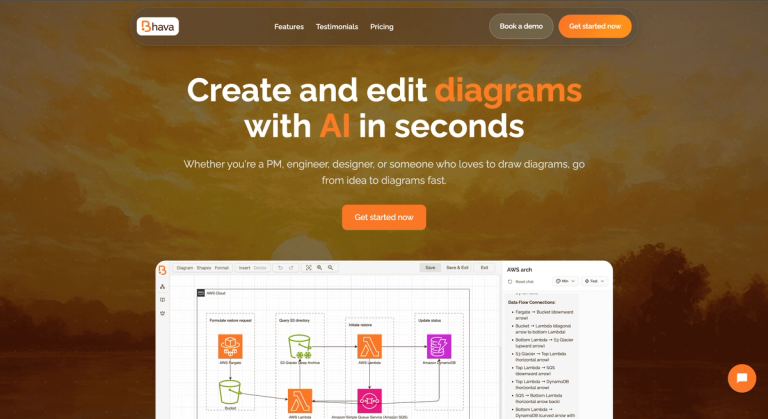
Bhava is an AI-powered diagram editor that instantly transforms ideas into professional flowcharts, architecture diagrams, UML, and more.
Features
- AI-Powered Diagram Generation — Transform natural language text prompts into professional diagrams instantly. Simply describe what you need (e.g., 'User login flow with 2FA and password reset') and Bhava generates a complete, editable diagram with proper structure, connections, and layout in seconds.
- Comprehensive Diagram Type Support — Create any diagram type including flowcharts, architecture diagrams, UML, ERD, sequence diagrams, network maps, org charts, mind maps, and hardware schematics. Smart layout engine and automatic connectors minimize manual positioning and adjustments.
- Intelligent Image Recognition & Icon Mapping — Paste sketches, whiteboard photos, or screenshots and Bhava's AI recognizes services and symbols, automatically placing the correct icons from AWS, GCP, Azure, Kubernetes, and extensive icon libraries. All elements remain fully editable with styles, layers, and groups preserved.
- Seamless Import & Export — Import existing diagrams from draw.io (.drawio) or Mermaid (.mmd) formats while preserving layers, groups, and styles. Export to PNG, SVG, and PDF formats. No vendor lock-in—bring your diagrams with you across platforms.
- Collaborative AI Editing — Work alongside AI to refine and iterate on diagrams in real-time. The AI understands context and intent, allowing users to make modifications through conversational prompts while maintaining diagram integrity and professional quality.
- Flexible Pricing with Free Tier — Start for free with unlimited diagrams and AI-powered generation. Paid plans offer expert mode, priority support, and monthly credits for power users. Enterprise tier includes SSO, custom limits, centralized billing, team management, and SLA guarantees.
Use Cases
System Architecture Design & Documentation
Engineers and architects rapidly create complex system architecture diagrams by describing components and their relationships. Bhava generates professional technical diagrams with proper AWS, GCP, Azure, or Kubernetes icons, reducing hours of manual work to minutes. Ideal for documenting microservices, cloud infrastructure, and database schemas. Target Audience: Software Engineers, System Architects, DevOps Engineers, and Technical Leads
Product Requirement Visualization
Product managers transform feature requirements, user flows, and process documentation into clear visual diagrams. Communicate complex product concepts to stakeholders, engineering teams, and designers using AI-generated flowcharts, sequence diagrams, and mind maps that accurately represent product logic. Target Audience: Product Managers, Project Managers, and Business Analysts
Rapid Ideation & Brainstorming
Quickly sketch out ideas, organize thoughts, and create mind maps during brainstorming sessions or planning meetings. Paste whiteboard photos or rough sketches and let Bhava convert them into polished, editable diagrams. Perfect for turning abstract concepts into structured visual representations in real-time. Target Audience: Team Leads, Consultants, Startup Founders, and Creative Professionals
Technical Education & Training
Create educational materials including UML class diagrams, ERD database schemas, and algorithm flowcharts for teaching programming concepts, system design, or business processes. Students and educators can generate diagrams from text descriptions to support learning and curriculum development. Target Audience: Educators, Students, Technical Trainers, and Documentation Writers
Pros
- Dramatically reduces diagram creation time from hours to minutes—users report completing system architecture diagrams in minutes instead of hours with AI-powered generation.
- Supports virtually every diagram type (flowcharts, UML, ERD, sequence diagrams, architecture diagrams, mind maps, network maps, org charts, hardware schematics) in a single platform.
- Intelligent image recognition converts sketches, whiteboard photos, and screenshots into editable diagrams with correct cloud provider and service icons automatically mapped.
- No vendor lock-in with seamless import from draw.io and Mermaid formats, plus export to PNG, SVG, and PDF while preserving layers, groups, and styles.
- Generous free tier includes unlimited diagrams, AI-powered generation, all export formats, and icon packs—making it accessible for individuals and small teams to start immediately.
Cons
- AI-generated diagrams may require manual refinement for highly complex or niche technical requirements, as the AI interpretation may not perfectly match specific organizational standards or conventions.
- Free tier has standard support only and lacks expert mode and priority support features, which are reserved for the paid Plus plan at $9.99/month.
- Pay-as-you-go pricing for additional usage beyond monthly credits in the Plus plan could lead to unpredictable costs for heavy users with fluctuating diagram creation needs.
- As a cloud-based tool, Bhava requires internet connectivity for AI-powered features, which may be a limitation for users working in offline or restricted network environments.