LogoAI Jet
Icon for Campaign Monitor

Campaign Monitor

Email marketing platform that helps businesses create, automate, and optimize email campaigns with drag-and-drop builders, AI-powered features, and multi-channe

Introduction

Campaign Monitor

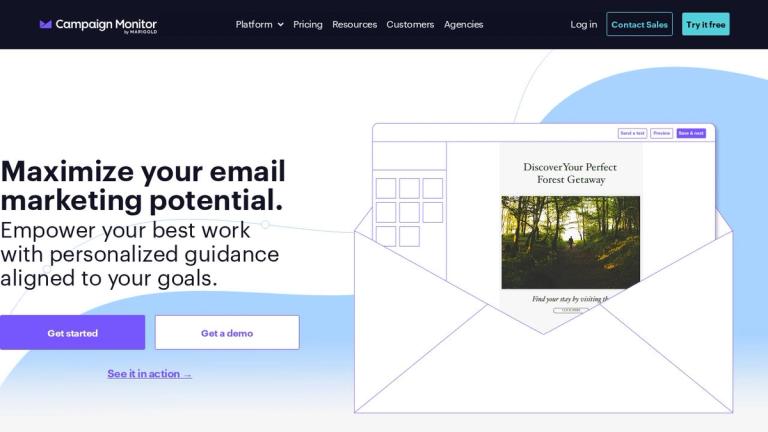
Campaign Monitor is a comprehensive email marketing platform trusted by thousands of businesses worldwide. The platform empowers marketers to maximize their email marketing potential with personalized guidance and powerful tools aligned to their goals.

Core Capabilities

Campaign Monitor offers a robust suite of email marketing features including:

  • Email Template Builder: A drag-and-drop editor that allows users to create beautiful, professional emails without any coding knowledge. Every template is fully responsive and optimized for mobile devices.

  • Marketing Automation: Visual journey designer that makes creating automated customer journeys approachable and intuitive, enabling perfectly timed sends.

  • Transactional Email: Reliable delivery of transactional messages to customers.

  • Segmentation & Personalization: Advanced tools to target specific audience segments and personalize content for better engagement.

Smart Features (New)

Campaign Monitor has introduced AI-powered capabilities to enhance performance:

  • AI Email Booster: Optimizes email campaigns using artificial intelligence
  • Segment Mapper: Helps build and understand audiences more effectively
  • Marketing Monitor: Advanced reporting and analytics dashboard
Multi-Channel Marketing

Beyond email, the platform now supports:

  • Website Builder: Drag-and-drop website creation integrated with your marketing lists
  • SMS Marketing: Reach customers through text messaging
Platform Highlights
  • Complete customization for brand consistency
  • Mobile-optimized templates
  • Team collaboration features for template management
  • Professional services and expert support available
  • Extensive integrations ecosystem
Target Audience

Small to medium businesses, marketing teams, agencies managing client email campaigns, and enterprises looking for email marketing automation and multi-channel marketing solutions.

Key Features
  • Drag-and-drop email template builder
  • Marketing automation with visual journey designer
  • AI Email Booster for campaign optimization
  • Segment Mapper for audience building
  • Marketing Monitor analytics dashboard
  • Transactional email capabilities
  • Advanced segmentation and personalization
  • Signup forms
  • Website Builder
  • SMS marketing
  • Mobile-responsive templates
  • Team template management
  • Deliverability optimization
  • Professional services and support
Use Cases
  • Creating and sending marketing email campaigns
  • Automating customer email journeys
  • Building targeted audience segments
  • Sending transactional emails
  • Multi-channel marketing (email + SMS + website)
  • Brand-consistent email communications
  • Marketing performance analytics and reporting
  • Lead generation through signup forms
  • Small business email marketing
  • Agency client email management
Pros
  • Intuitive drag-and-drop interface requires no coding
  • AI-powered features for campaign optimization
  • Mobile-responsive templates out of the box
  • Comprehensive automation capabilities
  • Multi-channel marketing support (email, SMS, website)
  • Strong deliverability focus
  • Scalable for businesses of all sizes
  • Professional services available for expert guidance
Cons
  • Some advanced features require higher-tier plans
  • Website Builder is a newer feature with potential limitations
  • Pricing details require visiting the plans page
Pricing

Multiple pricing tiers available with feature availability varying by plan. Free trial offered. Visit campaignmonitor.com/pricing for detailed pricing information.

Latest News

Campaign Monitor Introduces Next Evolution of In-App AI Guidance to Support Email Marketing Workflows | Campaign Monitor

Campaign Monitor Introduces Next Evolution of In-App AI Guidance to Support Email Marketing Workflows | Campaign Monitor

8/5/2026

Campaign Monitor Introduces Next Evolution of In-App AI Guidance to Support Email Marketing Workflows | Campaign Monitor Resources Hub» Blog» Campaign Monitor Introduces Next Evolution of In-App AI Guidance to Support Email Marketing Workflows ###### 3 minute read time # Campaign Monitor Introduc...

What's New in Campaign Monitor

What's New in Campaign Monitor

8/5/2026

What's New in Campaign Monitor | Campaign Monitor # What's New in Campaign Monitor At Campaign Monitor, we’re always building new product improvements and features to help you send captivating email campaigns. Here’s a roundup of what we’ve recently launched and what’s launching soon. icon-calend...

Email Marketing News

Email Marketing News

8/5/2026

Email Marketing News | Campaign Monitor | Campaign Monitor # In the News FILTER - Log in - ALL CONTENT - NEWS ARTICLES - PRESS RELEASES Campaign Monitor announced today three new AI-powered features designed to help small and mid-sized businesses make more informed email marketing decisions and ...

Why AI belongs inside the email creation process, not just the analytics dashboard | Campaign Monitor

Why AI belongs inside the email creation process, not just the analytics dashboard | Campaign Monitor

8/5/2026

Why AI belongs inside the email creation process, not just the analytics dashboard | Campaign Monitor Resources Hub» Blog» Why AI belongs inside the email creation process, not just the analytics dashboard ###### 7 minute read time # Why AI belongs inside the email creation process, not just the ...

Campaign Monitor’s Latest Feature Takes the Guesswork Out of Email Performance | Campaign Monitor

Campaign Monitor’s Latest Feature Takes the Guesswork Out of Email Performance | Campaign Monitor

8/5/2026

Campaign Monitor’s Latest Feature Takes the Guesswork Out of Email Performance | Campaign Monitor Resources Hub» Blog» Campaign Monitor’s Latest Feature Takes the Guesswork Out of Email Performance ###### 3 minute read time # Campaign Monitor’s Latest Feature Takes the Guesswork Out of Email Perf...

FAQ

More Products

TinyPNG is Tinify’s browser-based image compressor and converter. This review explains how its web tool differs from its Developer API, what each free allowance covers, and when its compression, conversion, resizing, and cropping features may fit an image workflow.

Zamzar is an online file conversion and compression service for documents, images, video, sound, and other formats. Its free web service has daily file and upload-size limits.

iLoveIMG is a browser-based image service for compression, resizing, cropping, conversion, and editing, with a free Basic plan and paid options.

Smallpdf is an online PDF toolkit for conversion, compression, editing, merging, signing, and more. Its Free plan includes 30+ tools but limits downloads.

Convertio is a browser-based service for converting files between supported formats, with optional settings for many conversion types.

FreeConvert is an online file converter with more than 1,500 listed conversion types and a free allowance of 20 conversion minutes per day.

HiPDF is an online PDF service with conversion, editing, compression, merging, cropping, image tools, and AI features.

123apps is a browser-based suite of video, audio, PDF, and file-conversion tools. Its apps are free to use with limits on file size and daily operations.

ChatPDF summarizes PDFs and answers questions about them. Its free plan allows two document analyses per day, with no account needed to get started.

CloudConvert is a browser-based converter for more than 200 file formats, including documents, images, audio, video, archives, and specialist formats.

OCR.space provides free browser-based OCR for images and PDFs, searchable PDF creation, and a separate API for adding text recognition to software.

Free online itinerary maker with 900+ trip plans across 96 countries. Edit day-by-day in the browser; export to PDF, Excel, CSV, Google Sheets or .ics. Free account required to download/print. Optional Pro adds premium themes; AI chat helps draft plans.

Contextual nofollow link exchanges for sites you control, handled with your coding agent and your approval.

TasteDir is a curated directory of finished, well-crafted software from indie makers and small teams. Every listed tool is reviewed by hand.

An AI meeting copilot that combines live transcripts, screenshots, and project documents to deliver contextual answers, response drafts, and meeting recaps.

Create professional invoices free in your browser: live preview, any currency, tax and discounts, custom templates, and no-watermark PDF. No signup needed.