LogoAI Jet

Introduction

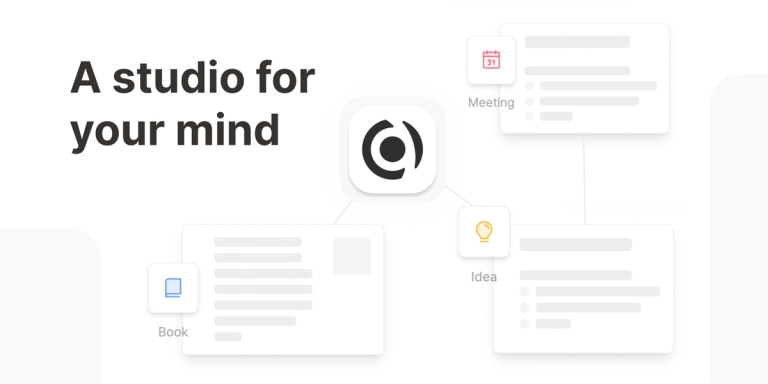
Capacities is a note-taking application that aims to provide a more natural and intuitive way to organize thoughts and knowledge. Unlike traditional file-folder systems, Capacities uses an object-based approach, allowing users to create and connect different types of content such as notes, ideas, books, people, and meetings.

Key Features:

  • Object-Based Structure: Organizes information into objects rather than files, mirroring how the brain naturally connects concepts.
  • Interconnected Network: Allows users to create a network of thoughts by linking objects together, fostering a deeper understanding of complex topics.
  • Customizable Object Types: Users can define custom object types to suit their specific needs and workflows.
  • Flexible Organization: Breaks away from rigid folder hierarchies, enabling a more dynamic and interconnected way of structuring information.
  • Multi-Platform Access: Offers apps for various platforms, ensuring accessibility across devices.

Use Cases:

  • Personal Knowledge Management: Ideal for individuals seeking a more intuitive way to manage their personal knowledge base.
  • Research: Useful for researchers who need to connect different sources and ideas in a structured manner.
  • Creative Writing: Supports writers in organizing their thoughts, characters, and plotlines.
  • Project Management: Helps teams manage projects by linking tasks, resources, and team members.
  • Note-Taking: Serves as a powerful note-taking tool that goes beyond simple text storage by enabling connections between notes and other objects.

Latest News

What's new | Capacities

What's new | Capacities

8/5/2026

Hover previews no longer appear for deleted or unfinished objects. On iOS, you can reliably delete blocks with Backspace again. Cover images respect crop/contain settings in small mode and no longer overflow in standard view. Profile cover hover controls work again. Changing an icon’s color updates ...

Huge End-Of-Year Update! — What's new | Capacities

Huge End-Of-Year Update! — What's new | Capacities

8/5/2026

We want to thank all Believers for their feedback and ideas during the tablet app Beta. As with our mobile app, the official release does not mean development is done or even stopped. We will continue to add features and improvements to our tablet app over time. Learn more about our tablet apps in o...

Task Management & much more! — What's new | Capacities

Task Management & much more! — What's new | Capacities

8/5/2026

In general, if you want to know everything about task management in Capacities, you can read our task management documentation. On top, we’re launching more exciting updates with this release:

New Side Panel Experience and Many Improvements — What's new ...

New Side Panel Experience and Many Improvements — What's new ...

8/5/2026

When you ask the AI assistant a question, it now searches your knowledge base using both full-text and semantic search. This means it finds objects that match your words, but also objects that are conceptually related. A search for "dog" will also surface objects about mammals, domestic animals, or ...

Performance, offline, and better search! — What's new | Capacities

Performance, offline, and better search! — What's new | Capacities

8/5/2026

Learn how to set this up in our latest Youtube video or read the docs. If you're on the Capacities Basic plan, try using Web Highlights alongside our Web Extension for beautifully formatted weblinks that hold all your useful highlights. Read more about that here. Better AI models and more budget: We...

Alternatives

  • Obsidian

    Obsidian is a powerful, local-first knowledge base that uses markdown files and emphasizes linking notes to build a network of thought.

  • Notion

    Notion offers an all-in-one workspace for notes, tasks, wikis, and databases, providing immense flexibility for organizing information and projects.

  • Roam Research

    Roam Research pioneered bi-directional linking and a graph database approach to note-taking, fostering interconnected ideas and knowledge discovery.

  • Logseq

    Logseq is an open-source, local-first outliner and knowledge base that supports bi-directional linking and block references for networked thought.

  • Evernote

    Evernote is a long-standing note-taking application known for its robust web clipping, search, and organization features across various devices.

  • Craft

    Craft provides a beautiful and intuitive document editor with powerful linking, nested pages, and collaborative features for structured note-taking.

  • Workflowy

    Workflowy is an elegant outliner that uses infinite nested lists to organize thoughts, projects, and notes in a hierarchical yet flexible manner.

  • Bear

    Bear is a focused markdown editor for notes and prose, offering a clean interface, powerful tagging, and quick organization for writers and thinkers.

  • Joplin

    Joplin is an open-source note-taking and to-do application with markdown support, synchronization across devices, and a strong focus on privacy.

  • TiddlyWiki

    TiddlyWiki is a unique non-linear personal web notebook that allows users to create and link small pieces of information into a highly customizable wiki.

FAQ

More Products

TinyPNG is Tinify’s browser-based image compressor and converter. This review explains how its web tool differs from its Developer API, what each free allowance covers, and when its compression, conversion, resizing, and cropping features may fit an image workflow.

Zamzar is an online file conversion and compression service for documents, images, video, sound, and other formats. Its free web service has daily file and upload-size limits.

iLoveIMG is a browser-based image service for compression, resizing, cropping, conversion, and editing, with a free Basic plan and paid options.

Smallpdf is an online PDF toolkit for conversion, compression, editing, merging, signing, and more. Its Free plan includes 30+ tools but limits downloads.

Convertio is a browser-based service for converting files between supported formats, with optional settings for many conversion types.

FreeConvert is an online file converter with more than 1,500 listed conversion types and a free allowance of 20 conversion minutes per day.

HiPDF is an online PDF service with conversion, editing, compression, merging, cropping, image tools, and AI features.

123apps is a browser-based suite of video, audio, PDF, and file-conversion tools. Its apps are free to use with limits on file size and daily operations.

ChatPDF summarizes PDFs and answers questions about them. Its free plan allows two document analyses per day, with no account needed to get started.

CloudConvert is a browser-based converter for more than 200 file formats, including documents, images, audio, video, archives, and specialist formats.

OCR.space provides free browser-based OCR for images and PDFs, searchable PDF creation, and a separate API for adding text recognition to software.

Free online itinerary maker with 900+ trip plans across 96 countries. Edit day-by-day in the browser; export to PDF, Excel, CSV, Google Sheets or .ics. Free account required to download/print. Optional Pro adds premium themes; AI chat helps draft plans.

TasteDir is a curated directory of finished, well-crafted software from indie makers and small teams. Every listed tool is reviewed by hand.

An AI meeting copilot that combines live transcripts, screenshots, and project documents to deliver contextual answers, response drafts, and meeting recaps.

Create professional invoices free in your browser: live preview, any currency, tax and discounts, custom templates, and no-watermark PDF. No signup needed.

Vidsembly is an AI video creation platform that turns PowerPoint presentations, PDFs, and documents into narrated videos. Create AI presentations, clone voices, translate slides, transcribe recordings, generate soundtracks, and host videos in one place.