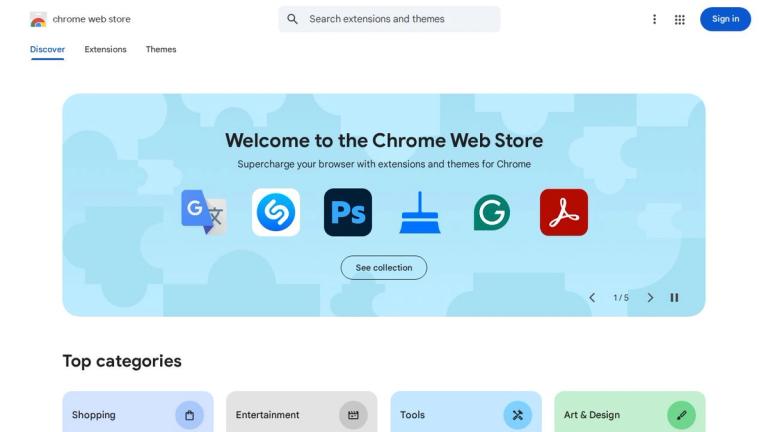
Chrome Web Store
The Chrome Web Store is Google's official online marketplace for the Chrome browser ecosystem. Launched in 2010, it serves as the central hub where users can discover, install, and manage a vast collection of browser extensions, themes, and progressive web applications (PWAs).
Overview
The Chrome Web Store hosts hundreds of thousands of extensions and apps that enhance the browsing experience across various categories including productivity, entertainment, developer tools, accessibility, and more. Users can browse curated collections, read reviews, check ratings, and install items with a single click.
Key Highlights
- Curated Collections: Features like "Favorites of 2025," "Top Charts," and "Editors' Picks" help users discover quality extensions
- AI Extensions: Growing collection of AI-powered tools including sidebar assistants, content generators, and productivity enhancers
- Developer Platform: Provides developers with tools to publish, distribute, and monetize their extensions
- User Reviews & Ratings: Community-driven feedback system with star ratings and user counts
- Categories: Organized into intuitive categories like Tools, Productivity, Accessibility, Privacy & Security, and more
For Developers
The Chrome Web Store Developer Dashboard allows developers to submit extensions for review, manage listings, track analytics, and set pricing for paid extensions or in-app purchases.
Target Audience
Chrome browser users seeking to enhance their browsing experience with extensions, themes, and web applications
Key Features
- Browser extension marketplace
- Theme customization
- Progressive web apps
- Curated collections and recommendations
- User ratings and reviews
- Category-based browsing
- Trending and popular charts
- Editors' Picks curation
- AI extension spotlight
- Developer publishing platform
- One-click installation
- Cross-device sync
Use Cases
- Discovering productivity extensions like ad blockers and VPNs
- Finding AI-powered tools and sidebar assistants
- Installing browser themes for visual customization
- Accessing games and entertainment apps
- Adding developer tools and utilities
- Enhancing accessibility features
- Managing privacy and security extensions
- Finding workflow automation tools
Pros
- Massive library of extensions and apps
- Free to access and use
- Integrated with Google account for sync
- Regular curation and editorial picks
- User review system for quality assurance
- Easy one-click installation
- Supports both free and paid extensions
Cons
- Quality varies significantly between extensions
- Some extensions may pose privacy concerns
- Limited curation for smaller/niche extensions
- Chrome-only ecosystem limitation
- Occasional removal of popular extensions due to policy changes
Pricing
Free to browse and install; individual extensions may be free, freemium, or paid