LogoAI Jet
Icon for Claws Mail

Claws Mail

A user-friendly, lightweight, and fast open-source email client and news reader based on GTK+, featuring extensibility through plugins and robust performance.

Introduction

Claws Mail

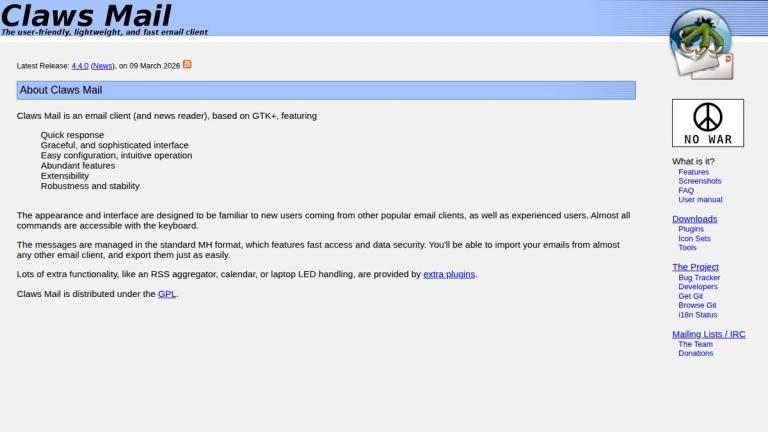
Claws Mail is a free and open-source email client (and news reader) built on the GTK+ toolkit. Known for its lightweight design and fast performance, it provides users with a graceful and sophisticated interface that's easy to configure and intuitive to operate.

Key Highlights
  • Standard MH Format: Messages are managed in the standard MH format, ensuring fast access and data security
  • Familiar Interface: The appearance and interface are designed to be familiar to users coming from other popular email clients
  • Keyboard Navigation: Almost all commands are accessible with the keyboard for power users
  • Import/Export: Users can import emails from almost any other email client and export them just as easily
  • Plugin Ecosystem: Extra functionality like RSS aggregation, calendar, and laptop LED handling are available through plugins
  • Open Source: Distributed under the GPL license

The latest release (version 4.4.0) was released on March 9, 2026, demonstrating active development and maintenance.

Target Audience

Linux/Unix users, privacy-conscious email users, developers, power users who prefer keyboard-driven interfaces, users seeking lightweight email solutions

Key Features
  • Lightweight and fast performance
  • User-friendly and intuitive interface
  • Standard MH message format for data security
  • Extensive plugin support for additional functionality
  • Full keyboard navigation support
  • Easy email import/export from other clients
  • RSS aggregator plugin
  • Calendar integration
  • Cross-platform compatibility (GTK+ based)
  • Open source under GPL license
Use Cases
  • Personal email management
  • Professional email communication
  • News reading (NNTP)
  • Users seeking lightweight alternatives to Thunderbird or Outlook
  • Linux/Unix desktop email management
  • Users who prefer keyboard-driven workflows
  • RSS feed aggregation
  • Users migrating from other email clients
Pros
  • Completely free and open source
  • Extremely lightweight and fast
  • Highly extensible through plugins
  • Familiar interface for easy migration
  • Strong data security with MH format
  • Active development and community support
  • Keyboard-friendly for power users
Cons
  • GTK+ dependency may not suit all desktop environments
  • Interface may feel dated compared to modern email clients
  • Smaller community than mainstream alternatives
  • Limited mobile support
Pricing

Free and open source (GPL license)

Latest News

Claws Mail - The user-friendly, lightweight, and fast e-mail client

Claws Mail - The user-friendly, lightweight, and fast e-mail client

8/4/2026

Latest Release: 4.4.0 (News), on 09 March 2026 · 9th March 2026 Claws Mail 4.4.0 CLAWS MAIL RELEASE NOTES http://www.claws-mail.org Claws Mail is a GTK+ based, user-friendly, lightweight, and fast email client. This release marks 25 years of Claws Mail. New in this release: ~~~~~~~~~~~~~~~~~~~~ UI *...

Claws Mail - Releases

Claws Mail - Releases

8/4/2026

Latest Release: 4.4.0 (News), on 09 March 2026 · The 4.x.x releases are built with GTK+ 3, the 3.x.x releases are built with GTK+ 2. The GnuPG signing key ID is E0E355F76BE234CA. (Releases before 2024 were signed with 2CD716D654D6BBD4.) What is it? Features · Screenshots ·

Claws Mail - Documentation

Claws Mail - Documentation

8/4/2026

Latest Release: 4.4.0 (News), on 09 March 2026 · Other formats: PDF PS TXT Other languages: French: HTML PDF PS TXT Spanish: HTML PDF PS TXT · What is it? Features · Screenshots · FAQ · User manual · Downloads · Plugins · Icon Sets · Tools · The Project ·

Claws Mail - Downloads

Claws Mail - Downloads

8/4/2026

Latest Release: 4.4.0 (News), on 09 March 2026 · Linux or other POSIX-compliant Unix-like operating system · GTK+ 3.x.x · only needed if you require the additional functionality · What is it? Features · Screenshots · FAQ · User manual · Downloads · Plugins ·

Claws Mail - Features

Claws Mail - Features

8/4/2026

Latest Release: 4.4.0 (News), on 09 March 2026 · Features · Claws Mail includes all of the features you'd expect, including, but not limited to: · More features · Claws Mail also includes a lot of useful and powerful features, only some of which are listed below: · Plugins · See the Plugins ...

FAQ

More Products

TinyPNG is Tinify’s browser-based image compressor and converter. This review explains how its web tool differs from its Developer API, what each free allowance covers, and when its compression, conversion, resizing, and cropping features may fit an image workflow.

Zamzar is an online file conversion and compression service for documents, images, video, sound, and other formats. Its free web service has daily file and upload-size limits.

iLoveIMG is a browser-based image service for compression, resizing, cropping, conversion, and editing, with a free Basic plan and paid options.

Smallpdf is an online PDF toolkit for conversion, compression, editing, merging, signing, and more. Its Free plan includes 30+ tools but limits downloads.

Convertio is a browser-based service for converting files between supported formats, with optional settings for many conversion types.

FreeConvert is an online file converter with more than 1,500 listed conversion types and a free allowance of 20 conversion minutes per day.

HiPDF is an online PDF service with conversion, editing, compression, merging, cropping, image tools, and AI features.

123apps is a browser-based suite of video, audio, PDF, and file-conversion tools. Its apps are free to use with limits on file size and daily operations.

ChatPDF summarizes PDFs and answers questions about them. Its free plan allows two document analyses per day, with no account needed to get started.

CloudConvert is a browser-based converter for more than 200 file formats, including documents, images, audio, video, archives, and specialist formats.

OCR.space provides free browser-based OCR for images and PDFs, searchable PDF creation, and a separate API for adding text recognition to software.

Free online itinerary maker with 900+ trip plans across 96 countries. Edit day-by-day in the browser; export to PDF, Excel, CSV, Google Sheets or .ics. Free account required to download/print. Optional Pro adds premium themes; AI chat helps draft plans.

TasteDir is a curated directory of finished, well-crafted software from indie makers and small teams. Every listed tool is reviewed by hand.

An AI meeting copilot that combines live transcripts, screenshots, and project documents to deliver contextual answers, response drafts, and meeting recaps.

Create professional invoices free in your browser: live preview, any currency, tax and discounts, custom templates, and no-watermark PDF. No signup needed.

Vidsembly is an AI video creation platform that turns PowerPoint presentations, PDFs, and documents into narrated videos. Create AI presentations, clone voices, translate slides, transcribe recordings, generate soundtracks, and host videos in one place.