Dabble: Novel Writing Software for Fiction Authors
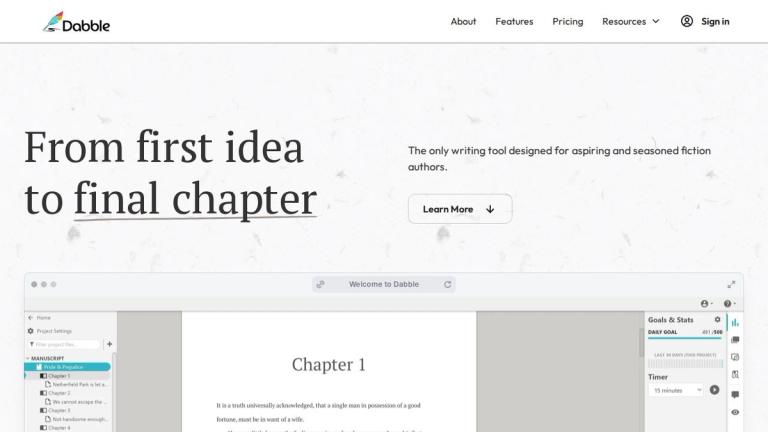
Dabble is a purpose-built writing application designed specifically for fiction authors and novelists. Unlike general-purpose text editors like Google Docs or feature-heavy tools like Scrivener, Dabble strikes a balance between powerful functionality and ease of use.
The platform provides an integrated environment where writers can plan their plots, develop characters, build worlds, write their manuscripts, and edit their work — all within a clean, distraction-free interface. Dabble emphasizes an intuitive user experience that feels natural and doesn't overwhelm writers with unnecessary complexity.
With features like the Plot Grid for story structure planning, Character Profiles for deep character development, and a Worldbuilding Bible for fantasy and sci-fi authors, Dabble covers the entire novel-writing workflow. The platform supports cross-device writing, allowing authors to write wherever inspiration strikes.
Dabble has facilitated the writing of over 4.5 billion words, demonstrating its adoption and trust within the writing community.
Target Audience
Fiction authors, novelists, and creative writers looking for an intuitive, all-in-one tool to plan, write, and edit their manuscripts.
Key Features
- Plot Grid for mapping story arcs, twists, and subplots
- Character Profiles for building detailed character bios
- Worldbuilding Bible for storing lore, maps, history, and rules
- Drag-and-Drop organization for chapters and scenes
- Plot Labels for tagging themes, POV, tension, and more
- Daily word count goal tracking
- Auto-numbered and formatted scenes and chapters
- Focus mode with clean, uncluttered interface
- Sticky notes and comments for editing
- Advanced grammar and style checks
- Cross-device writing support
Use Cases
- Writing novels and long-form fiction
- Planning and organizing complex plot structures
- Developing detailed character profiles and arcs
- Worldbuilding for fantasy, sci-fi, and other speculative fiction
- Tracking daily writing goals and productivity
- Editing and revising manuscripts with comments and notes
Pros
- Intuitive, easy-to-use interface that doesn't overwhelm
- All-in-one solution for plotting, writing, and editing
- Excellent organizational tools for complex manuscripts
- Cross-device accessibility for writing anywhere
- Clean, distraction-free writing environment
- Purpose-built for fiction writers rather than general use
Cons
- May lack some advanced features power users expect from Scrivener
- Focused primarily on fiction — less suitable for non-fiction or academic writing
- Subscription-based model may not appeal to all writers
Pricing
Subscription-based pricing (specific tiers not detailed on homepage)