LogoAI Jet
icon of Day One

Day One

Day One is a digital journaling app for capturing life's moments with text, photos, videos, and audio across multiple platforms.

Introduction

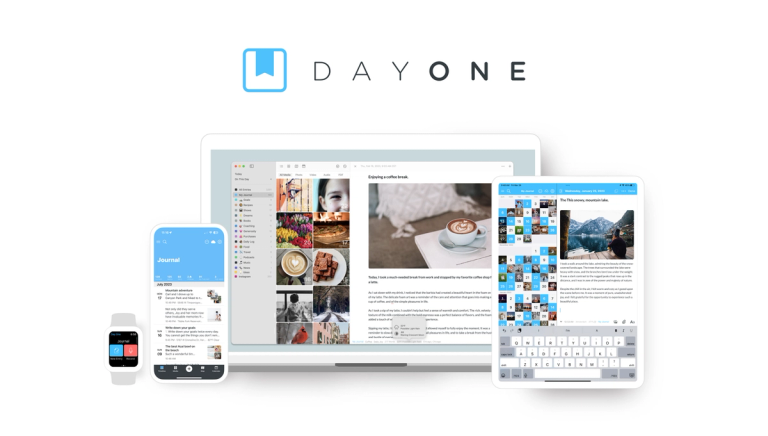
Day One is a versatile digital journaling application designed to capture and preserve personal memories and experiences. It supports text entries, photo and video attachments, audio recordings, and drawings, making it a multimedia diary. Key features include:

  • Cross-Platform Syncing: Seamlessly sync entries across iPhone, iPad, Mac, Android, and web platforms.
  • Multimedia Support: Add photos, videos, audio recordings, and drawings to journal entries.
  • On This Day Feature: Revisit past entries from previous years.
  • Security: Protect journal entries with passcodes, biometric security, and end-to-end encryption.
  • Automatic Backups: Ensure data is safe with automatic backups and export options.
  • Award-Winning Design: Enjoy a distraction-free writing environment with an intuitive interface.

Day One is used for personal journaling, travel logs, project documentation, and memory keeping. It caters to individuals seeking a secure and feature-rich digital diary solution.

Latest News

Alternatives

  • Journey

    Journey offers a similar multi-platform digital journaling experience with rich media support and cloud synchronization.

  • Penzu

    Penzu provides a private and secure online journaling platform with customizable journals and rich text editing features.

  • Grid Diary

    Grid Diary uses a unique grid-based template system to guide users through daily reflections and structured journaling.

  • Reflectly

    Reflectly is an AI-powered journaling app focused on mood tracking and mental well-being, offering personalized insights.

  • Diarium

    Diarium is a versatile cross-platform diary app that supports various media types, calendar integration, and data import from other services.

  • Evernote

    Evernote is a powerful note-taking app that can be adapted for comprehensive journaling with its rich media, tagging, and organization features.

  • Notion

    Notion offers extreme flexibility to create custom journaling systems, databases, and linked entries for highly personalized tracking.

  • Obsidian

    Obsidian is ideal for users who prefer a local-first, plain-text approach to journaling with powerful linking and graph view capabilities for interconnected thoughts.

  • Apple Notes

    Apple Notes is a free, built-in option for Apple users that supports rich media and basic organization for quick, accessible journaling entries.

  • Google Keep

    Google Keep is a simple and accessible note-taking service that can be used for quick, informal journaling entries and reminders across devices.

FAQ

More Products

TinyPNG is Tinify’s browser-based image compressor and converter. This review explains how its web tool differs from its Developer API, what each free allowance covers, and when its compression, conversion, resizing, and cropping features may fit an image workflow.

Zamzar is an online file conversion and compression service for documents, images, video, sound, and other formats. Its free web service has daily file and upload-size limits.

iLoveIMG is a browser-based image service for compression, resizing, cropping, conversion, and editing, with a free Basic plan and paid options.

Smallpdf is an online PDF toolkit for conversion, compression, editing, merging, signing, and more. Its Free plan includes 30+ tools but limits downloads.

Convertio is a browser-based service for converting files between supported formats, with optional settings for many conversion types.

FreeConvert is an online file converter with more than 1,500 listed conversion types and a free allowance of 20 conversion minutes per day.

HiPDF is an online PDF service with conversion, editing, compression, merging, cropping, image tools, and AI features.

123apps is a browser-based suite of video, audio, PDF, and file-conversion tools. Its apps are free to use with limits on file size and daily operations.

ChatPDF summarizes PDFs and answers questions about them. Its free plan allows two document analyses per day, with no account needed to get started.

CloudConvert is a browser-based converter for more than 200 file formats, including documents, images, audio, video, archives, and specialist formats.

OCR.space provides free browser-based OCR for images and PDFs, searchable PDF creation, and a separate API for adding text recognition to software.

Free online itinerary maker with 900+ trip plans across 96 countries. Edit day-by-day in the browser; export to PDF, Excel, CSV, Google Sheets or .ics. Free account required to download/print. Optional Pro adds premium themes; AI chat helps draft plans.

TasteDir is a curated directory of finished, well-crafted software from indie makers and small teams. Every listed tool is reviewed by hand.

An AI meeting copilot that combines live transcripts, screenshots, and project documents to deliver contextual answers, response drafts, and meeting recaps.

Create professional invoices free in your browser: live preview, any currency, tax and discounts, custom templates, and no-watermark PDF. No signup needed.

Vidsembly is an AI video creation platform that turns PowerPoint presentations, PDFs, and documents into narrated videos. Create AI presentations, clone voices, translate slides, transcribe recordings, generate soundtracks, and host videos in one place.