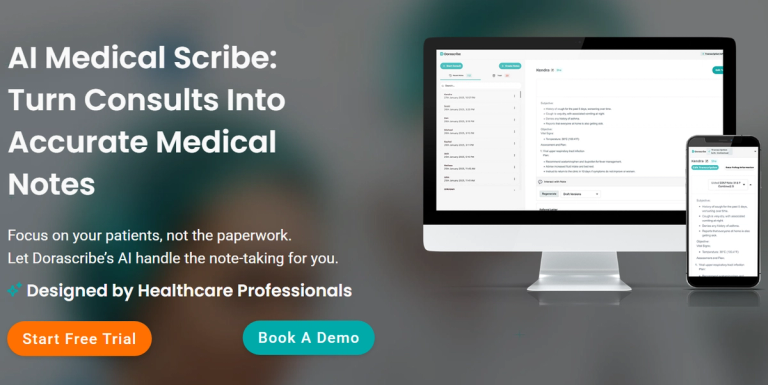
Dorascribe is an AI medical scribe that automatically records, transcribes, and formats notes for faster, smarter charting.
Features
- Ambient Clinical Documentation — Automatically records, transcribes, and formats patient consultations into structured clinical notes (like SOAP notes) in real-time, eliminating manual charting.
- Smart Prescription & Referral Generation — Creates prescriptions and drafts referral letters directly from clinical documentation, saving time while ensuring accuracy and seamless integration into workflows.
- Dora Evidence - Clinical Decision Support — Built-in tool that delivers evidence-based answers in seconds, supporting clinical decision-making directly within the documentation platform.
- Multi-Language & Specialty Support — Transcribes patient conversations across multiple languages and offers specialty-specific templates for over 20 medical fields, from endocrinology to clinical psychology.
- Smart Form Completion & Custom Templates — Automatically completes medical forms and allows clinicians to create and access custom note templates tailored to their specific documentation needs.
- Cross-Platform & EMR Integration — Works across desktop, tablet, and mobile (iOS/Android) with direct integration into existing Electronic Medical Records (EMR) systems for streamlined workflows.
Use Cases
Primary Care Documentation Efficiency
Family physicians and general practitioners use Dorascribe to automatically generate SOAP notes during patient visits, eliminating after-hours charting and allowing them to finish clinic with documentation already complete. Target Audience: Family Physicians, General Practitioners, Primary Care Clinicians
Specialty-Specific Clinical Documentation
Specialists like neurologists, psychiatrists, and dermatologists leverage Dorascribe's specialty templates and accurate medical jargon recognition to capture nuanced evaluations with minimal editing required. Target Audience: Medical Specialists (Neurologists, Psychiatrists, Dermatologists, etc.)
Mental Health Session Documentation
Clinical psychologists and therapists use Dorascribe to reliably summarize emotionally demanding sessions, preserving clinician energy for patient care rather than administrative work. Target Audience: Clinical Psychologists, Therapists, Mental Health Professionals
Multilingual Patient Consultations
Healthcare providers in diverse communities use Dorascribe's multi-language transcription to accurately document patient conversations conducted in different languages, ensuring no clinical details are lost. Target Audience: Multilingual Practices, International Healthcare Settings, Diverse Community Clinics
Pros
- Significant time savings: Clinicians report finishing clinic with charting already done, eliminating after-hours documentation work and enabling more patient appointments.
- High accuracy with minimal editing: The AI understands medical terminology out of the box, producing consistently strong note quality even on complex follow-ups.
- Comprehensive compliance: HIPAA, POPIA, PIPEDA, GDPR, and SOC2 compliance ensure patient data protection across different regulatory environments.
- Seamless workflow integration: Works across all devices and integrates directly with existing EMR systems, fitting naturally into clinical routines without disruption.
- All-in-one platform: Combines documentation, clinical decision support (Dora Evidence), prescription generation, and form completion in a single solution.
Cons
- Subscription cost may be prohibitive for some practitioners: With plans ranging from $39-$89 per user monthly, the expense could be challenging for solo practitioners or small practices with tight budgets.
- Limited free tier: The free trial only includes 20 transcripts per month with basic features, which may not be sufficient for thorough evaluation by busy clinicians.
- Technology dependency: Reliance on AI transcription means potential issues with audio quality, background noise, or complex medical terminology could occasionally affect note accuracy.
- Learning curve for template customization: While the interface is designed to be intuitive, creating and optimizing custom templates may require initial time investment to match specific documentation preferences.