

Flot.ai
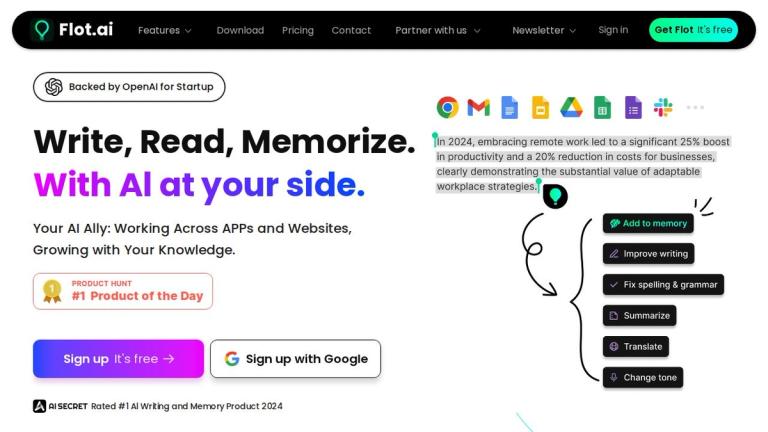
Flot.ai is an innovative AI-powered productivity tool that seamlessly integrates into your existing workflow across any application and website. Backed by OpenAI for Startups and rated as the #1 AI Writing and Memory Product in 2024, Flot.ai has been trusted by over 720,000 professionals worldwide.
What Makes Flot.ai Special?
Unlike standalone AI tools that require you to switch contexts, Flot.ai brings AI assistance directly to where you work. Whether you're composing emails in Gmail, writing documents in Google Docs, or messaging on Slack, Flot.ai is right there with you.
Core Capabilities
AI Writing Assistant
Flot.ai helps you write better by providing real-time assistance as you work. Features include:
- Writing improvement - Polish your thoughts to professional quality
- Voice & tone editing - Adjust your writing style for different audiences
- Translation - Write in multiple languages including Japanese, Spanish, German
- Quick replies - Generate context-specific email responses
- Grammar checking - Comprehensive grammar and spelling correction
- Outline generation - Get help with ideas and first drafts
AI Memory System
A standout feature that sets Flot.ai apart is its AI Memory capability. This personal knowledge base allows you to:
- Save memos, research reports, meeting minutes, and snippets of wisdom
- Store information with a single click - no organizing required
- Retrieve your memories on demand using natural language queries
- Never lose important information again
Integration & Compatibility
Flot.ai works perfectly with all major productivity tools including:
- Google Workspace (Gmail, Docs, Sheets, Forms, Calendar, Drive)
- Microsoft Office (Word, Excel, PowerPoint, Outlook, Teams, OneNote)
- Apple iWork (Keynote, Pages, Numbers)
- Collaboration tools (Slack, Notion, Coda)
Comparison with Competitors
Flot.ai offers a comprehensive feature set that combines the best of multiple tools:
- Works across any apps & websites (unlike ChatGPT Plus)
- Includes AI Memory/personal knowledge base (unique feature)
- Provides GPT-4 access
- Offers grammar correction (like Grammarly)
- Can compose drafts & outlines (like Jasper AI)
- Available as a desktop app
Target Audience
Professionals, writers, knowledge workers, and anyone who wants to enhance their writing productivity and manage information across multiple applications and platforms.
Key Features
- Works across any apps and websites
- AI Memory - personal knowledge base
- AI Chatbots with GPT-4 access
- Grammar correction and checking
- Compose drafts and outlines
- Expert prompts library
- Desktop app availability
- Voice and tone editing
- Multi-language translation
- Quick email reply generation
- One-click content saving
- Context-aware AI assistance
Use Cases
- Writing professional emails and proposals
- Drafting documents across different platforms
- Taking and organizing meeting notes
- Research and knowledge management
- Quick translations for multilingual communication
- Grammar and style improvement
- Generating outlines and first drafts
- Recalling saved information on demand
- Responding to messages efficiently
- Cross-platform productivity enhancement
Pros
- Works seamlessly across all apps and websites without switching contexts
- Unique AI Memory feature for personal knowledge management
- Backed by OpenAI with GPT-4 access
- Free tier available for getting started
- Trusted by 720,000+ professionals
- Combines features of multiple tools (writing, grammar, memory)
- Desktop app for easy access
- No organizing required for saved memories
Cons
- Full feature details and pricing tiers not clearly displayed on homepage
- Requires internet connection for AI features
- May have learning curve for utilizing all features effectively
Pricing
Free tier available with sign-up. Specific paid plan details available on the pricing page.


